42
03
Connecting your equipment
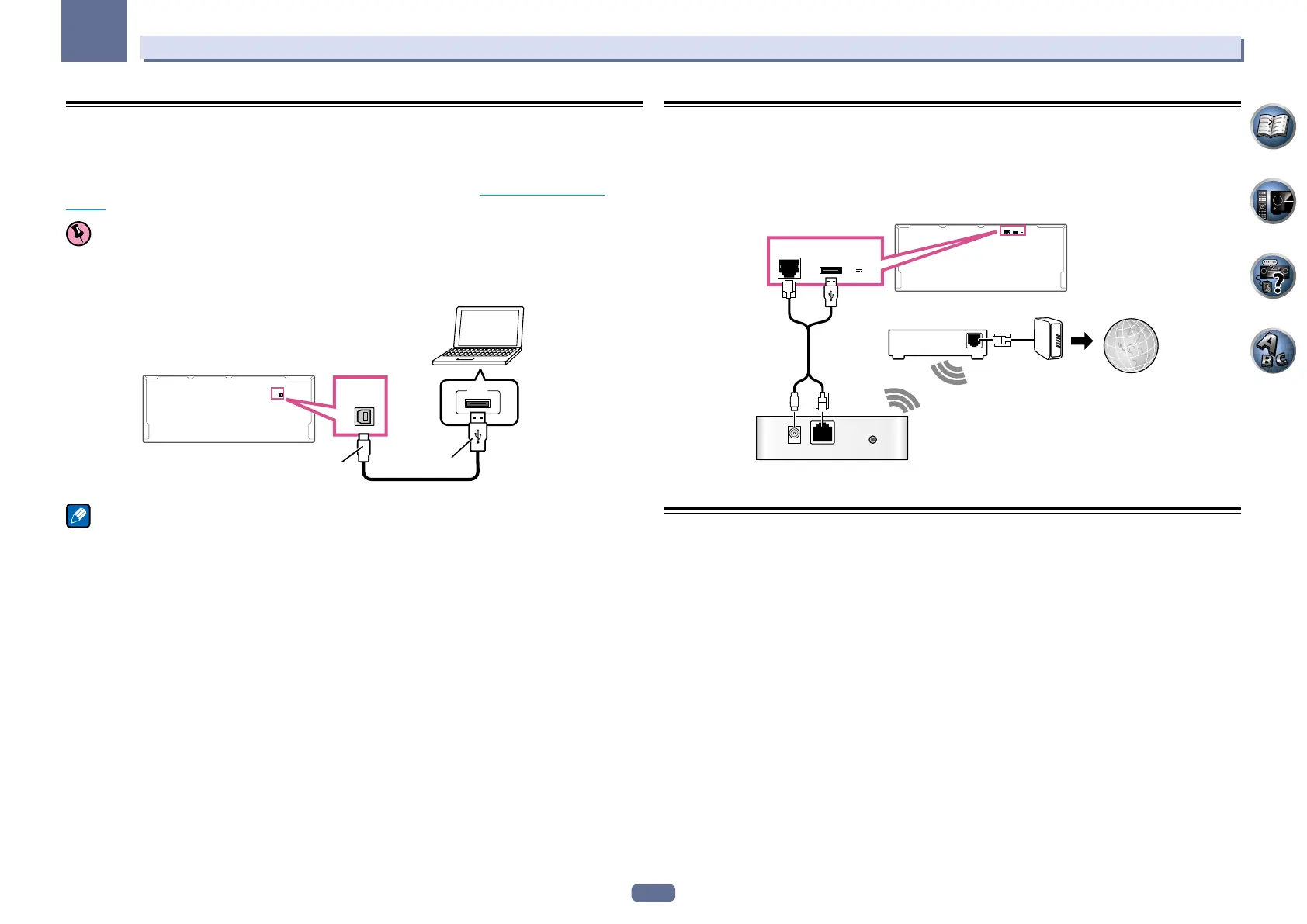
Using a USB cable to connect to a PC
SC-LX86 only
By using a USB cable (sold separately) to connect this unit’s USB-DAC IN terminal to the USB port on a PC, this
unit can be used as a D/A converter.
For details regarding the output of signals input to the USB-DAC IN terminal, see Playing music from a PC on
page 54.
Important
! The exclusive driver must be installed on the computer in order to play high sound quality files of over 48
kHz/24 bits.
The driver software is provided on the included CD-ROM (AVNavigator).
USB-DAC
IN
PC
A-Type
B-Type
USB
USB-DAC
IN
Note
! This unit cannot be used to play audio files from a PC unless Media Player is installed on the connected PC.
Connecting to a wireless LAN
Wireless connection to the network is possible through a wireless LAN connection. Use the separately sold
AS-WL300 for connection.
! Use only the furnished accessory connecting cable.
! Certain settings are required to use a wireless LAN converter (AS-WL300). For instructions on making these
settings, see the operating instructions included with the wireless LAN converter (AS-WL300).
WAN
DC 5V WPS
Ethernet
LAN
(
10/100
)
DC OUTPUT
for WIRELESS LAN
(
OUTPUT
5 V
0.6 A MAX
)
LAN
(
10/100
)
DC OUTPUT
for WIRELESS LAN
(
OUTPUT
5 V
0.6 A MAX
)
InternetModem
Wireless LAN converter (AS-WL300)
Router
Connecting an IR receiver
If you keep your stereo components in a closed cabinet or shelving unit, or you wish to use the sub zone remote
control in another zone, you can use an optional IR receiver (such as a Niles or Xantech unit) to control your
system instead of the remote sensor on the front panel of this receiver.
! Remote operation may not be possible if direct light from a strong fluorescent lamp is shining on the IR
receiver remote sensor window.
! Note that other manufacturers may not use the IR terminology. Refer to the manual that came with your com-
ponent to check for IR compatibility.
! If using two remote controls (at the same time), the IR receiver’s remote sensor takes priority over the remote
sensor on the front panel.



 To Next Page
 Loading...









