EasyManua.ls Logo

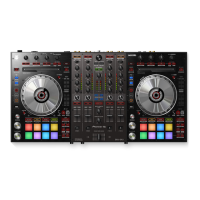
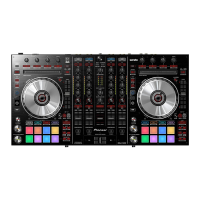
Pioneer Serato DDJ-SX - User Manual

Pioneer Serato DDJ-SX
33 pages
Print Icon
To Next Page IconTo Next Page
Loading...
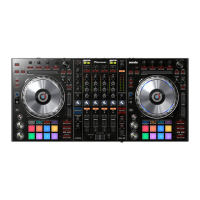
DJ Controller
DDJ-SX
Operating Instructions
http://pioneerdj.com/support/
The Pioneer DJ support site shown above offers FAQs, information on software and various other types of
information and services to allow you to use your product in greater comfort.
http://serato.com/
For the latest version of the Serato DJ software, access Serato.com and download the software from there.

Questions and Answers

  • B
    Beverly GriffithAug 19, 2025
    How to turn on Pioneer Serato DDJ-SX DJ Equipment?
    • B
      Brian VillanuevaSep 12, 2025
      If your Pioneer DJ Equipment is not turning on, ensure the [STANDBY/ON] switch for the power supply is set to [ON]. Also, make sure the power plug is correctly mounted on the included AC adapter, the AC adapter is properly connected to the power outlet, and the DC plug of the AC adapter is properly connected to the unit.
  • M
    Mallory WilliamsAug 21, 2025
    Why is there no sound coming from my Pioneer Serato DDJ-SX?
    • G
      George BoydAug 21, 2025
      If you're experiencing no sound or very low sound levels with your Pioneer DJ Equipment, ensure that the [TRIM] control, channel faders, crossfader, [INPUT SELECT] switch, and [MASTER LEVEL] control are all properly positioned. Also, verify that the external input selection and volume are correctly set on any powered speakers you're using. Check that all connection cables are properly connected and clean the terminals and plugs before connecting. Finally, ensure that the driver software is properly set. Note that with Mac OS X, no driver software is necessary.
  • W
    William CombsAug 23, 2025
    Why is Serato DJ unstable with my Pioneer Serato DDJ-SX DJ Equipment?
    • L
      Lisa ObrienAug 25, 2025
      If Serato DJ is operating unstably with your Pioneer DJ equipment, ensure you are using the most recent version of the software. Try quitting other applications to reduce the computer's workload. If the instability continues, disable wireless networks or other wireless connections, antivirus software, the screen saver, and low power mode. Disconnect other USB devices from the computer. If your computer has multiple USB ports, try connecting the unit to a different USB port. When using a notebook computer, make sure it's connected to an AC power supply.
  • J
    jenkinsmatthewAug 26, 2025
    What to do if sound is interrupted while using DJ software with Pioneer Serato DDJ-SX?
    • D
      Daniel OlsonAug 26, 2025
      If the sound is interrupted while using DJ software with your Pioneer equipment, adjust the [TRIM] control so that the channel level indicator’s orange indicator lights at the peak level. Also, set the driver software’s latency to a suitable value, and ensure the [INPUT SELECT] switch is in the correct position. Make sure to set the ASIO driver before launching Serato DJ.
  • L
    Lori GeorgeAug 28, 2025
    What to do if Pioneer Serato DDJ-SX DJ Equipment is not recognized?
    • M
      Ms. Patricia Acosta MDAug 28, 2025
      If your Pioneer DJ equipment isn't being recognized, ensure that the included USB cable is properly connected. Connect the computer and the unit directly using the included USB cable. Also, verify that the driver software is correctly installed. Note that with Mac OS X, no driver software is necessary.
  • J
    Joshua DavisAug 30, 2025
    Why recording is not possible with Pioneer Serato DDJ-SX?
    • A
      Allison BryantAug 30, 2025
      If you're unable to record with your Pioneer DJ equipment, adjust the gain control on the [REC] panel in the Serato DJ software. Also, remember to save the recording after you have completed it.
  • P
    Pamela MccormickSep 1, 2025
    How to fix distorted sound on Pioneer Serato DDJ-SX DJ Equipment?
    • R
      Roger YoungSep 1, 2025
      If you are experiencing distorted sound with your Pioneer DJ equipment, adjust the [MASTER LEVEL] control so that the master level indicator’s orange indicator lights at the peak level.
  • J
    Juan MartinezSep 3, 2025
    Why are tracks not displayed in the library of my Pioneer DJ Equipment?
    • N
      nicolesimmonsSep 3, 2025
      If tracks are not being displayed in the library of your Pioneer DJ equipment, import the music files properly. Either select a crate or subcrate that contains tracks or add tracks to the crate or subcrate. Check the [Library + Display] settings.
  • M
    Misty HuffSep 5, 2025
    Why iTunes tracks are not displayed in the library of my Pioneer Serato DDJ-SX DJ Equipment?
    • C
      Christine ManningSep 5, 2025
      If iTunes tracks are not showing up in your Pioneer DJ equipment library, either select a crate or subcrate that contains tracks or add tracks to the crate or subcrate. You may also need to disable the [Protect Library] setting.
  • T
    tryanSep 7, 2025
    What to do if the indicator flashes and operation is strange on my Pioneer Serato DDJ-SX DJ Equipment?
    • A
      afernandezSep 7, 2025
      If the indicator light is flashing and the operation of your Pioneer DJ equipment is strange, disconnect the AC adapter, wait at least one minute, and then reconnect it to restore normal operation. If the issue persists, disconnect the AC adapter and request repairs.

Summary

Before start

Features

Highlights the key features and technologies of the DJ controller.

Connections and part names

Details all physical connections, ports, and component names of the unit.

Basic Operation

Guides users through initial setup, basic functions, and system shutdown.

Advanced Operation

Explains advanced functions like performance pads, sampling, and slip modes.

Installing the software

Before installing the software

Covers prerequisites and initial steps before installing the Serato DJ software.

About the installation procedure

General guidance on the software installation process for different OS.

Installation Procedure (Windows)

Installation procedure (Mac OS X)

About the driver software and setting utility software

Connections and part names

Basic Operation

Starting the system

Guides users through powering on the unit and launching the DJ software.

Playing tracks and outputting the sound

Explains how to load, play, and manage audio output levels.

Quitting the system

Provides steps to safely shut down the DJ controller and software.

Advanced Operation

Using the performance pads

Covers hot cues, loop rolls, slicers, and samplers via performance pads.

Using the sampler function

Explains how to load and trigger samples using the performance pads.

Using the slip mode

Describes maintaining playback rhythm during scratch/loop operations.

Using the dual deck mode

Explains simultaneous control of two decks for advanced mixing.

Mixer section

Troubleshooting

Using as a controller for other DJ software

About the driver software (Windows)

Pioneer Serato DDJ-SX Specifications

General IconGeneral
TypeDJ Controller
Channels4
Deck Control4
PlattersYes
Jog WheelsYes
EQs3-band
EffectsBuilt-in FX
Power SupplyAC Adapter
MIDIYes
CrossfaderYes
CompatibilitySerato DJ Pro
Pads16
Faders4 Channel Faders, 1 Crossfader

Related product manuals