EasyManua.ls Logo

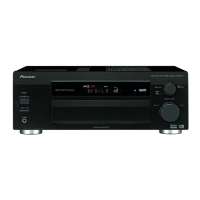
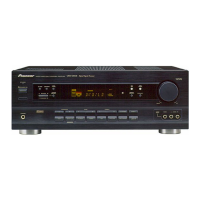
Pioneer VSX-D709S - User Manual

Pioneer VSX-D709S
84 pages
Print Icon
To Next Page IconTo Next Page
Loading...
Operating Instructions
AUDIO/VIDEO
MULTI-CHANNEL RECEIVER
VSX-D709S

Table of Contents

Questions and Answers

  • K
    Kelsey JonesAug 13, 2025
    Why is there no sound from my Pioneer VSX-D709S Receiver when a function is selected?
    • P
      pmillerAug 13, 2025
      There could be several reasons for this. Check the connections to ensure they are correct. Make sure the mute function is not activated by pressing MUTE on the remote. Adjust the MASTER VOLUME to an audible level. Ensure the TAPE 2 MONITOR button is not active by pressing it. Select the appropriate speakers by pressing SPEAKERS (A/B). Verify that the DIGITAL/ANALOG switch is correctly set, and confirm that the digital inputs are properly assigned.
  • J
    Jonathan FrancisAug 16, 2025
    Why is the subwoofer output very low on my Pioneer VSX-D709S?
    • L
      Laura MiddletonAug 17, 2025
      The settings may be routing the signal away from the subwoofer. To increase the signal to the subwoofer, set it to PLUS or choose SMALL for the FRONT speakers.
  • M
    marcus52Aug 21, 2025
    What to do if my Pioneer VSX-D709S Receiver has considerable noise in radio broadcasts?
    • K
      Kelsey GardnerAug 21, 2025
      If you are experiencing a lot of noise, try these steps: First, tune to the correct frequency. Ensure the antenna is properly connected. Keep RF and digital cables away from the antenna. Fully extend the FM antenna and position it for the best reception, securing it to a wall. If the signals are weak, connect an outdoor FM antenna. Adjust the AM antenna's direction for optimal reception, or connect an additional AM antenna. Also, try to eliminate interference from other equipment by turning off or moving any nearby fluorescent lamps or motors. Place the antenna farther away from any equipment causing noise.
  • J
    Jennifer FisherAug 25, 2025
    What to do if there is no image output when a function is selected on my Pioneer VSX-D709S?
    • J
      Jesse MartinAug 25, 2025
      First, check that all components are connected correctly. Then, make sure that you have selected the correct input source by pressing the appropriate function button.
  • S
    Steven CooperAug 28, 2025
    How to fix a Pioneer VSX-D709S Receiver that does not respond when the buttons are pressed?
    • J
      Jaime WilliamsonAug 28, 2025
      The issue might be due to static electricity. Disconnect the power plug from the outlet, and then plug it back in.
  • M
    Michael HallSep 1, 2025
    Why can't broadcast stations be selected automatically on my Pioneer VSX-D709S?
    • P
      Paul JohnsonSep 1, 2025
      Weak radio signals may be the reason. Connect an outdoor antenna.
  • A
    Allen FernandezSep 5, 2025
    What to do when playing an LD and the SIGNAL SELECT is on DIGITAL, but there is still no sound on my Pioneer VSX-D709S?
    • G
      George KempSep 5, 2025
      The LD may not be a Dolby Digital compatible disc. Set the SIGNAL SELECT to analog and ensure your LD player is connected with analog connections in addition to digital and 2 RF (with RF demodulator connections).
  • R
    Rebecca CarpenterSep 8, 2025
    What to do if the 5.1 Channel indicator doesn't light when playing a Dolby Digital / DTS source on my Pioneer VSX-D709S?
    • Z
      zgomezSep 8, 2025
      The Dolby Digital / DTS source might not be 5 channels. There is no problem with the receiver, but if you want 5 channel sound, you must play a 5 channel source.

Summary

Quick Start Guide

Hooking Up Your DVD Player & TV

Connect your DVD player and TV using coaxial or optical digital audio connections for surround sound.

Speaker Connections

Connect your speakers (front, center, surround) to the receiver's speaker terminals for surround sound.

Digital Input Assignment

Assign digital inputs to match your DVD player's output to the receiver's digital inputs.

Connecting Your Equipment

Audio Components

Connect analog audio components like cassette decks and CD players to the receiver's analog jacks.

Digital Connections

Connect digital sources like DVD players, CD recorders, and tuners using coaxial or optical cables.

Video Components

Connect video sources like DVD players, VCRs, and DVRs using composite or S-video cords.

Speakers

Connect front, center, and surround speakers to the receiver's speaker systems A and B.

Initial Set Up

Setting Up for Surround Sound

Complete essential setup operations for proper surround sound, including speaker settings and delays.

Digital-In Select

Assign digital inputs for your digital components to match the receiver's digital jacks.

Speaker Setting

Specify speaker types (LARGE, SMALL, NO) and settings for front, center, surround, and subwoofer.

Channel Delay

Set speaker delay times based on listening position to achieve a proper surround sound effect.

Basic Playback

Learning about the Sound Modes

Understand different sound modes like STANDARD, ADVANCED THEATER, and DSP for music and movies.

Selecting a Sound Mode

Choose and adjust sound modes (STANDARD, ADVANCED THEATER, DSP, STEREO) for optimal listening.

Playing Stereo Sources

Instructions for playing stereo audio or audio-visual sources through the receiver.

Reducing Noise During Playback

Enable DIGITAL NR to reduce extraneous noise during playback for clearer sound.

Listening in Midnight Mode

Use Midnight Mode for excellent surround sound effects at low listening volumes.

Using the Tuner

Automatic and Manual Tuning

Tune FM and AM radio broadcasts using automatic search or manual step tuning.

Direct Access Tuning

Tune directly to a specific radio frequency using the remote control's number buttons.

Memorizing Frequently Used Stations

Memorize up to 30 radio stations in 3 classes (A, B, C) for quick recall.

Remote Control of Other Components

Setting Up the Remote Control

Program the remote to control other Pioneer components by recalling preset codes.

Programming a Different Component into a MULTI CONTROL button

Reassign a MULTI CONTROL button to operate a different component type.

CD;CD-R;MD;VCR;LD Player Controls

Details on using the remote control to operate CD, VCR, and LD players.

Troubleshooting

Specifications

Techno Tidbits & Problem-solving

We Want You Listening For A Lifetime

Guidance on safe listening levels to protect hearing and maximize enjoyment.

Pioneer VSX-D709S Specifications

General IconGeneral
TypeAV Receiver
Channels5.1
Total Harmonic Distortion (THD)0.09%
Input Sensitivity200 mV
Frequency Response5Hz to 100kHz
Speaker Load Impedance6 - 16 ohms
Digital InputsOptical: 2, Coaxial: 1
Video Connectionscomposite, S-Video
Power Output100 W per channel (8 ohms)
OutputSpeaker Outputs (5.1)

Related product manuals