Part names and functions 02
9
En
Chapter 2:
Part names and functions
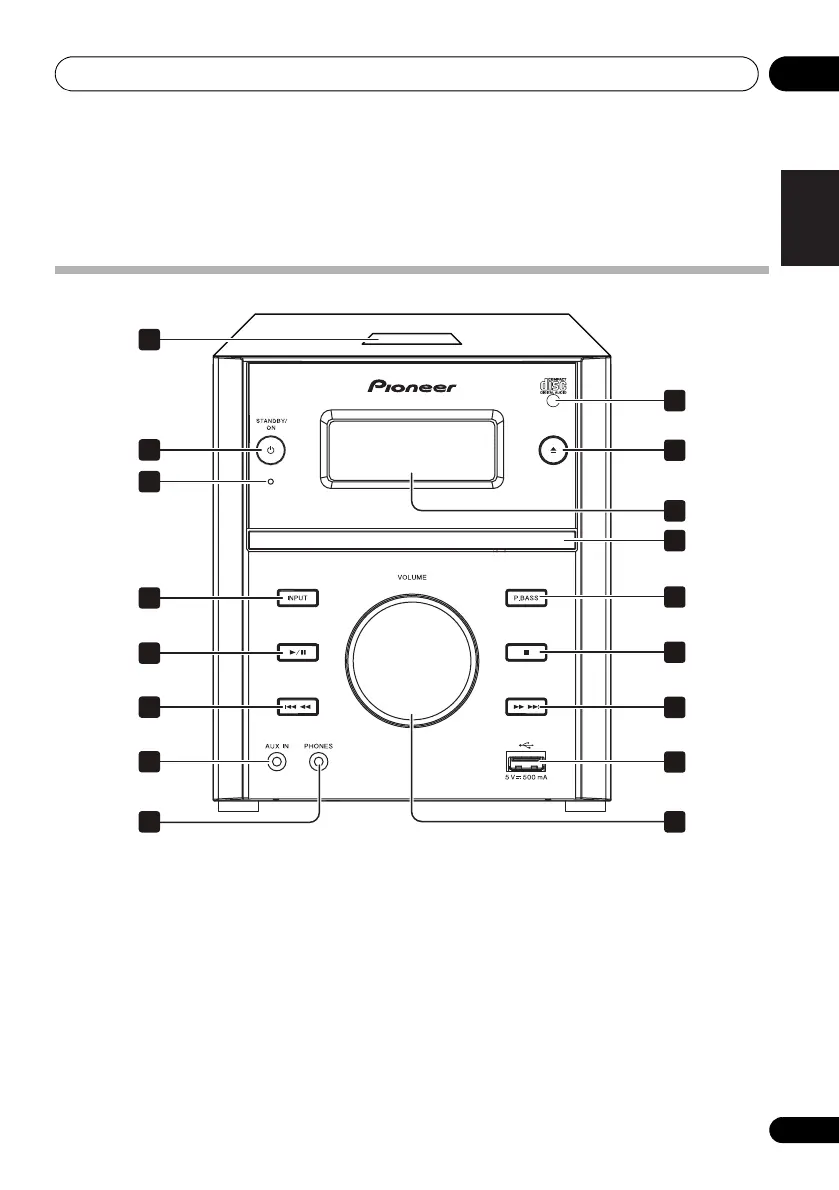
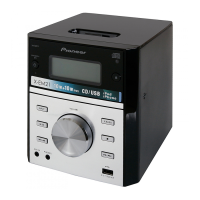
Overview of the main unit
1 Dock for iPhone/iPod (X-EM21 only)
• Connect to the iPhone/iPod.
2
STANDBY/ON
• Switch between standby and on.
3
STANDBY
indicator
• Red lights up during standby.
4
INPUT
• Press repeatedly to select the input source.
5
• Use to play, pause, or resume playback.
• In the standby mode, press and hold to switch between
APS on and off.
6
• Skip to the previous track.
• Press and hold to play reverse quickly within a track.
• Tune to the previous radio station.
• Press and hold to search the previous radio station
automatically.
7
AUX IN
• Connect to the audio output socket (usually the
headphones socket) of an external device.
8
PHONES
• Connect to headphones with a 3.5 mm connector.
11
17
12
13
14
15
16
1
2
9
3
4
5
6
7
8
10
02_part names and functions.fm 9 ページ 2012年6月13日 水曜日 午前11時6分
601-EM2100-010.pdf 9 2012/7/5 11:25:05


 To Next Page