EasyManua.ls Logo

Pioneer XV-DV535W - User Manual

Pioneer XV-DV535W
47 pages
Print Icon
To Next Page IconTo Next Page
Loading...
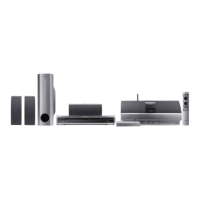
DVD/CD Receiver
XV-DV535W
Speaker System
S-DV535W
Digital Wireless Speaker System
XW-DV535W
Operating Instructions
XV-DV535W.book 1 ページ 2005年1月28日 金曜日 午後5時37分

Table of Contents

Other manuals for Pioneer XV-DV535W

Questions and Answers

  • R
    Rachel HillAug 2, 2025
    Why is there no opening screen on my Pioneer Receiver monitor?
    • J
      Jill NicholsonAug 2, 2025
      If the opening screen is not displayed on the monitor of your Pioneer Receiver, check the video signal path between DVD IC (W51 DVDMAIN Assy IC201) and video-out terminal. This may require checking the W51 DVDMAIN Assy Video circuit after DVD IC (IC201).
  • T
    Troy AllenAug 7, 2025
    Why is there no sound on my Pioneer XV-DV535W Receiver but the picture is normal?
    • M
      Matthew DanielsAug 7, 2025
      If you're experiencing no sound but the picture is normal on your Pioneer Receiver, check the waveform (SPDIF: CN901-pin 16). This may require checking the W51 DVDMAIN Assy DVD IC (IC201).
  • R
    Ryan SmithAug 19, 2025
    Why isn't the spindle turning during playback on my Pioneer XV-DV535W?
    • G
      Gregory FisherAug 19, 2025
      If the spindle isn't turning during playback on your Pioneer Receiver, check the signals output from IC101-pin 30 (W), pin 33 (V), and pin 35 (U) on the W51 DVDMAIN Assy. Also, verify if pin 26 (STBY) is fixed LOW (it should be High at playback: 3V), which may indicate an issue with the W51 DVDMAIN Assy FTS Driver IC (IC101). Inspect the mechanism section (Spindle motor) for any detached parts or foreign objects lodged in it. Ensure the wires of CN102 on the W51 DVDMAIN Assy are neither disconnected nor damaged; if they are, check the flexible cable/connector. Check the signal output from IC201-pin 37 (DMSO) on the W51 DVDMAIN Assy, potentially indicating a problem with the W51 DVDMAIN Assy DVD IC (IC201).
  • J
    Jamie StewartAug 26, 2025
    What causes playback to stop on my Pioneer XV-DV535W?
    • E
      Elaine DiazAug 26, 2025
      If playback stops on your Pioneer Receiver, it could be due to several reasons. Check if the 650-nm LD has deteriorated. If the voltage at each end of R322 and R325 on the W51 DVD MAIN Assy is 0.4 V or more, the 650-nm LD is likely deteriorated. This is more likely when playback of a DVD is impossible. Also, check if the 780-nm LD has deteriorated. If the voltage at each end of R321 and R326 on the W51 DVD MAIN Assy is 0.4 V or more, the 780-nm LD is likely deteriorated. This is more likely when playback of a CD is impossible. Check for abnormalities in the FG waveform at IC201-pin 47, potentially indicating an issue with the W51 DVDMAIN Assy FG output : FTS Driver IC (IC101). Finally, inspect the disc for scratches or dirt.
  • A
    Anthony GrahamNov 13, 2025
    Why is my Pioneer XV-DV535W Receiver unable to focus during playback?
    • B
      Barbara LaneNov 13, 2025
      If your Pioneer Receiver is unable to focus during playback, check the signals output from IC101-pin 3 (FOCS_DRV) and pin 4 (FOCS_RTN) on the W51 DVDMAIN Assy, as this could indicate a problem with the W51 DVDMAIN Assy FTS Driver IC (IC101). Verify if the 650-nm LD emits light, the pickup lens moves up/down, and the actuator spring bends, which could point to a pickup issue. Inspect the mechanism section (motor) for damaged plastic parts, detached shafts, or a detached/tilted turntable. Ensure the flexible cable of CN101 on the W51 DVDMAIN Assy is neither disconnected nor damaged; if it is, check the flexible cable/connector. Check the signal output from IC201-pin 42 (FOSO) on the W51 DVDMAIN Assy; it should typically output about 1.4 V, fluctuating by about ± 250 mV with focus up/down, po...

Summary

Important Safety Information

General Safety Precautions

Important notes and cautions regarding safe operation and potential hazards.

Ventilation and Operation Environment

Guidelines for proper ventilation and optimal operating conditions.

Controls and Displays

Display Overview

Explanation of the system's display indicators and functions.

Front Panel and Remote Control

Identification and function of front panel and remote control buttons.

Transmitter and Wireless Speaker Components

Overview of the wireless transmitter and speaker components.

Display Indicators

Explaining the various lights and indicators on the system's display.

Front Panel Controls

Identifying and describing the buttons on the unit's front panel.

Remote Control Functions

Describing the operations of the remote control buttons.

Transmitter Operation

Details on the transmitter's channels, antenna, and indicator lights.

Wireless Speaker Operation

Information on the wireless speaker's power, tuned indicator, and power switch.

Additional Information

Disc;Content Format Playback Compatibility

Information on compatible media types, including logos and disc types.

Disc Compatibility Table

A table detailing compatible formats for various media types like CD-R/RW and DVD-R/RW.

DivX Video Compatibility

Specifications for DivX video playback, including file extensions and version support.

Installation and Maintenance Hints

Recommendations for optimal system placement and care.

AC Adaptor and Power Cord Cautions

Safety warnings related to the AC adapter and power cord usage.

Getting Started

Home Theater Sound Setup

Guide to setting up a multichannel surround sound speaker system.

Setting Channel Levels

Procedure for adjusting speaker channel levels for optimal surround sound.

Playing Discs

Basic controls and procedures for playing various disc formats.

Listening to Your System

Listening Modes

Auto, Surround, Stereo, and Headphone listening modes.

Playing Discs

Initial Settings Menu

Using the Initial Settings Menu

Accessing and configuring initial system settings.

Speaker Distance Setup

Adjusting speaker distances for optimal surround sound positioning.

Troubleshooting

General Troubleshooting

Common problems and solutions for the system's general operation.

DVD;CD;Video CD Player Issues

Specific troubleshooting steps for disc playback problems.

Specifications

Amplifier and Disc Section Specs

Technical details of the amplifier's power output and disc player's digital audio features.

Tuner and Speaker System Specs

Technical details for FM/AM tuners and the S-DV535W speaker system.

Transmitter;Speaker System and Accessories Specs

Technical details for wireless components, accessories, and licensing information.

Pioneer XV-DV535W Specifications

General IconGeneral
BrandPioneer
ModelXV-DV535W
CategoryReceiver
LanguageEnglish

Related product manuals