Need help?
Do you have a question about the Pioneer XV-HTD540 and is the answer not in the manual?
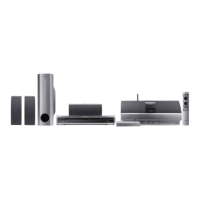
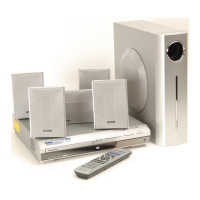
Overview of key functionalities and technologies of the system.
Lists all accessories included with the main system and speaker package.
Step-by-step guide for inserting batteries into the remote control.
Guidelines and tips for effective remote control operation.
Details supported disc types, audio, and image file formats for playback.
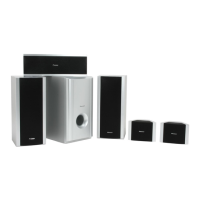
Instructions for connecting wired and wireless speaker components to the main unit.
Guidance on connecting the system to a television using various video outputs.
Specific instructions for connecting via component video for improved picture quality.
Explanation of how to enable and use progressive scan video output.
How to route TV audio through the system for enhanced sound.
Describes connection and features when used with a Pioneer plasma display.
Details on enabling and using the SR+ mode for integrated control.
Instructions for assembling and connecting AM and FM antennas.
Steps to safely connect the system to a power outlet for the first time.
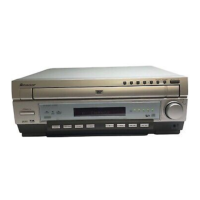
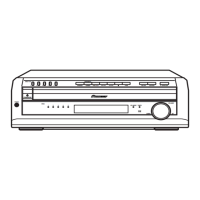
Identification and explanation of buttons and indicators on the main unit's front.
Explanation of various indicators and information shown on the system's display.
Detailed breakdown of remote control buttons and their functions.
Description of the wireless transmitter unit's controls and indicators.
Description of the wireless speaker unit's controls and indicators.
Initial system power-on and basic setup sequence.
Procedure for setting the system's internal clock for timer functions.
Guide to calibrating speaker placement for optimal surround sound.
Instructions for programming the system's remote to control a TV.
Explanation of navigating and interacting with the system's graphical menus.
Basic operations for inserting and playing various disc types.
Overview of common playback functions like play, pause, stop, skip.
How the system remembers playback position for DVDs and Video CDs.
Procedures for swapping discs in the player, including during playback.
How to navigate and use menus present on DVD-Video discs.
Explanation of Playback Control (PBC) menus on Video CDs.
Guide to tuning into AM and FM radio stations.
Tips for enhancing FM signal quality, like switching to mono.
How to save favorite radio stations for easy access.
How to recall and listen to memorized radio stations.
Connecting and listening to external audio/video sources.
Setup and operation of the wireless speaker system for surround sound.
Explains different sound modes and their relation to speaker setups.
How the system automatically selects sound modes based on source.
Guide to using surround sound modes with various sources.
Adjusting parameters for Dolby Pro Logic II Music surround mode.
How to apply various advanced surround sound effects to audio sources.
Instructions for using front surround listening modes, especially with 3-spot setups.
Fine-tuning the intensity of advanced and front surround effects.
How to listen to sources in stereo, including downmixing multichannel audio.
Using headphones with the system, including surround options.
Adjusting dialogue enhancement levels for clearer spoken content.
Using the virtual surround back feature for simulated rear audio.
Explains modes for low-volume listening and reducing harsh sounds.
How to modify bass and treble levels for overall tone adjustment.
Selecting different bass enhancement modes for audio sources.
How to activate CD mode to play only music discs, skipping others.
Instructions for fast-forwarding and rewinding discs at various speeds.
How to play DVDs and Video CDs at different slow-motion speeds.
Advancing or reversing playback one frame at a time for DVDs/VCDs.
Navigating disc content to find specific titles, chapters, or tracks.
Using the A-B Repeat function to loop a specific segment of audio/video.
Setting up various repeat modes for discs, tracks, or groups.
Playing disc content (titles, tracks, etc.) in a random order.
Programming the playback order of titles and chapters for DVD discs.
Programming playback order for CDs, Video CDs, and MP3 discs.
Accessing playback start, stop, and delete options for program lists.
Finding specific content on discs by title, chapter, time, or track number.
Selecting available subtitle languages during DVD playback.
Changing the audio track language during DVD playback.
Selecting audio channels (stereo, left, right) for Video CDs.
Magnifying parts of the screen during playback of DVD-Video, DVD-Audio, or Video CDs.
Changing camera viewpoints on DVD discs that support multi-angle scenes.
Showing track, chapter, and time information on screen or front panel.
Starting and viewing a slideshow of JPEG pictures from a disc.
Navigating folders and viewing JPEG files using dedicated screens.
Magnifying images during JPEG slideshow playback.
Configuring the system to turn on and play a source at a set time.
Enabling or disabling the automatic wake-up timer function.
Setting the system to automatically turn off after a specified duration.
Navigating and adjusting system settings while the unit is in standby.
Detailed settings for speaker distances and room acoustics.
Settings for controlling Pioneer plasma displays via SR+ cable.
Adjusting individual speaker volume levels for optimal surround balance.
Adjusting picture quality settings like contrast, brightness, and chroma.
Saving custom picture settings for different viewing conditions.
Overview of the initial setup menu for configuring system preferences.
Configuring screen aspect ratio and component output format (Interlace/Progressive).
Setting preferred languages for audio, subtitles, and menus.
Configuring on-screen display language and other visual preferences.
Various playback and system options like Parental Lock and Photo Viewer.
Configuring parental controls, passwords, and country code restrictions.
Accessing special content on DVD-Audio discs using a key number.
Accessing settings like Child Lock, Clock Format, and TV Attenuator while in standby.
Procedure to restore all system settings to their factory defaults.
Information on disc structure, handling, and storage for optimal performance.
Explanation of DVD region coding and compatibility with the system.
Proper techniques for holding and cleaning discs to prevent damage.
Guidelines for storing discs to maintain their condition.
Warning against using damaged or non-circular discs to prevent player damage.
Recommendations for installing and maintaining the system for longevity.
Information on cleaning the DVD player's optical lens.
Advice on handling condensation buildup inside the unit.
Precautions to take when relocating the main system unit.
Safety warnings and handling instructions for the power cord.
General care and precautions for the wireless speaker components.
Safety warnings related to the AC adapter and its power cord.
Explanation of how radio wave reflections can affect wireless reception.
Warnings about using the wireless system near other 2.4GHz devices.
Limitations and environmental factors affecting wireless operation.
General safety guidelines regarding electronic equipment proximity.
How static electricity can affect the unit and how to resolve it.
Instructions for connecting external AM and FM antennas.
Guide to connecting external audio and digital components.
How to enable surround-compatible analog recording from LINE 1 OUT.
General guide to diagnosing and resolving common operational problems.
Lists system error messages and their potential causes or meanings.
Explains aspect ratios of discs and TVs, and how they relate.
How to select specific languages using provided code lists.
A comprehensive list of language codes for system settings.
A comprehensive list of country codes for system settings.
A list of codes for programming the remote to control TVs from various manufacturers.
Definitions of technical terms used throughout the manual.
Technical details and measurements of the system components.

 To Next Page

 General