Need help?
Do you have a question about the Pioneer XV-HTD1 and is the answer not in the manual?
Describes the system's audio performance with Dolby Digital and DTS.
Lists all accessories included with the DVD receiver system.
Instructions for battery insertion and basic usage of the remote control.
Guidance on choosing a suitable location and avoiding environmental issues.
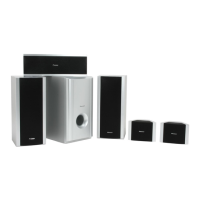
Details on connecting speakers, optimal positioning, and wall mounting.
Steps for connecting the unit to a TV and installing supplied antennas.
Instructions for connecting external devices and the power cord.
Instructions for connecting external AM and FM antennas to improve reception.
Identification and function of each button on the remote control.
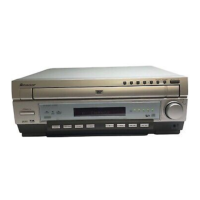
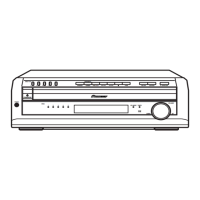
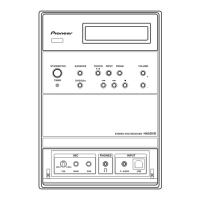
Description of the buttons and features on the main unit's front panel.
Explanation of the various indicators and symbols shown on the unit's display.
Procedure for setting the system's clock for timer features.
Steps to optimize surround sound to the listening room.
Guide to setting distances for front, center, and surround speakers.
How to use the on-screen Setup Navigator for initial system configuration.
Instructions for loading discs and using fundamental playback controls.
A reference table for remote and front panel playback buttons.
Procedures for swapping discs and tuning into FM/AM radio stations.
Simple method to adjust the sound's bass and treble levels.
Instructions for enabling the P.Bass feature to enhance bass response.
Choosing and using various sound modes for enhanced audio experience.
Methods for locating specific content on discs using search features.
How to switch camera angles, subtitles, and audio languages during playback.
Guide to creating a custom playback sequence of tracks or chapters.
How to loop a section of a disc and play audio CDs exclusively.
How to memorize and recall disc-specific settings for automatic recall.
Instructions for using the karaoke feature with a microphone and backing track.
Explanation of Radio Data System and its available program types.
How to select and display RDS information like station name and program type.
Method to search for radio stations broadcasting specific program types.
Procedure for setting the system to turn on automatically at a specific time.
How to enable or disable the wake up timer function.
Instructions for setting the sleep timer to automatically turn off the system.
Adjusting the low-frequency effects signal to prevent subwoofer distortion.
Using DRC to balance loud and quiet sounds for easier listening.
Configuring dual-mono audio for specific Dolby Digital discs.
Adjusting individual speaker volume levels for a balanced sound experience.
How to access and navigate the DVD Setup menu options.
Configuration of TV screen aspect ratio and picture quality.
Adjusting S-Video output signal and still frame display.
Configuring on-screen display position and multi-angle indicators.
Setting the OSD language for on-screen menus.
Setting preferred audio and subtitle languages for DVD playback.
Managing automatic language selection based on disc content.
Setting DVD menu language and subtitle display preferences.
Changing the setup menu mode and other general system configurations.
Setting parental controls and managing the system password.
Configuring screen saver activation and background display color.
Adjusting AM frequency interval, display brightness, and time format.
Procedure to restore system settings to their factory defaults.
Guidelines for cleaning the unit and proper handling of discs.
Definitions of technical terms used throughout the user manual.
A reference list of codes corresponding to various languages.
Common problems related to disc loading, playback, and on-screen symbols.
Troubleshooting issues with settings not applying or unresponsive controls.
Resolving problems with video output, aspect ratio, and screen display.
Addressing issues with volume differences, radio reception, and auto tuning.
Troubleshooting a non-functional remote control or distorted audio output.
Resolving difficulties adjusting sound modes when Record Mode is active.
Understanding how TV screen settings impact the appearance of discs.
Detailed technical data for all system components and supplied items.
Instructions on how to enable or disable the system's demonstration sequence.
 General
| Audio Channels | 5.1 |
|---|---|
| Frequency Response | 20 Hz - 20 kHz |
| HDMI Inputs | 3 |
| HDMI Outputs | 1 |
| Type | Home Theater System |
| Output Power | 100 W per channel |
| DVD Player | Yes |
| Supported DVD Formats | DVD-Video, DVD-R, DVD-RW |
| Supported CD Formats | CD, CD-R, CD-RW |
| Surround Sound Formats | Dolby Digital, DTS |
| Radio Tuner | FM |
| Bluetooth | No |
| USB Port | Yes |
| Coaxial Digital Input | 1 |
| FM Tuner | Yes |
| Inputs | HDMI, Optical, Coaxial |
| Outputs | HDMI, Analog Audio |


 To Next Page