EasyManua.ls Logo

Pioneer XV-HTD50 - User Manual

Pioneer XV-HTD50
52 pages
Print Icon
To Next Page IconTo Next Page
Loading...
Operating Instructions
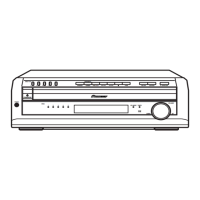
DVD/CD RECEIVER
XV-HTD50
XV-HTD5
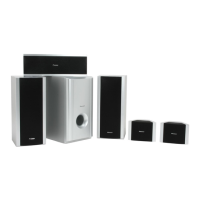
SPEAKER SYSTEM
S-HTD50
S-HTD5

Other manuals for Pioneer XV-HTD50

Questions and Answers

Pioneer XV-HTD50 Specifications

General IconGeneral
Audio Channels5.1
TypeHome Theater Receiver
Audio DecodingDolby Digital, DTS
TunerAM/FM
Inputs4 x HDMI
Outputs1 x HDMI, 1 x composite video, 1 x Subwoofer
Power Output100W per channel (6 ohms, 1 kHz, THD 1%, 1 channel driven)

Summary

Safety and Warnings

Electrical, Fire, and Laser Safety

Essential warnings to prevent fire and electric shock hazards, including laser safety and ventilation requirements.

Product Handling and Installation Precautions

Information on product handling, specific precautions for standby operation, and installation guidelines.

Important Setup Information

Voltage Selector and UK Plug Adaptation

Instructions for setting the voltage selector switch and adapting the plug for UK use.

Connecting the Speaker System

Speaker Connection Guide

Detailed instructions and visual aid for correctly connecting all speakers to the DVD receiver using color-coded wires.

Connecting to Television

Video and Audio Connections to TV

Guides on connecting the player to a TV via supplied video cord and optional audio cords for sound output.

Connecting Supplied Antennas

Connecting Components and Power

Connecting External Audio;Video Sources

Guides on connecting external components like tape decks, VCRs, or MD players using analog and digital audio connections.

Remote Control Functions

Remote Control Layout and Buttons

Provides a detailed diagram and list of buttons on the remote control, indicating their respective functions and page references.

Front Panel and Display Indicators

Front Panel Controls Overview

Details all controls located on the front panel of the receiver, including buttons for playback and system setup.

Initial System Setup

Surround Sound and Speaker Distance Configuration

Details the process for configuring surround sound settings and measuring/inputting speaker distances for optimal audio.

Advanced Sound Setup

Balancing Speaker Levels with Test Tone

Guides on using the test tone feature to balance the volume levels of all speakers for a consistent surround sound experience.

Using the Setup Navigator

Automated DVD System Setup

Provides a step-by-step guide to using the Setup Navigator for automating initial DVD system settings like TV type and language.

Basic Disc Playback

Starting and Controlling Playback

Guides on powering on the unit, loading discs, and using fundamental playback buttons like play, pause, stop, and fast forward/rewind.

Disc Menu Navigation

Surround Sound Basics

Understanding Sound Modes and Effects

Explains different sound modes, including Auto, Standard, and Advanced Theater effects, to simulate various listening environments.

Advanced Surround and DSP Settings

Selecting Surround Modes and DSP Effects

Explains how to choose between various surround modes (e.g., Auto, Musical, Action) and DSP effects for enhanced audio.

Disc Playback Operations

Searching and Navigating Disc Content

Guides on using search functions to locate specific content like titles, chapters, or time segments on DVDs and VCDs.

Custom Playback Programming

Advanced Playback Modes

Karaoke Functionality (XV-HTD5 Only)

RDS Information and Search

Wake-Up Timer Configuration

Setting the Wake-Up Timer

Provides a detailed guide to setting the wake-up timer, including selecting the source, setting on/off times, and volume levels.

Timer and Sleep Functionality

Using the Sleep Timer

Details how to set the sleep timer to automatically put the system into standby after a specified period, allowing users to fall asleep.

Advanced Audio Settings

Channel and Volume Adjustments

Fine-Tuning Speaker Channel Volumes

Guides on adjusting the volume levels of individual speakers to achieve a balanced sound experience in the listening room.

DVD Setup Menu Navigation

Video Settings: TV Screen and Picture Quality

Details settings for TV screen aspect ratio (16:9, 4:3) and picture quality presets (Cinema, Animation, Standard).

DVD Video and Language Settings

Video Output and Display Options

Configures S-Video output type, still picture display modes, on-screen display positioning, and angle indicator visibility.

DVD Language and Subtitle Options

Preferred Audio and Subtitle Languages

Guides on selecting preferred audio and subtitle languages, and how the system uses these settings for playback.

Parental Control Settings

Setting Parental Lock Levels

Guides on setting parental control levels and establishing a password to restrict access to discs based on content ratings.

System and Disc Care

Troubleshooting Common Issues

Disc Playback and System Errors

Provides remedies for common issues encountered during disc playback, such as automatic ejection or prohibited operations.

Picture and Settings Problems

Addresses problems with picture display, aspect ratio adjustments, and ineffective settings changes, offering troubleshooting steps.

Troubleshooting Advanced Issues

Audio, Sound Mode, and Fan Errors

Provides fixes for audio distortion, problems with sound mode settings, and troubleshooting fan errors indicated on the display.

Related product manuals