EasyManua.ls Logo

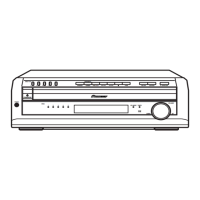
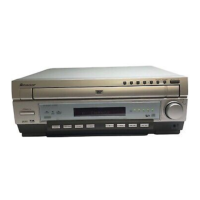
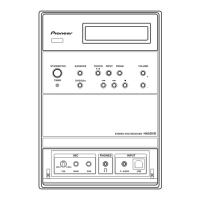
Pioneer XV-HTD520 - User Manual

Pioneer XV-HTD520
78 pages
Print Icon
To Next Page IconTo Next Page
Loading...
Setting Up and Getting Started with your HTD52ODV
Check that you have all the accessories, then put
the batteries in the remote control.
Connect the DVD Receiver to your TV, then
connect the supplied power cord.
Connect the other end to the
video wtput of the DVD receiver.
Connect the power cord
to the AC inlet.
Switch on your TV and set it to
correct video input.
Connect each speaker as shown below.
Twist and pull off the
Connect one end to the DVD
receiver. Match the colored
wire with the color-coded
label (above the tabs), then
insert the colored wire into
the red (+) tab and the other
wire with the black (-) tab.
Playing DVDs and CDs.
.%.
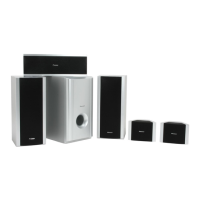
For the best surround sound, setup your
speakers like this. The front left and right
speakers should be about 6-9 feet apart.
Front right
Many DVD discs have menus from which you can
choose from.
For detailed instructions, see the Operating Instructions supplied and / or contact one of our knowledgeable Pioneer Customer Service Representatives at 1 - (800) 421-1404.
Specifications and design subjected to modification without notice.


Table of Contents

Other manuals for Pioneer XV-HTD520

Questions and Answers

Summary

Setting Up and Getting Started

Initial Setup and Connections

Guides through unpacking, connecting components, and initial power-up.

Basic Operation and Controls

Explains basic playback controls and volume adjustment.

Important Safety Instructions

General and Electrical Safety Precautions

Outlines essential safety guidelines for product operation and electrical hazards.

Connecting Up

Connecting the Speakers

Step-by-step guide for connecting the system's speakers using color-coded cords.

Speaker Placement Guidelines

Recommendations for optimal speaker positioning to enhance sound quality.

Connecting to Your TV

Details how to connect the system to a television for video and optional audio output.

Connecting Other Components and Power

Guides on connecting external devices and the main power cord.

Controls & Displays

Front Panel Controls

Identifies and explains the buttons and indicators on the front panel of the unit.

Remote Control Functions

Detailed breakdown of all buttons on the remote control and their functions.

Display Indicators Explained

Describes the various symbols and information shown on the unit's display screen.

Setting Up

Clock and Timer Setup

Guides on setting the system's clock, necessary for timer features.

Surround Sound Configuration

Guides on configuring surround sound settings for optimal audio performance.

Setting Speaker Distances

Adjusts audio delay based on speaker placement for optimal surround effect.

Balancing Surround Sound Levels

Fine-tunes individual speaker volume levels for a balanced surround experience.

Using the Setup Navigator

Step-by-step guided setup process for essential system configurations.

Getting Started

Playing Discs (DVD, CD, VCD)

Introduces basic operations for playing various disc formats.

Basic Playback Controls

Explains fundamental controls for disc playback like play, pause, stop, and skip.

Using Surround Sound

Using Sound Modes

Explains various sound modes for simulating different listening environments.

Listening to Surround-Sound Sources

Settings for optimal playback of Dolby Digital and DTS surround sound sources.

Using the Timer

Using the Wake Up Timer

Sets the system to turn on at a specific time, acting as an alarm clock.

Using the Sleep Timer

Sets the system to automatically switch to standby after a specified time.

Advanced Sound Setup

DVD Setup Menu

Using the DVD Setup Menu

Accesses and navigates the system's DVD-specific configuration options.

Video Settings

Configures video output and display properties for optimal viewing.

TV Screen Aspect Ratio

Sets the display to match the TV's aspect ratio (e.g., 16:9 Wide).

Language Settings

Configures language preferences for menus, audio, and subtitles.

Audio Language Preference

Selects the preferred audio language for DVD playback.

Subtitle Language Preference

Selects the preferred subtitle language for DVD playback.

Parental Lock System

Restricts access to discs based on rating and password protection.

Additional Information

Troubleshooting Common Issues

Lists common problems and their solutions for discs, playback, and connections.

Pioneer XV-HTD520 Specifications

General IconGeneral
Channels5.1
Frequency Response20 Hz - 20 kHz
Surround Sound FormatsDolby Digital, DTS
Input Sensitivity200 mV
Input Impedance47 kOhms
Preset Station Qty30
TypeHome Theater Receiver
Input ConnectionsHDMI, Optical
Output ConnectionsSpeaker terminals
Tuner BandsFM
Speaker Impedance6 Ohms

Related product manuals