Need help?
Do you have a question about the Pioneer XV-HA5 and is the answer not in the manual?
Covers warnings about electric shock, radiation, water hazards, ventilation, and operating environment.
Information and warnings regarding the product's laser safety features.
Safety guidelines for handling the AC plug, power cord, and disconnection.
Checks box contents, loads batteries, and provides battery safety instructions.
Details remote control range, attaching non-skid pads, and removing speaker grilles.
Instructions on making cable connections and wiring speakers, including safety warnings.
Notes on speaker placement relative to TVs and potential interference.
How to connect supplied AM/FM and external antennas for optimal reception.
Guides connecting TV, VCR, MD players, PCs, and recording devices via various inputs/outputs.
Final step to connect the power cord to the unit and outlet.
Instructions for connecting a computer via USB to play audio sources and driver installation.
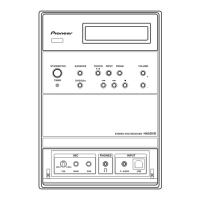
Detailed description of all buttons, jacks, and indicators on the front panel.
Explanation of the primary buttons on the remote control for power, source selection, and playback.
Further explanation of remote buttons for track selection, playback modes, karaoke, and DVD controls.
Description of various indicator lights on the front panel display.
Instructions for setting the clock and navigating on-screen displays.
How to load discs and perform basic playback operations.
Details basic playback controls, resume memory, and DVD-Video disc menus.
Explains menu navigation for PBC menus and listening to external sources.
How to tune radios and listen to external audio sources.
Overview of disc playback functions like scanning, slow motion, frame advance, and JPEG slideshows.
How to browse and select content on DVDs, VCDs, WMA, MP3, DivX, and JPEG discs using the Disc Navigator.
How to loop sections of a disc (A-B Repeat) and use various repeat playback modes.
How to use random playback and create program lists for playback sequences.
Details on playing program lists, stopping program play, and searching for content on discs.
How to switch subtitles, audio channels, zoom the screen, and change camera angles.
How to display playback information on-screen and the front panel.
How to save, automatically save, and name preset radio stations.
How to listen to preset stations and improve FM reception by switching to mono.
How to set up and use karaoke, adjust microphone volume, and change mix options.
How to add echo effects and change the pitch of the backing track.
How to adjust tone controls, use Quiet mode, boost bass, and select Sound Field Control modes.
How to temporarily mute the sound output.
Instructions for setting the wake-up timer and sleep timer.
How to adjust Audio DRC and enable Virtual Surround sound effects.
How to adjust picture quality settings like sharpness.
How to adjust brightness, contrast, hue, and chroma level using cursor buttons.
How to use the Initial Settings menu and configure digital audio output.
How to set video output aspect ratio and language options for audio, subtitles, and menus.
Settings for Parental Lock, changing passwords, and managing lock levels.
How to set or change the country/area code for disc playback restrictions.
Information on DivX VOD content, registration, and how to display the registration code.
How to access optional system settings like volume mode, hour format, and TV system settings.
Details tuner step setting, front audio attenuator, system demo, display dimming, disc care, and DVD regions.
Information on compatible disc types, formats, and logos.
Detailed compatibility table for various media and information about DivX format and compatibility.
How to display DivX subtitles, information on WMA, disc handling, storage, and discs to avoid.
Advice on installation location, cleaning the lens, condensation, moving the unit, and resetting to factory defaults.
Guide to resolving general issues like power, sound, image, digital audio, and remote control problems.
Solutions for microphone issues, tray lock errors, and common DVD/CD/Video CD player problems.
Addresses video disturbances, WMA/MP3/JPEG disc issues, and radio broadcast noise.
Solutions for tuner issues and explanations of screen sizes, disc formats, and language code list usage.
A comprehensive list of languages and their corresponding code letters and numbers.
A list of countries/areas with their corresponding codes and code letters.
Detailed technical specifications for various components of the system.
Lists included accessories and other miscellaneous specifications like power requirements and dimensions.
Details on font licensing, copyright protection technology, DRM, and Dolby/DTS trademarks.

 To Next Page

 General