Plug the indoor siren directly to Siren port, no need program any wired siren or wired sensor with
console. It will automatic work with main console.
Wireless Indoor Siren (option)
Program Indoor Wireless Sirens
If you received a pre-Programed system kit, please ignore this
step and do not program it again
Plug the siren into wall outlet, then press PROGRAM key on console. Enter the
default password 888 888. Use scroll key to select Wireless Sirens, press
ENTER, you will see below list.
Add for add a wireless sensor, highlight Add press Enter, you will see a default siren
name such as Siren 1, then press Enter You will see"Put siren in Setting
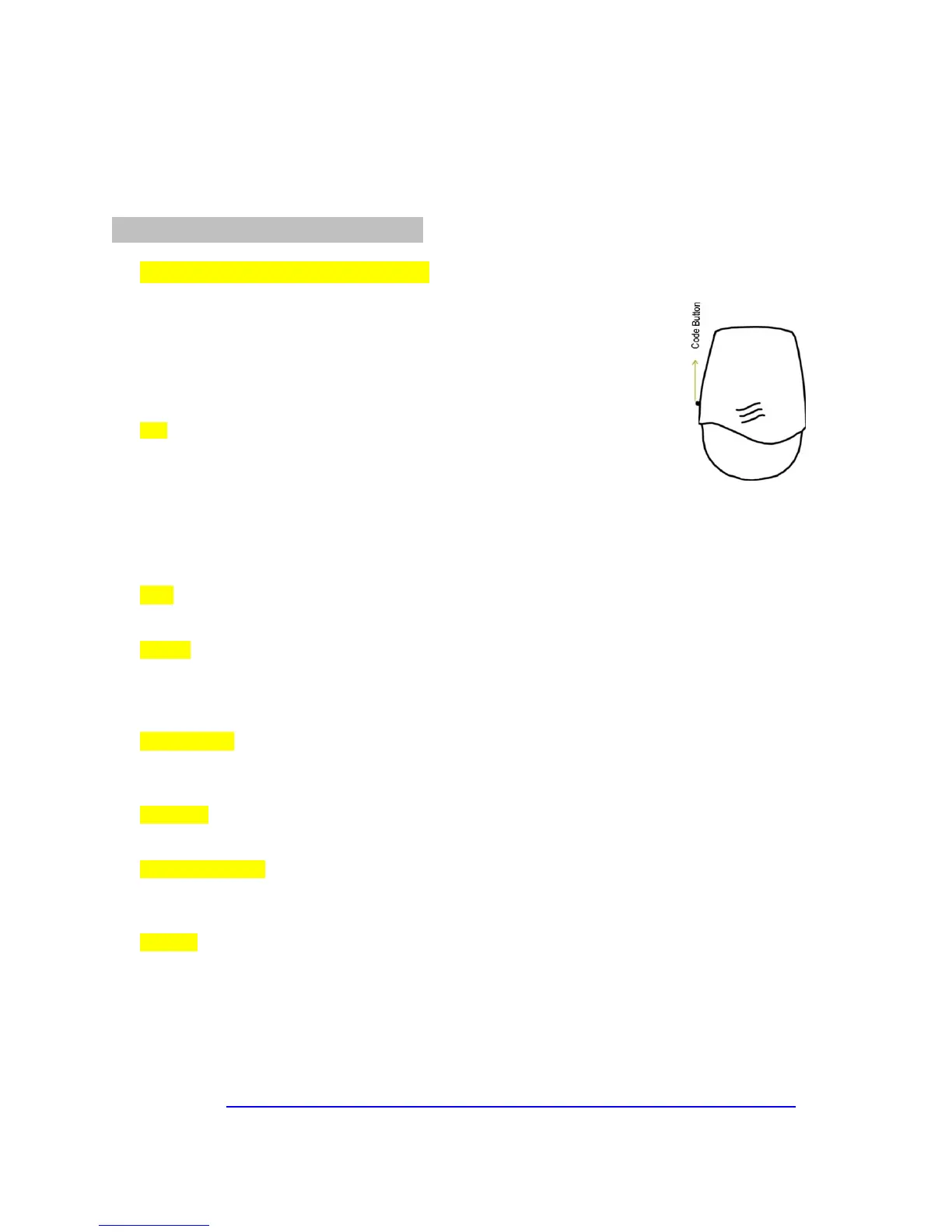
Mode". Go to the wireless siren and press the code button one time on the
wireless siren, you will see all 4 lights are on. This means the siren is in setting
status waiting for the console to send a signal. Then go back to the console,
press Enter and you will hear two beeps from the console and will see “Add successful”. Then you need
press Set button 5 times until all light off to exist the set mode on siren. DO NOT test it when all 4 LED
lights are on)
Edit If you need to edit the siren later, go to Edit under the Wireless Sirens menu, select the siren’s name and
press Enter. You will then be able to change the siren’s name.
Delete If you find system shows “Space full” while you add extra siren or reprogram siren, select "Delete".
Delete all "Siren 1”"Siren 2 “"Siren 3”names, then you are able to re-program your siren by upon instructions
(you can’t delete the siren, this only deletes the sirens name. if you want to delete siren from your system,
you need delete it on Siren, detail see how to delete your siren on siren manual page or FAQ.)
Siren Enable select "Siren Enable". If you set No, the sirens will not give any alert for the entire system. If you
only want to set an individual zone's siren, you have to go to each zone and Edit. For details, read Edit
Sensor Functions
Duration You can set wireless sirens to sound on a continuous alert. You can set it from 1 second to a
maximum of 180 seconds.
Arm/DisarmTone select Arm/Disarm Tone and press Enter,If you set Yes, when you use the remote control to
arm and disarm system, you will hear a loud beep warning from the siren. You can set No to turn off this
warning tone if you don’t like it. Default is No.
Encrypt select Encrypt then press Enter, you will see default 1234 and blink, you can direct input another 4
digits to encrypt your siren. BEWARE If you change encryption code to a new code, you need to re-
program all of your wireless sirens to the console again, you may change it before you program your sirens.
Once you change it, DO NOT change it when you are going to add a second or third siren, otherwise you
will lose the first siren’s program.
Note1: BEWARE if you press and hold the black SET button more than 3 seconds, the siren will deleted
from main console, then you may need to re-program it again
Video: https://www.youtube.com/watch?v=JcPcwCBLQyc&feature=youtu.be


 To Next Page
 Loading...