Add Contact Phone Numbers
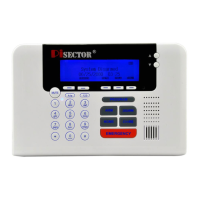
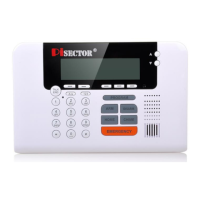
Press PROGRAM key on console. Enter the default password 888 888. Use scroll key to select Phone
Numbers, press Enter, you will see below list
Add select Add press Enter. You will see Input phone number, than direct input your area code and phone
number. And save it. You can add maximum of 6 numbers for emergency contact if the system is triggered.
It is recommend to add your cell phone and your family or friends’ numbers. DO NOT add 911 or the local
police number directly unless you get a permit.
Delete Select Delete then press Enter, you will see all numbers which you saved, choose the target number which
you want to delete then press Enter and delete it.
Outgoing Message
Press PROGRAM key on console and enter the default password 888 888. Use scroll key to select Outgoing
Messages, press Enter, you will see below list
Record Voice Message press Enter, select Record, press Enter. You will see “Recording”and a counter from
10 to 00. When you see 10, you need to immediately start recording your voice and stop when you see 00. It
is recommended that you record your home address for the outgoing message.
Play You can select Play to play your voice. If you do not like it, you can Delete it and Record it again until you are
satisfied.
Note: The closer you are to the console during recording, the better the quality of the recording. Your mouth
should be no more than 2 inches away from the console.
Connect Monitoring Center
Press PROGRAM key on console. Enter the default password 888 888. Use scroll key to select Monitoring
Center. You can call your Monitoring Company to set up all requests. Please make sure your monitoring
company supports ADMECO protocol if you want a third party Monitoring Company to monitor your system (it will
cost you a monthly monitoring charges depending on which company you choose.)
Monitoring Center Number press Enter then select Add to add your monitoring center telephone number
ADMECO Contact Id press Enter then select Add to add your monitoring company 4 digits account number.
Select Delete to delete your account number, select ADEMECO Contact ID then press Enter to select the
protocol ID according your monitoring center protocol ID request.
Upload Alarm Data press Enter if set YES, all your data will be upload to monitoring station, default is NO.
Upload Arm/Disarm Data press Enter if you set YES, every time you do arm or disarm your system
information will be upload to monitoring station, default is NO.


 To Next Page
 Loading...