Aligning the Label Roll
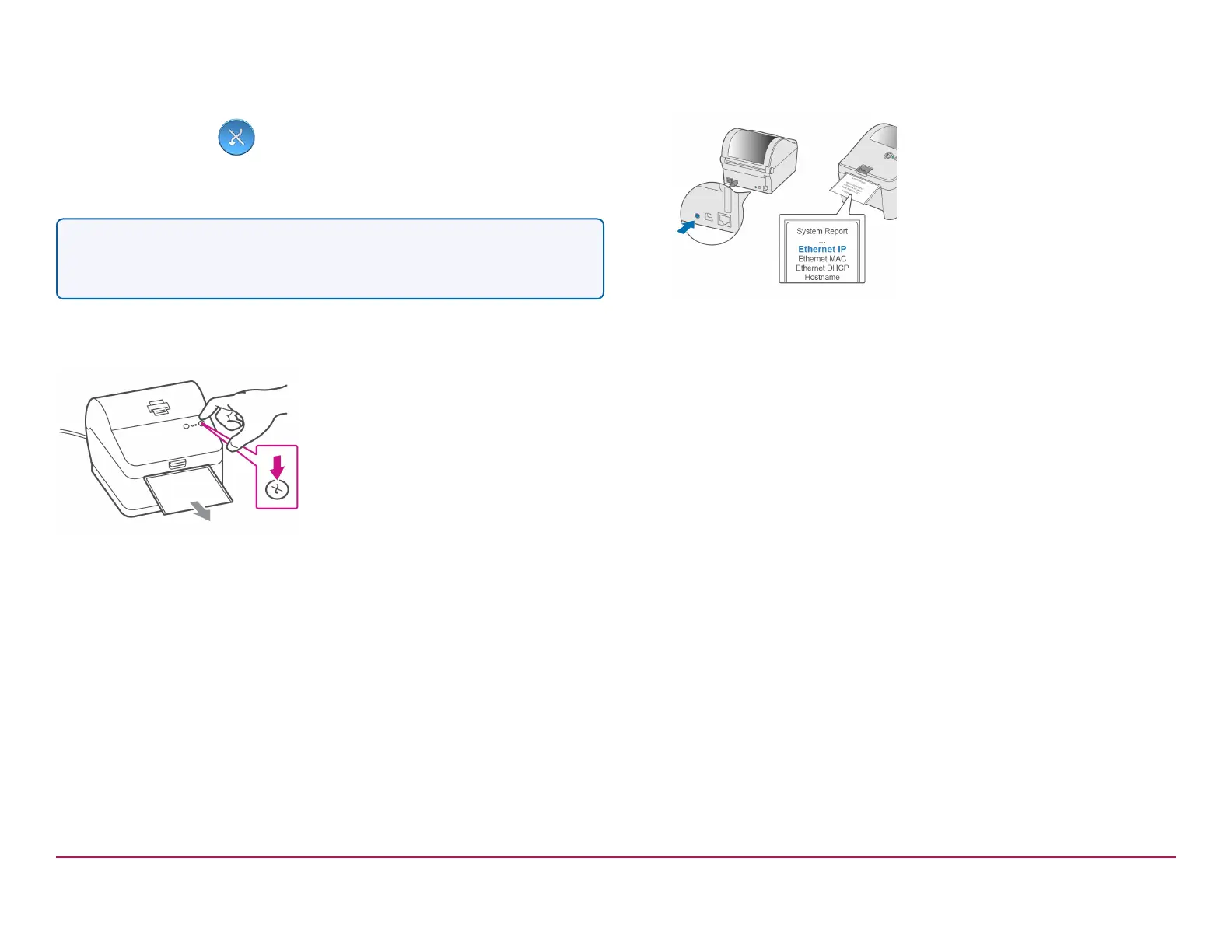
Press the feed/cancel button and check that the label feeds out
correctly.
Note- If the label does not feed correctly please refer to label alignment
instructions inside the printer top cover.
Tear off the correctly dispensed label.
Printing a System Report
Print the System Report to obtain the IP address assigned to the label
printer.
1. To print the System Report press the recessed button on the back of
the printer with a suitable object such as a pencil or similar.
2. Keep the printed report. The information on the report will help you to
identify your printer and it's IP address when needed.
Pitney Bowes Installation Instruction November,2020 Page 9 of 17



 To Next Page