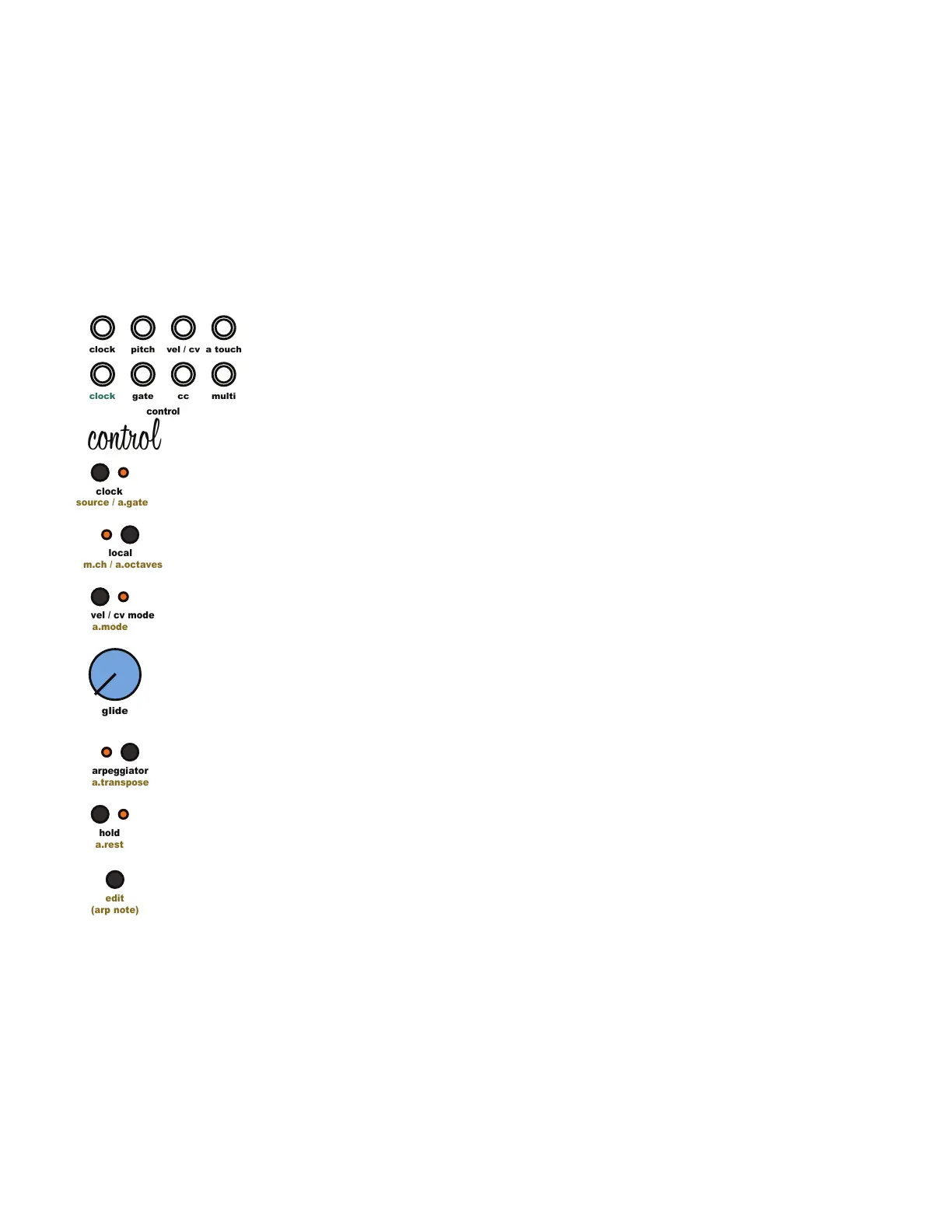
5.18 Arpeggiator and Note Sequencer:
Arpeggiator mode outputs a monophonic pitch and gate signal. Arpeggios up to 32 notes with
velocity are available. The arpeggiator offers two key input modes. The rst is the standard
arpeggiator input method of pressing and holding multiple MIDI controller keys at once. The
second method allows notes to be sequenced one at a time, allowing for the insertion of rests
and the use of the same note multiple times. The arpeggiator cycles through the selected
notes and velocities at the rate of the active clock source. The set of selected notes resets
when the arpeggiator receives a MIDI note off message (key released) or the [Hold Button] is
released. Sounds confusing but it’s simple to use.
Entering An Arpeggiated Sequence Using Standard Arpeggiator Input Method
Enable arpeggiator mode by pressing the [Arpeggiator Button]. Press and hold a few keys on a
MIDI keyboard. The arpeggiator will cycle through the depressed keys in the order they were
pressed. Playing the notes in this order is sometimes called “as played”. To stop the
arpeggiated sequence, release one or all of the depressed keys.
Entering An Arpeggiated Sequence Using the Note Sequencing Method
Enable arpeggiator mode by pressing the [Arpeggiator Button]. Press the [Hold Button] to
enable hold mode. Press and hold the [Edit Button]. Press keys on a MIDI keyboard one at a
time to create a sequence of up to 32 steps. While holding the [Edit Button], press the [Hold
Button] to add a rest. This note sequencing method automatically enables hold mode. To stop
the arpeggiated sequence, press the [Hold Button].
5.19 Additional Arpeggiator Functions:
The arpeggiator offers 6 additional functions to enhance the active arpeggiated sequence:
Hold, Transpose, Direction, Arpeggiator Range, Arpeggiator Gate Length, and Random
Sequence Generator.
5.20 Arpeggiator Hold:
Enable the hold function by pressing the [Hold Button]. The Hold function allows the
arpeggiator to cycle through the last set of selected notes after the selected notes have been
released, or the [Edit Button] is released when using the sequencing input method. Disable the
Hold function by pressing the [Hold Button].
5.21 Arpeggiator Transpose:
Enable the Transpose function by pressing and holding the [Edit Button] then press the
[Arpeggiator Button]. Transpose mode can only be enabled when arpeggiator mode and hold
mode are active. The Transpose function allows an incoming MIDI note to transpose the active
arpeggiated sequence. The sequence is transposed based on the rst note of the arpeggiated
sequence. Disable the Transpose function by pressing and holding the [Edit Button] then press
the [Arpeggiator Button].
5 Control Module
clock
clock
pitch
cc
gate
control
edit
(arp note)
a.mode
vel / cv mode
a.transpose
arpeggiator
a.rest
hold
source / a.gate
clock
m.ch / a.octaves
local
glide
multi
a touch
vel / cv
control



 To Next Page