5.23 Arpeggiator Playback Direction Mode:
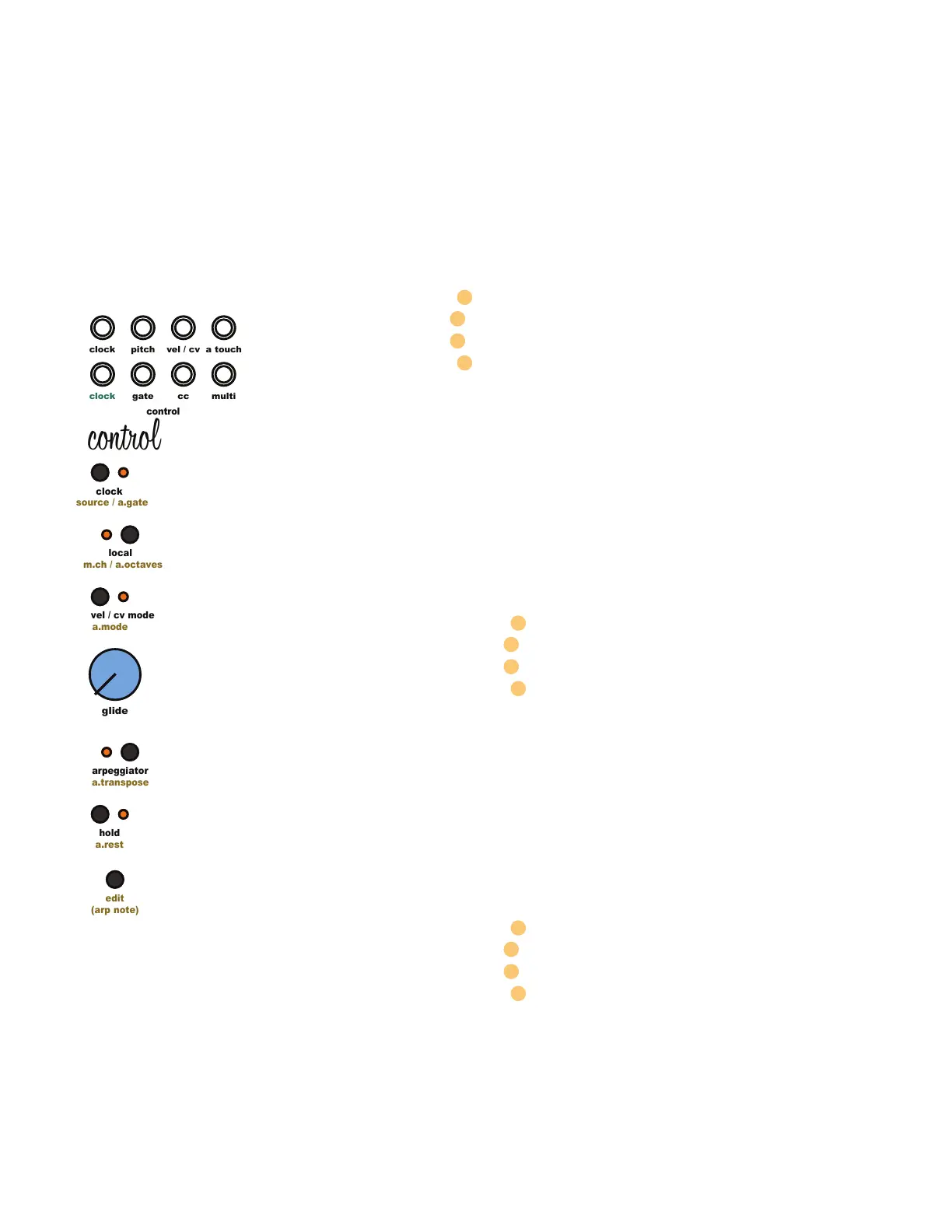
Assign the playback direction of the arpeggiated sequence by pressing and holding the [Edit
Button] then pressing the [Velocity / CV Mode Button]. Press once to check current mode. Press
again to advance through the available options. The Random function will randomly jump
between the notes of the arpeggiated sequence. Disable Random by pressing and holding
the [Edit Button] then pressing the [ARP Button].
Arpeggiator Playback Direction Mode Options
rnd Random Step Selection
order Notes played in the order they were performed
rev Notes played highest note to lowest note
fwd Notes played lowest note to highest note
5.24 Arpeggiator Range:
The Arpeggiator Range function sets the number of octaves the active arpeggiated sequence
will cycle through. The Arpeggiator Range can be set to 1, 2, or 3 octaves, or random. Set the
range by pressing and holding the [Edit Button] then pressing the [Local Button] to cycle
through 1 octave, 2 octaves, or 3 octaves, and random. Press once to check current mode.
Press again to advance through the available options. The arpeggiator range can only be
changed when arpeggiator mode is active.
Arpeggiator Octave Range Options
Random Octave
3 Octaves
2 Octaves
1 Octave
5.25 Arpeggiator Gate Length:
The Arpeggiator Gate Length function sets the amount of time the arpeggiator gate signal is
high (on). Set the Arpeggiator Gate Length by pressing and holding the [Edit Button] then
pressing the [Clock Button] to cycle through the 4 lengths. Press once to check current length.
Press again to advance through the available options. The arpeggiator gate length can only
be changed when arpeggiator mode is active.
Arpeggiator Gate Length Options
80% of Clock Step Length
40% of Clock Step Length
30ms
10ms
5 Control Module
clock
clock
pitch
cc
gate
control
edit
(arp note)
a.mode
vel / cv mode
a.transpose
arpeggiator
a.rest
hold
source / a.gate
clock
m.ch / a.octaves
local
glide
multi
a touch
vel / cv
control



 To Next Page