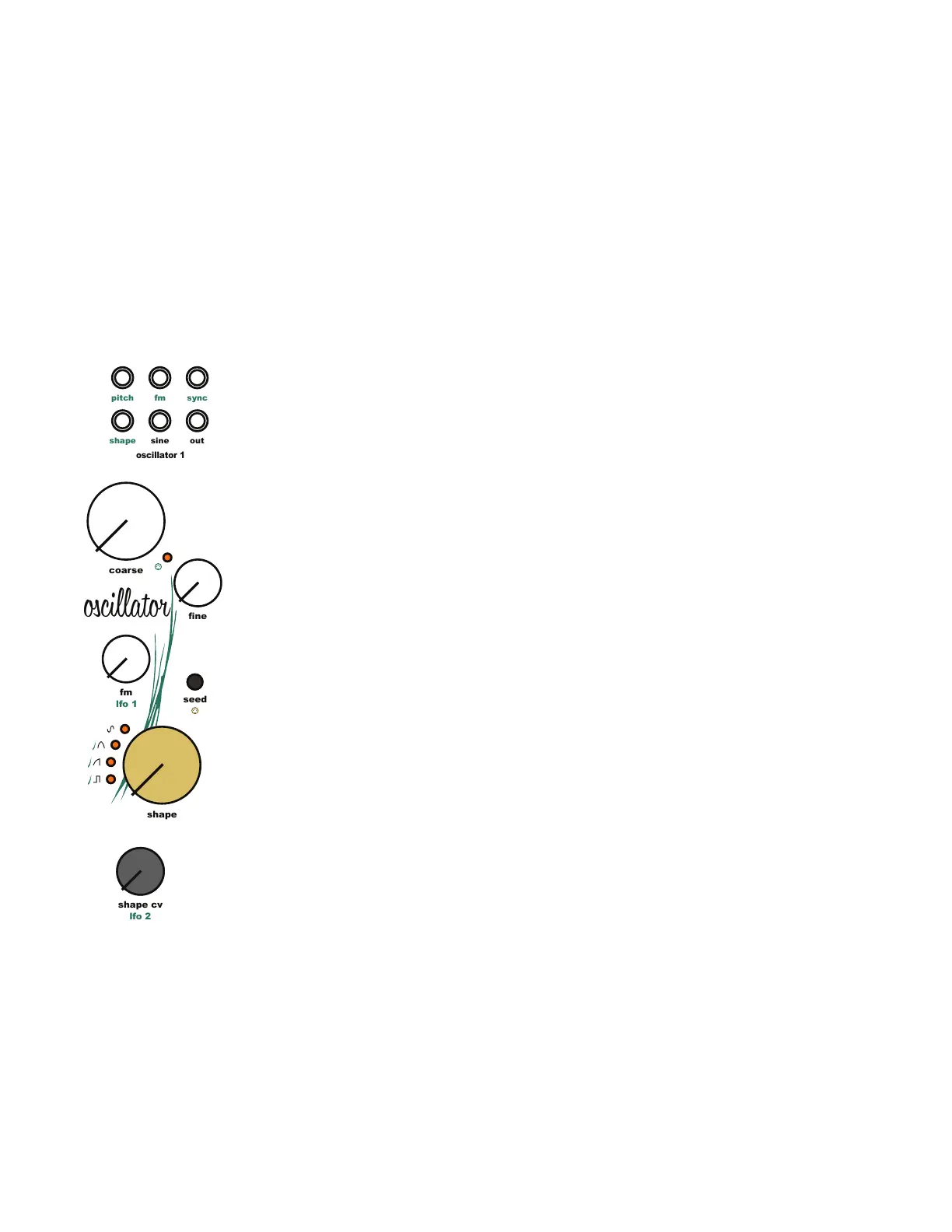
6.4 Oscillator MIDI Control Disabled:
When MIDI response is disabled, the oscillators do not respond to MIDI pitch information or the
[Octave Up Button] and [Octave Down Button].
6.5 Oscillator Core:
The core of the Taiga oscillators manages linear frequency modulation, midi note pitch
response, octave switching, and volt per octave pitch tracking to generate a frequency stable
saw wave. The core can be modulated using the [Osc Pitch Input Jack], [Osc FM Input Jack],
and [Osc Sync Input Jack].
The [Osc Pitch Input Jack] uses 1 volt per octave pitch tracking to set the base frequency of
the oscillator.
The [Osc FM Input Jack] and [Osc FM Knob] use linear FM to modulate the core frequency of
the oscillator. The [Osc FM Input Jack] is normaled to a LFO Triangle wave output. Plugging a
patch cable into the [Osc FM Input Jack] will remove the LFO from the signal path.
The [Osc Sync Input Jack] hard syncs to the incoming waveform to reset the oscillator. The sync
input includes an amplier to allow the oscillator to sync to just about any incoming waveform.
This was implemented to allow the [Osc Sine Output Jack] to trigger the sync.
6.6 Oscillator Seed Waveforms:
The saw wave generated by the oscillator core is used as raw material to create the other
basic geometric waveforms. Triangle and pulse waves are shaped directly from the saw wave
and the sine wave is created by further shaping the triangle wave. Two versions of each
waveform are available. The standard version and a warped version. In addition, a combined
sine and pulse waveform is also available.
Cycle through all the available seed waves, including warped versions by pressing the [Osc
Seed Button].
To jump the selected waveform of another oscillator, press and hold the [Osc Seed Button] of
the oscillator to change then press the [Osc Seed Button] of the oscillator with the desired
waveform.
6 Oscillator Modules
lfo 2
sine
fm
out
sync
pitch
shape
oscillator 1
shape
shape cv
coarse
ne
fm
seed
lfo 1
fm
oscillator



 To Next Page