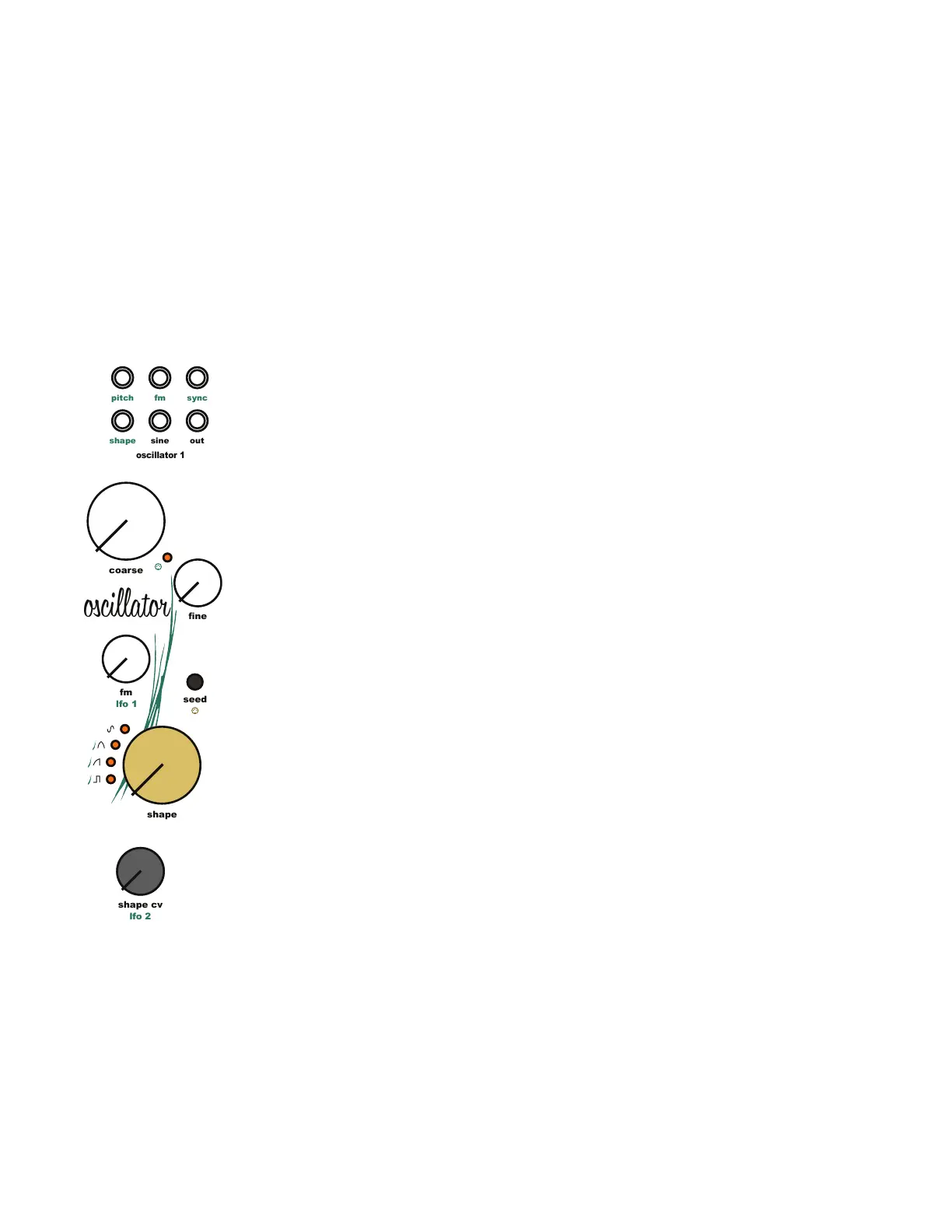
Seed Waveform Options
1. Sine Wave [Sine LED]
2. Warped Sine Wave [Sine and Triangle LED]
3. Triangle Wave [Triangle LED]
4. Warped Triangle Wave [Triangle and Saw LED]
5. Saw Wave [Saw LED]
6. Warped Saw Wave [Saw and Pulse LED]
7. Pulse Wave [Pulse LED]
8. Sine and Pulse Wave [Sine and Pulse LED]
9. Randomly Selected Waveform [All LEDs ON]
6.7 Oscillator Waveform Warp:
The warp circuit is the last step before the seed wave passes through the wave folder. Warp
mode changes the shape of the waveform without modifying the harmonic content or sound.
This allows high harmonic content waveforms like the saw to interact strongly with the wave
folder. For lower harmonic content waveforms like sine and triangle, warp mode can be
thought of like an analog wavetable creating an alternate version of each seed wave.
6.8 Oscillator Waveform Timbre:
The last wave shaper in the signal path is the wave folder. The wave folder adds additional
harmonics to both simple and complex waveforms by amplifying and folding the waveform
back in on itself.
The [Osc Shape Knob] controls the strength of the wave folder. Turning the knob to the right
increases the depth and number of folds up to a maximum of 6 folds. The density and depth of
the folds has a strong affect on the shape and sound of the seed wave. When using the [Osc
Shape CV Input Jack] and [Osc Shape CV Knob] the [Osc Shape Knob] acts as the starting
point for the external modulation control. The [Osc Shape CV Input Jack] is normaled to an LFO
Triangle wave output. Plugging a patch cable into the [Osc Shape CV Input Jack] will remove
the LFO from the signal path.
6.9 Oscillator Waveform Outputs:
The output of the wave folder is available using the [Osc Audio Output Jack]. A clean sine
wave is available using the [Osc Sine Output Jack].
6 Oscillator Modules
lfo 2
sine
fm
out
sync
pitch
shape
oscillator 1
shape
shape cv
coarse
ne
fm
seed
lfo 1
fm
oscillator



 To Next Page