6
Trouble-
Shooting
Before
Using
Initial
Settings
Connecting
The Wires
Installing
The Product
How to
Operate
Features
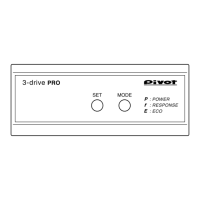
3-drive PRO
P
r
E
POWER
RESPONSE
ECO
Degree of
Acceleration (output)
(20%)
Degree of Acceleration Monitor
• Degree of Acceleration Monitor shows the rate of acceleration output to the ECU
where 0 represents the pedal not being pressed in and 100 equals when the
pedal is fully pressed down.
• Displays accelerator opening in units of 1% from 5 to 100%.
(When it is 100%, 00. is displayed.)
Displays the amount of pressure placed on the accelerator pedal.
(output signal) [5–100%, 1% unit .]
Check acceleration during ECO driving
USE 1
Check control status
USE 3
Check acceleration during regular driving
USE 2
ECO
Press down on pedal.
40%
With the ignition in the ON position and
under NORMAL Mode press in the pedal
until it reaches 40%, if the mode is
changed to P7 the display should read
67 (67%) and if placed in E5 the display
should change to 27 (27%).
Note: The actual display may differ slightly.
In NORMAL Mode
Switch mode to
P7
Switch mode to
E5
Please use to check the degree of acceleration for any type of driving, not just ECO Mode.
0%
100
100%
-
e.g. 40%
To ensure reduced fuel
consumption during
acceleration the degree of
acceleration should be
between 15% and 25%. To
further improve results use
ECO Mode when wishing to
save fuel.
Display Items
Display Details
POWER Mode (higher number = higher response)
ECO Mode (higher number = lower response)
RESPONSE Mode (higher number = higher response)
NORMAL (Normal Performance)
Degree of Acceleration
Degree of Acceleration (100%)
(e.g. 32%)
Display for Settings
Display Details
Initial Settings Mode
Position when accelerator is
not pressed down
Position when accelerator is
fully pressed down
Settings Completed
Display Items


 To Next Page