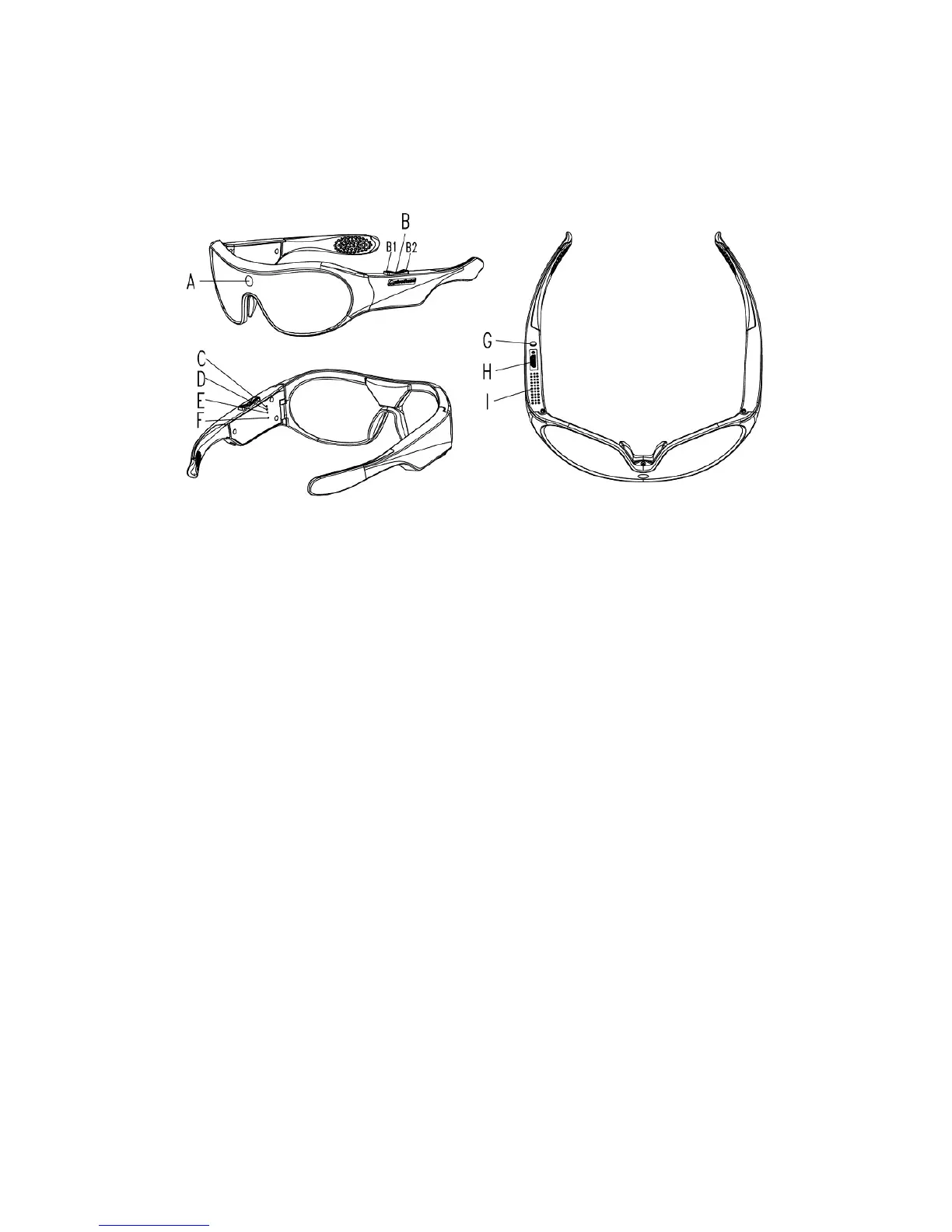
2. Pivothead HDHF Eye Video Recorder Features:
A. Camera Lens
B1. SHUTTER Button Video
B2. SHUTTER Button Photo
C. LED Recording Light (Red)
D. LED charging Light (Green)
E. LED Power Light (Blue)
F. Microphone
G. POWER Button
I. Heat Sink
H. USB Port
IMPORTANT:
Visit our website at Pivothead.com
You will find more information related to the products, Control Setting software
user manual, news, info about our accessories, etc.
Pivothead will also release new features under the form of Firmware and
Application Upgrades. Visit our site regularly to get the latest information. You
can also register for our monthly newsletter to keep track of the new features.
3. Getting started
The product is ready to go out of the box with the battery 70% charged. However,
we recommend fully charging the glasses before using your device by plugging
the device into a USB charger (see Chapter 10 for more information).
DEFAULT SETTINGS


 To Next Page