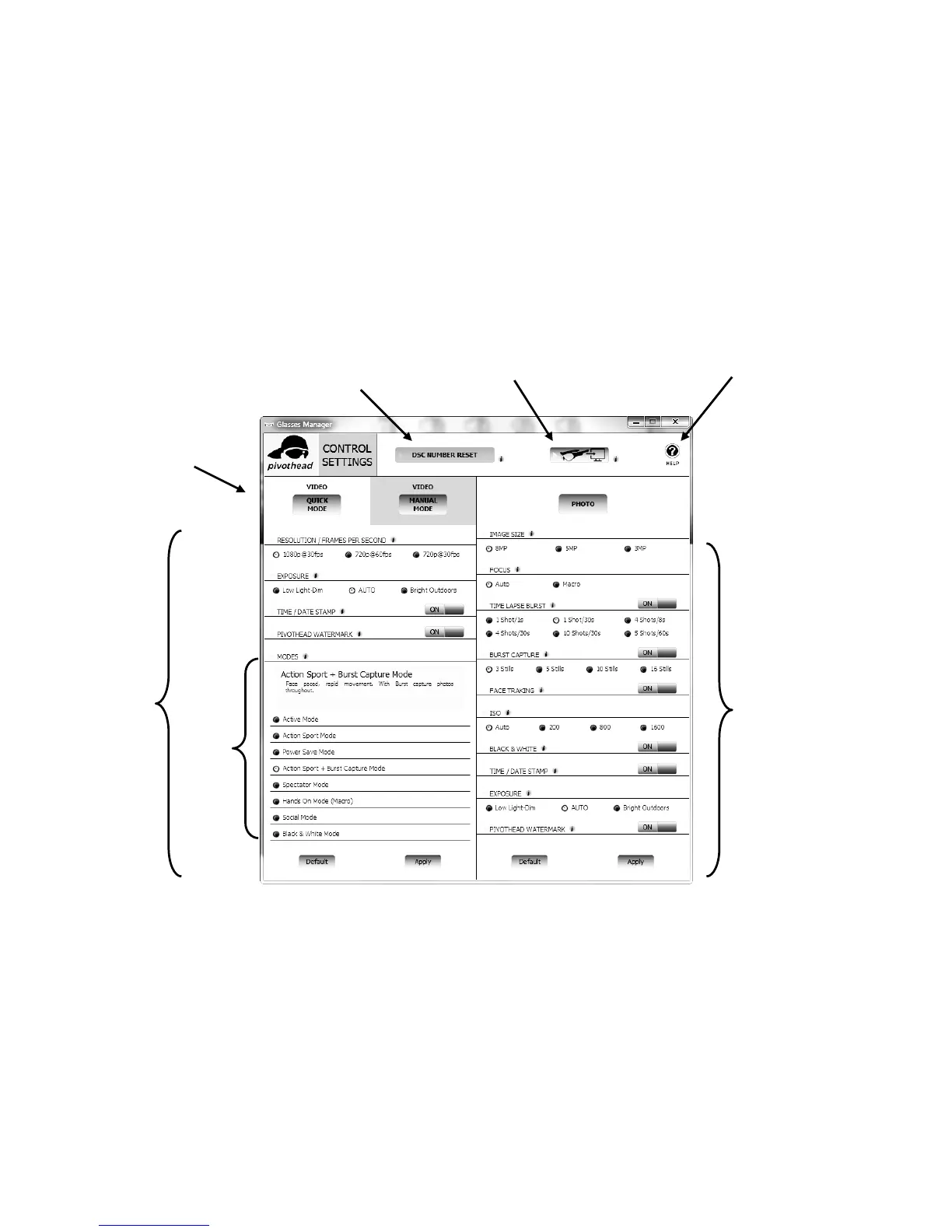
Computer (Mac/PC) application:
The Application User Interface is separated in 3 zones. The top area provides the
User with some general functions: DCS Reset, Files Download and Online
Support link. Below, the left side lets the user control the Video settings (pay
attention to the Quick mode and the Manual mode) and the right side the photo
settings.
Remark: You must save the new settings by clicking Apply button and validate
by clicking Yes in the message box, for both Video and Photo
Video
Settings
Photo
Settings
Quick Mode /
Manual Mode
Video Settings
Video
Modes
DSC Number Reset
One Click Download Button
Link to Online support


 To Next Page