1 1
1 0
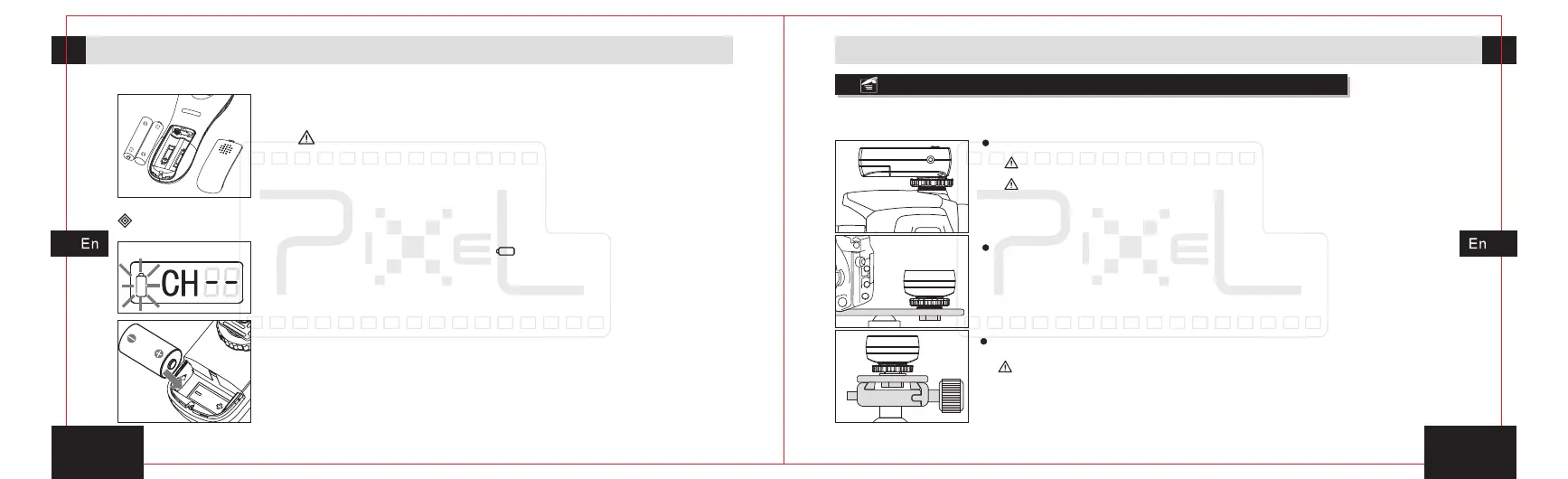
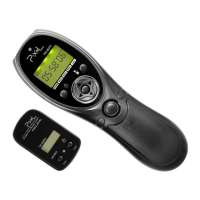
Fix the receiver (TW-282RX)
The receiver(TW-282RX)
TW-282RX
3. Close the battery hatch.
2. Follow the signs of positive [+] and negative [-] in the
battery compartment to install the battery correctly.
You should pay attention to the polarity of battery because of
the wrong installation will make the device work abnormally,
or even physical injury.
The low battery voltage icon[ ]will twinkle when the power
is not enough, that means the low battery voltage has
already influenced the normal work of the device, which
needs to replace the battery in time. The receiver uses CR-2
lithium battery; Please follow the steps to replace the
battery if needed.
1. Slide and open the battery hatch.
2. the signs of positive [+] and negative [-] in the
battery compartment to install the battery correctly.
Follow
Preparation for installation and usePreparation for installation and use
Receiver can be fixed on the top of camera, rack of camera accessory or tripod.
Fix the receiver on the hot shoe of camera.
Fix on the rack of camera accessory.the receiver
Fix on the tripod.the receiver
Loosen hot shoe fixed nut when you remove .
forcibly pull it, in order to avoid damage to the receiver and
camera.
the receiver Do not
Lock hot shoe fixed nut tightly when you fix it.
Make sure to fix firmly so that it will not slide.the receiver


 To Next Page