About the Display | 3
Display Components
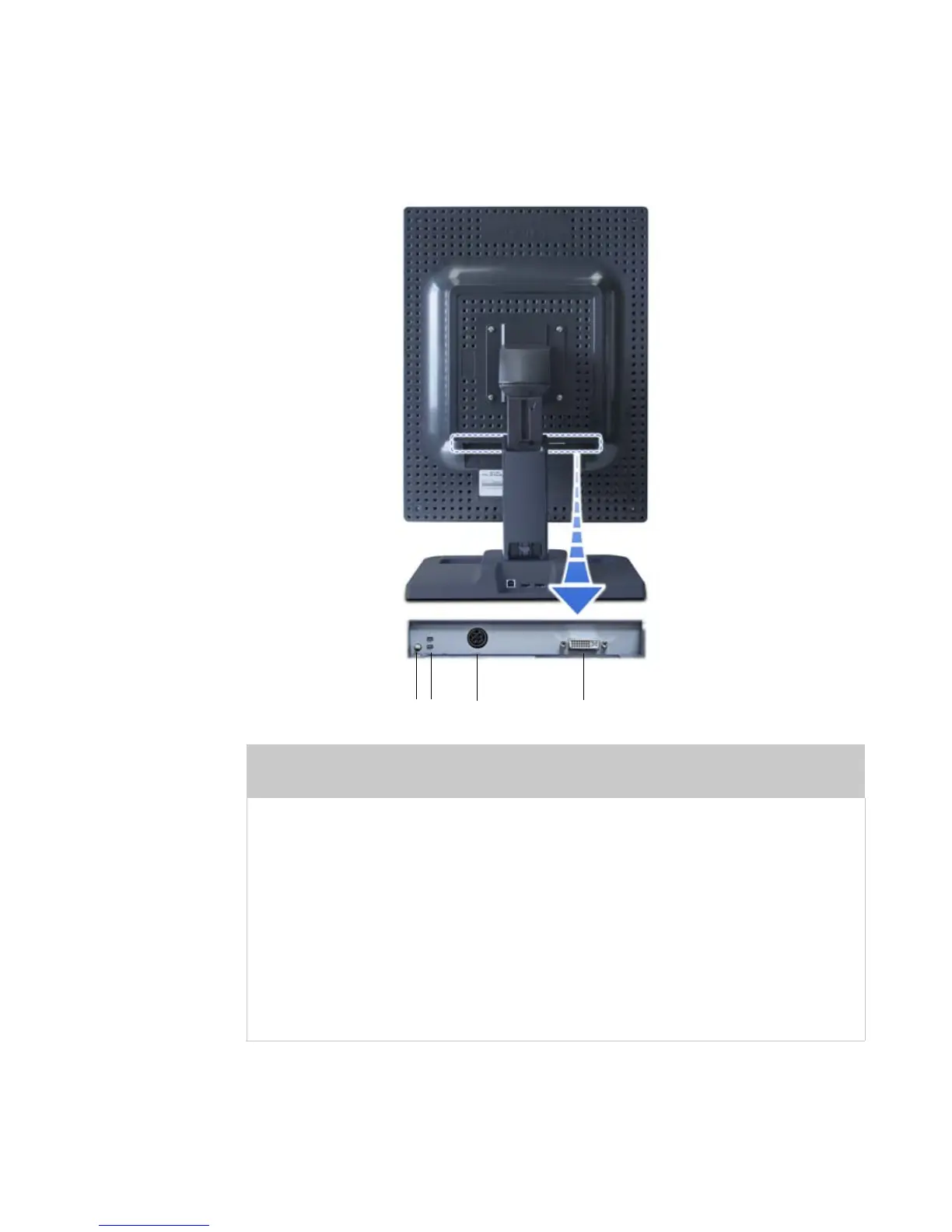
Review this illustration of the back panel to identify controls and
ports on the display unit.
Legend
1 Reset button. Restores the display configuration to
its default setting.
2 LED status lights. Provides information about the status of
the display.
3 DIN connector. Drives power to the display; 4-pin connector on
the Dome E2 display, 8-pin connector on the Dome E3,
Dome E3c, and Dome E5 displays.
4 DVI connector. Drives the data to the display.
1
4
3
2















 To Next Page