38 | Dome EX Display
Grayscale Palette Options
The Dome DX2 display controller supports different palette options
on Windows systems. In the Palette Options field of the Dome tab,
use the pull-down menu to select a palette. Then click Apply or OK.
Dome palette options must coordinate with the primary display. All
flat panels must be set to either palette devices or non-palette
devices, as shown in this table.
All Dome display controllers that support multiple displays also
support differing palette options on multiple screens attached to
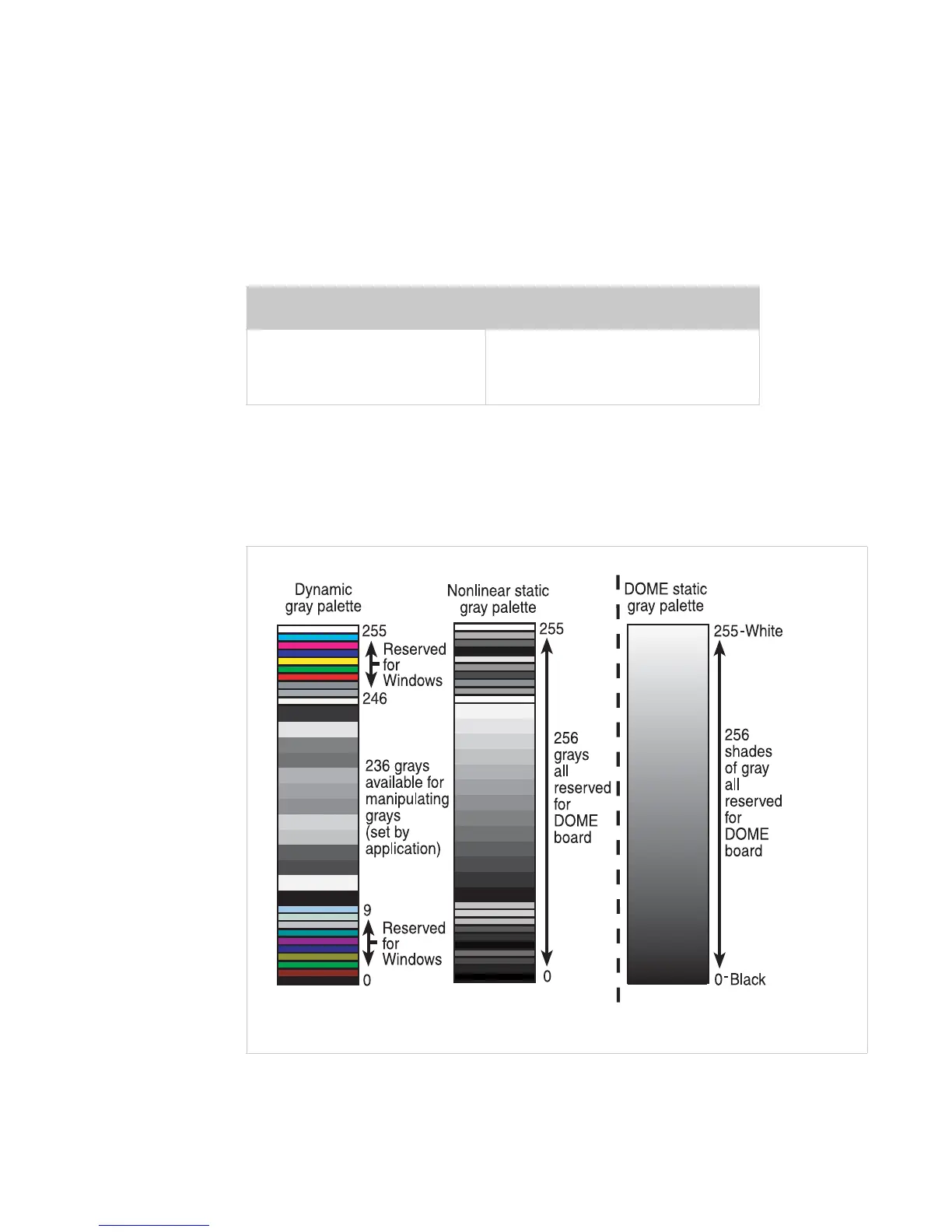
the same controller. See the assignment of values on the grayscale
palettes below.
Palette Device Non-Palette Device
Dynamic gray • Nonlinear static gray
• Static gray
Assignment of values on the grayscale palettes















 To Next Page