13
OPERATING INSTRUCTIONS (cont.)
HOW TO ADJUST A SETTING
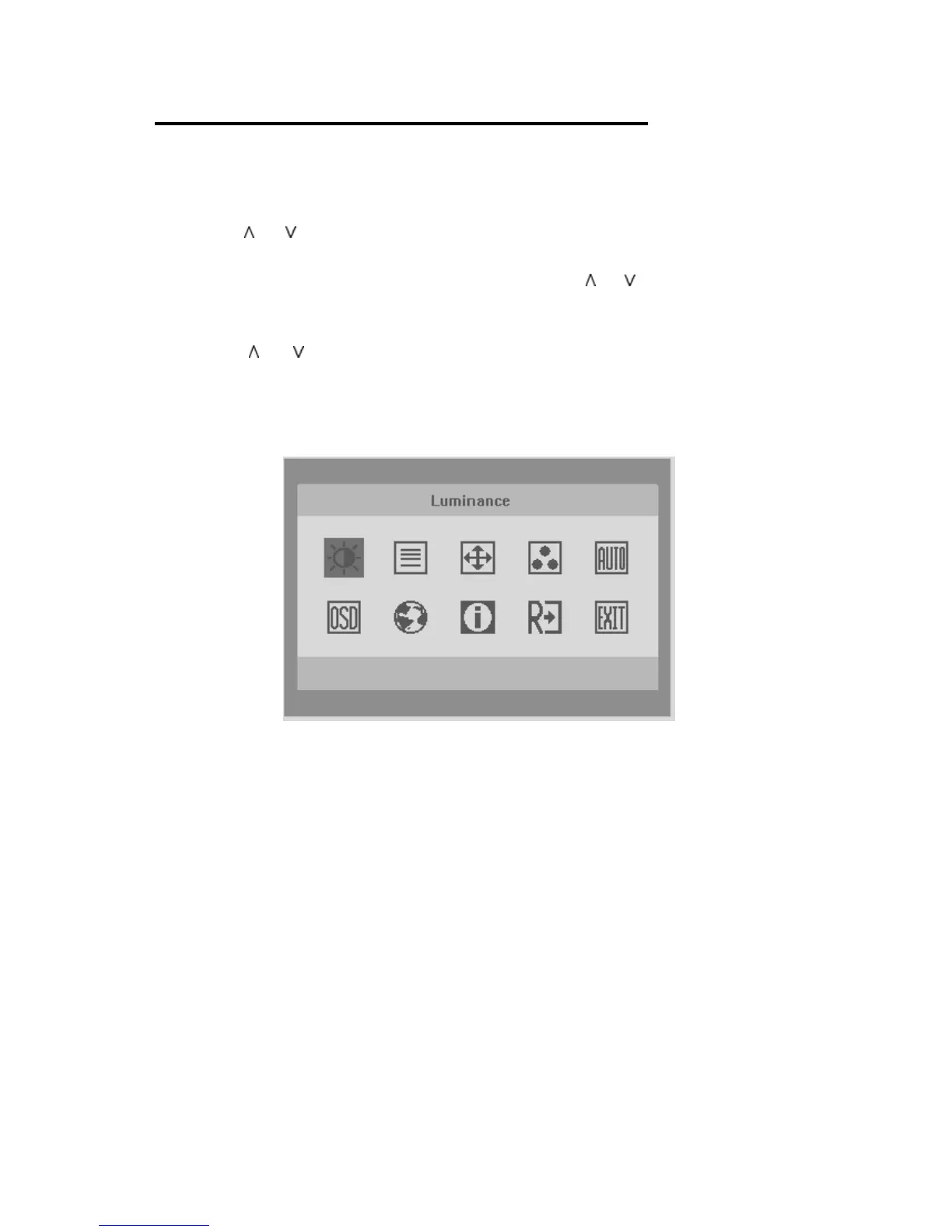
1. Press the MENU-button to activate the OSD window (Figure 4).
2. Press or to navigate through the functions. Once the desired
function is highlighted, press the MENU-button to activate it. If the
function selected has a sub-menu, press
or again to navigate
through the sub-menu functions. Once the desired function is
highlighted, press MENU-button to activate it.
3. Press
or to change the settings of the selected function.
4. To exit and save, select the exit function. If you want to adjust any
other function, repeat steps 2-3.
Figure 4 The OSD Message



 To Next Page