Need help?
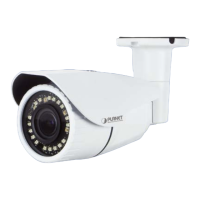
Do you have a question about the Planet ICA-M3380P and is the answer not in the manual?
Details compliance with FCC rules for digital devices and potential interference.
Lists detailed technical specifications for camera, image, audio, and environment.
Guides users through the physical installation process of the IP camera.
Guides users on how to connect to the camera via its web interface.
Covers IP, IPv6, HTTPS, DDNS, PPPoE, Streaming, UPnP, Bonjour, IP Filter, Notification, CoS, QoS, IEEE 802.1X.
Provides settings for picture properties, exposure control, and privacy masks.
Details system settings like device title, software version, LEDs, log, date/time, and maintenance.
Covers video settings such as common properties, overlay, profiles, ROI, AOI, and pixel counter.
Explains setup for motion, camera tampering, and audio detection events.
 General
| Brand | Planet |
|---|---|
| Model | ICA-M3380P |
| Category | Security Camera |
| Language | English |

 To Next Page