15
Step 2: Reverse the mounting steps to remove the device from the
track.
5.3 Wall-mount Plate Mounting
To install the industrial device on the wall, please follow the instructions
described below:
Step 1: Remove the DIN-rail bracket from the industrial device by
using a screwdriver.
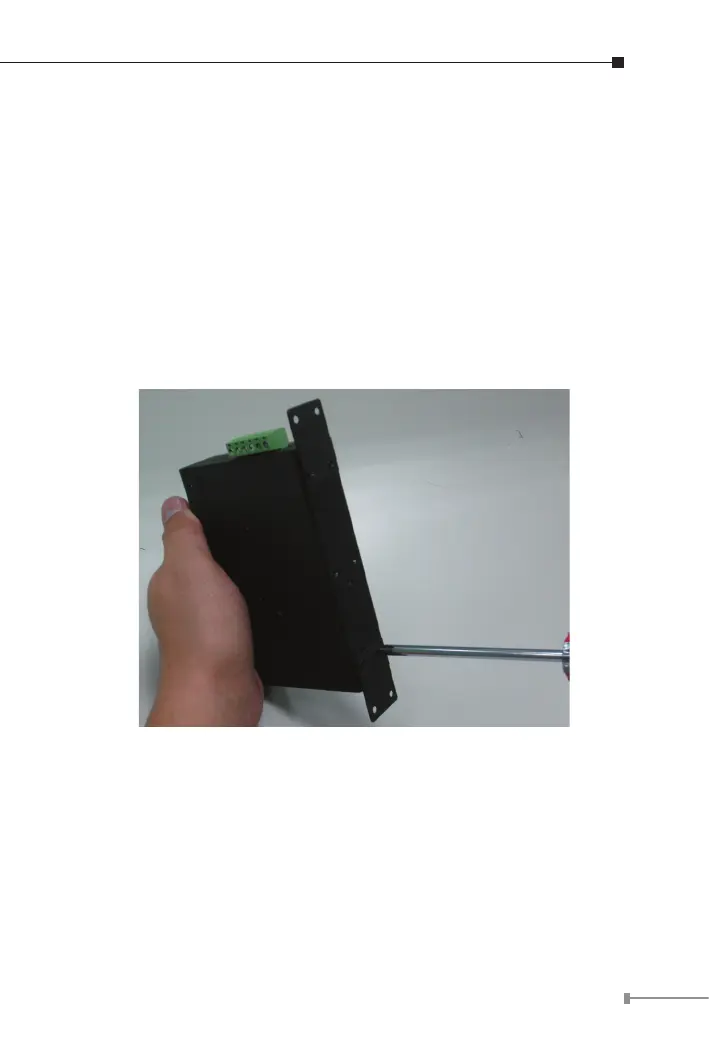
Step 2: Then screw the wall-mount plate on the rear panel of the
industrial device.
Figure 5-4: Placing Wall-mount Plate on Industrial Device
Step 3: Use the holes in the corners of the wall-mount plate to hang
the industrial device on the wall.
Step 4: To remove the wall mount plate, reverse steps above.



 To Next Page