16
6. Hardware Installation
This Industrial IEEE 802.3at Gigabit High Power over Ethernet Injector
provides three different running speeds – 10Mbps, 100Mbps and
1000Mbps in the same device and automatically distinguishes the
speed of the incoming connection. Please refer to following sections for
detailed information about Industrial IEEE 802.3at Gigabit High Power
over Ethernet Injector.
Before Installation
Before your installation, it is recommended to check your network
environment. If there is no electrical outlet in a remote setting, the
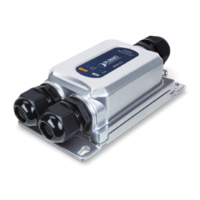
IPOE-162 injector is available to solve the problem. If a longer distance
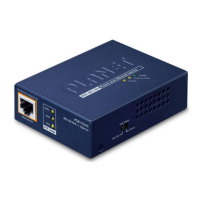
is needed to install PDs, PLANET POE-162S/IPOE-162S splitter can be
used to supply power to the PDs conveniently.
Note
The IPOE-162 with IPOE-162S/POE-162S is installed
in pair. However, the use of the third-party device is
allowed if the device is compliant with the IEEE 802.3at
Power over Ethernet.
IPOE-162 Injector Installation
1. Connect the power (AC 24V or DC 12 ~ 48V) to the 6-pin terminal
block of the IPOE-162. The power LED will be steadily on.
2. Connect a standard network cable from a switch / workstation to
“Ethernet” port of the IPOE-162.
3. Then connect the long cable to the “Ethernet + DC” port of a
remote device.
4. Due to the capability of the IEEE 802.3at Power over Ethernet, the
IPOE-162 can directly connect with any IEEE 802.3at/IEEE 802.3af
end-nodes such as PTZ (Pan, Tilt & Zoom) network cameras, PTZ
speed dome cameras, color touch- screen Voice over IP (VoIP) tele-
phones and multi- channel wireless LAN access points.



 To Next Page