6
3. Installation
This section describes how to install the Outdoor PoE Extender and make
connections to it. Please read the following sections and perform the procedure
in the order being presented.
3.1 Installing Cable Gland with RJ45 UTP Cable
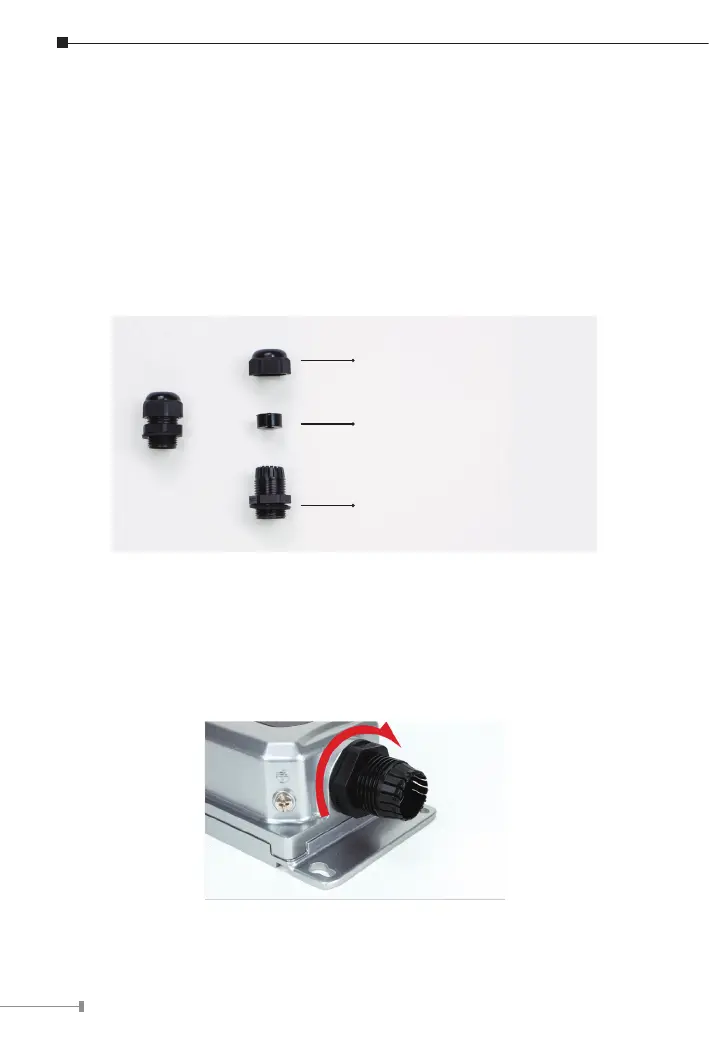
The cable gland consists of the following
A. Clamping Nut
B. Sealing Insert
C. Body (with Rubber Washer)
3.2 Connecting Waterproof Cable Kit to the Outdoor PoE
Extender
Step 1: Turn clockwise to tighten the gland body connected to the Outdoor
PoE Extender.



 To Next Page