9-Channel Network Video Recorder
NVR-915
18
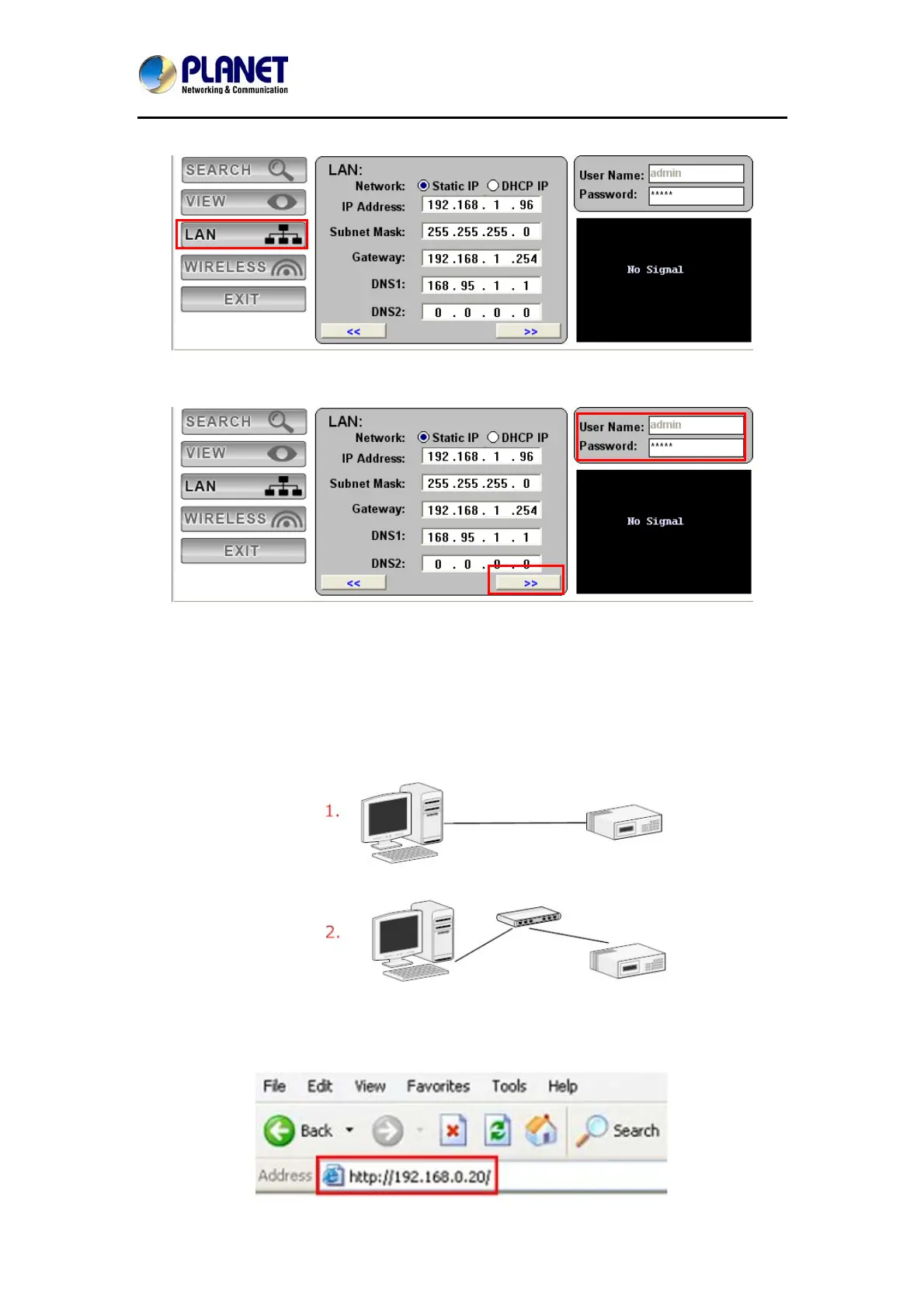
You may change NVR’s IP address by clicking on the button highlighted below.
You will be prompted for the NVR’s login information before proceeding to change device’s IP
address.
Ente
3.2 Access NVR with its default IP address
The NVR comes with a pre-configured static IP address “192.168.0.20”. However, it is only
used when there is no DHCP server presented in the network. Connect the NVR and PC to
your switch or hub, or connect the PC directly to the NVR using a crossover CAT5 Ethernet
cable.
The PC that is connected directly to the NVR (or within the same local area network) should
receive an IP from it. Simply access the NVR from your Web browser with NVR default IP
address.


 To Next Page