9-Channel Network Video Recorder
NVR-915
52
Chapter 10. Web Remote Management
The NVR is able to be viewed from Internet Explorer when the network is available. You can
have live view or playback, and most of the functions are the same as the NVR system.
10.1 Connection to NVR
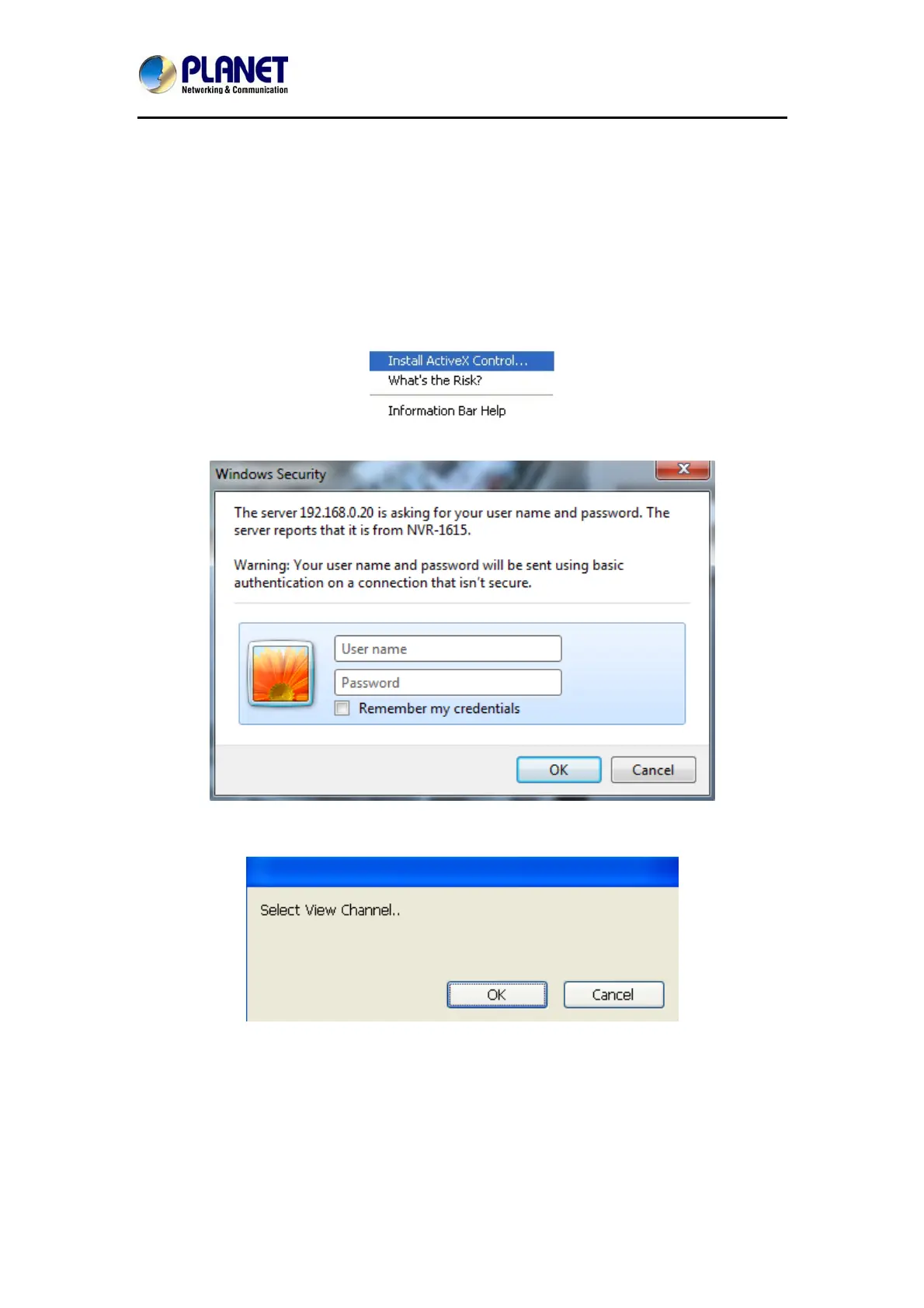
For the first-time connection, you need to install the ActiveX control if it appears on your web
page as shown below.
After installing the ActiveX component, login the system on pop-up window.
Please login your username and password and then you will see the “Select View Channel”
window as shown below.


 To Next Page