9-Channel Network Video Recorder
NVR-915
22
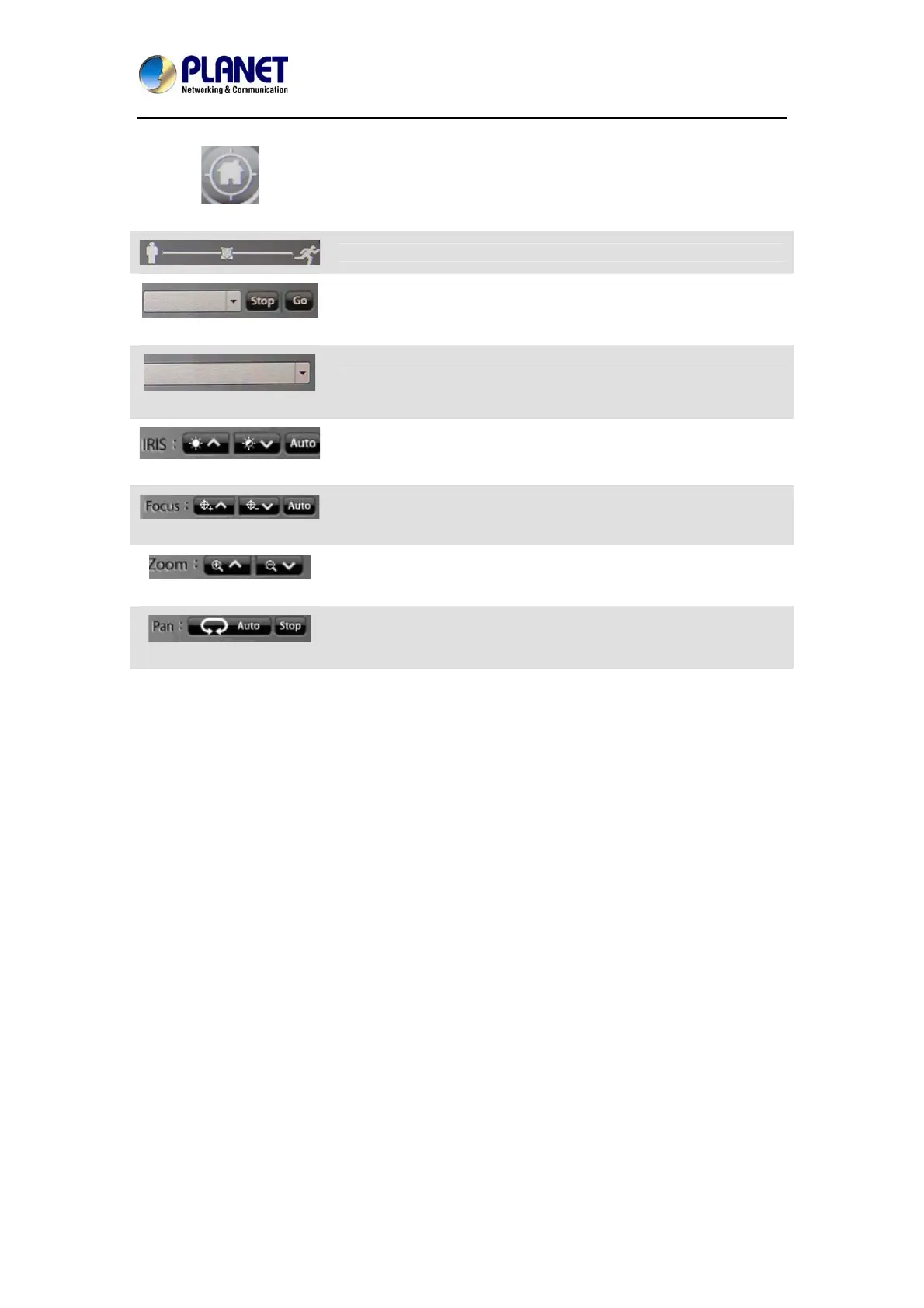
PTZ Control Home
Click it to make camera return to home position
Move the thumb to control speed
Tour
Select a tour setting from combo box and click “go” button to start
tour, click “Stop” button to stop tour
Preset
Select a preset position from combo box and camera will move to
preset position after clicking
IRIS
Adjust camera’s IRIS setting, or set it to auto
Focus
Adjust camera’s focus setting, or set it to auto
Zoom
Zoom-in or zoom-out focus
PAN
Start camera auto pan or stop


 To Next Page