Enterprise HD PoE IP Phone
VIP-2020PT
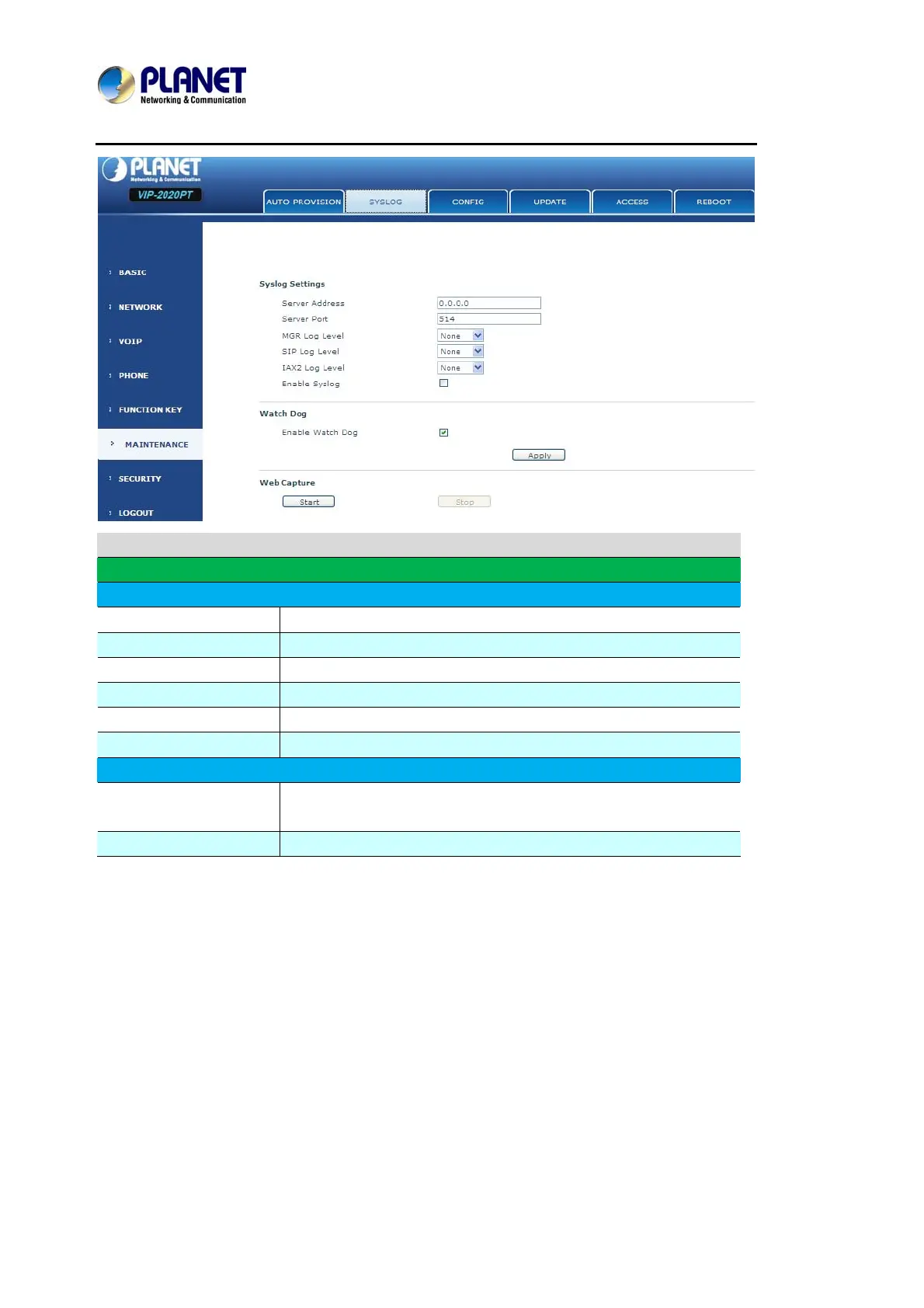
Syslog Configuration
Field name Explanation
Syslog Setting
Server Address Set Syslog server IP address.
Server Port Set Syslog server port.
MGR Log Level Set the level of MGR log.
SIP Log Level Set the level of SIP log.
IAX2 Log Level Set the level of IAX2 log.
Enable Syslog Select it or not to enable or disable syslog.
Web Capture
Start
Click the start button when User need capture the WAN packet
stream of the phone, then open or save the file as the interface.
Stop Click the end button to stop capturing the packet stream.



 To Next Page