Enterprise HD PoE IP Phone
VIP-2020PT
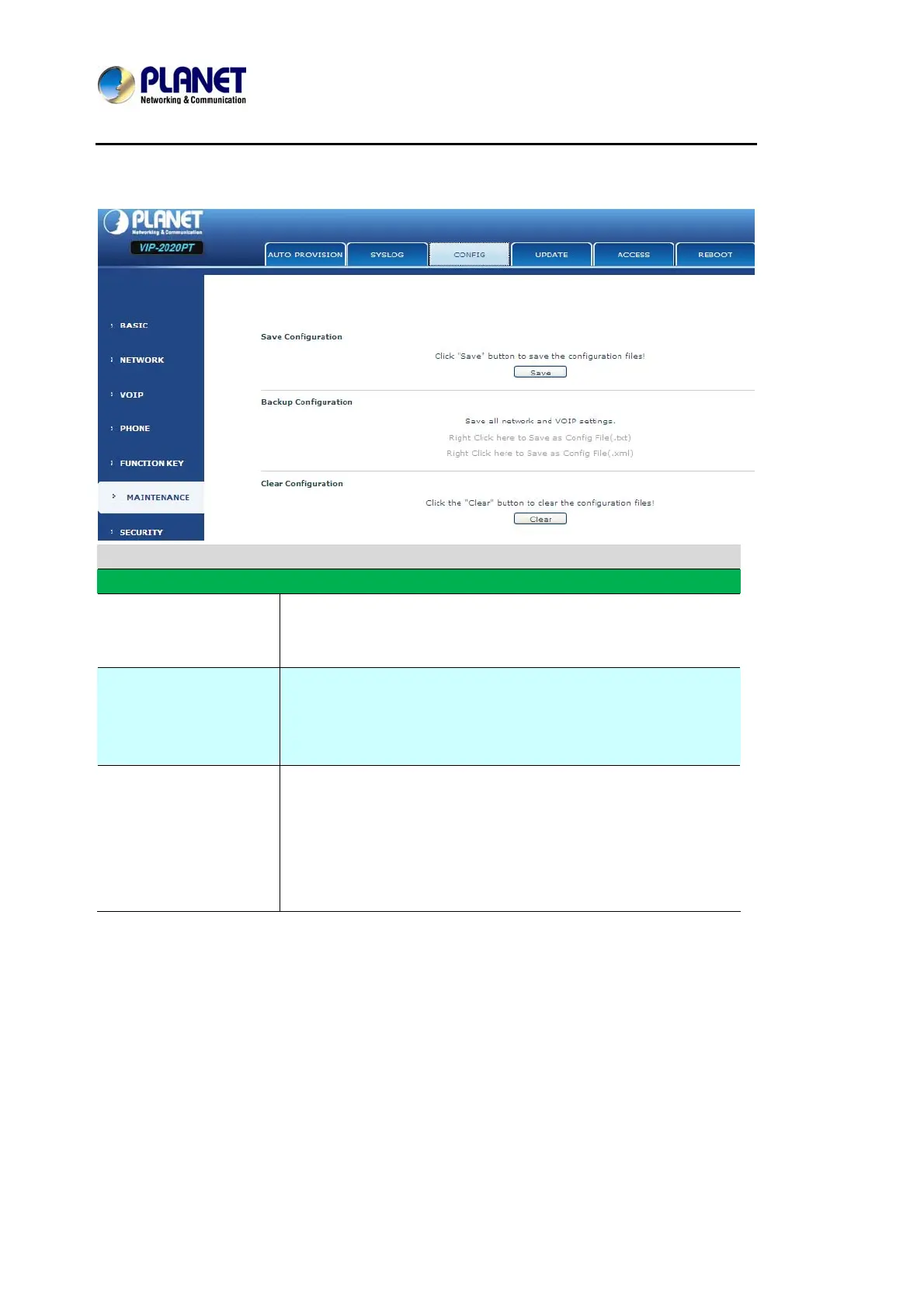
8.3.6.3 CONFIG
Config Setting
Field name Explanation
Save Configuration
User can save all changes of configurations. Click the Save
button, all changes of configuration will be saved, and be
effective immediately.
Backup Configuration
Right clicks on “Right click here…” and select “Save Target As
config File(.txt)” then User will save the config file in .txt format,
or select “Save Target As config File(.xml)” then User will save
the config file in .xml format.
Clear Configuration
User can restore factory default configuration and reboot the
phone.
If User login as Admin, the phone will reset all configurations and
restore factory default; if User login as Guest, the phone will
reset all configurations except for VoIP accounts (SIP1-2 and
IAX2) and version number.
8.3.6.4 UPDATE
User can update User configuration with User config file in this web page.



 To Next Page