Remove MAC address from the table If you want to remove a MAC address from the “MAC Address
Filtering Table”, select the MAC address in the table and then
click “Delete Selected”. If you want to remove all MAC
addresses from the table, just click “Delete All” button.
Reset Click “Reset” will clear your current selections.
After configuration complete, please click “Apply” button to save the configuration. Then you will
see a screen to prompt you the settings are save successfully. You may press “Continue” for
configure other settings or “Apply” to restart WAP-4033 with new configuration.
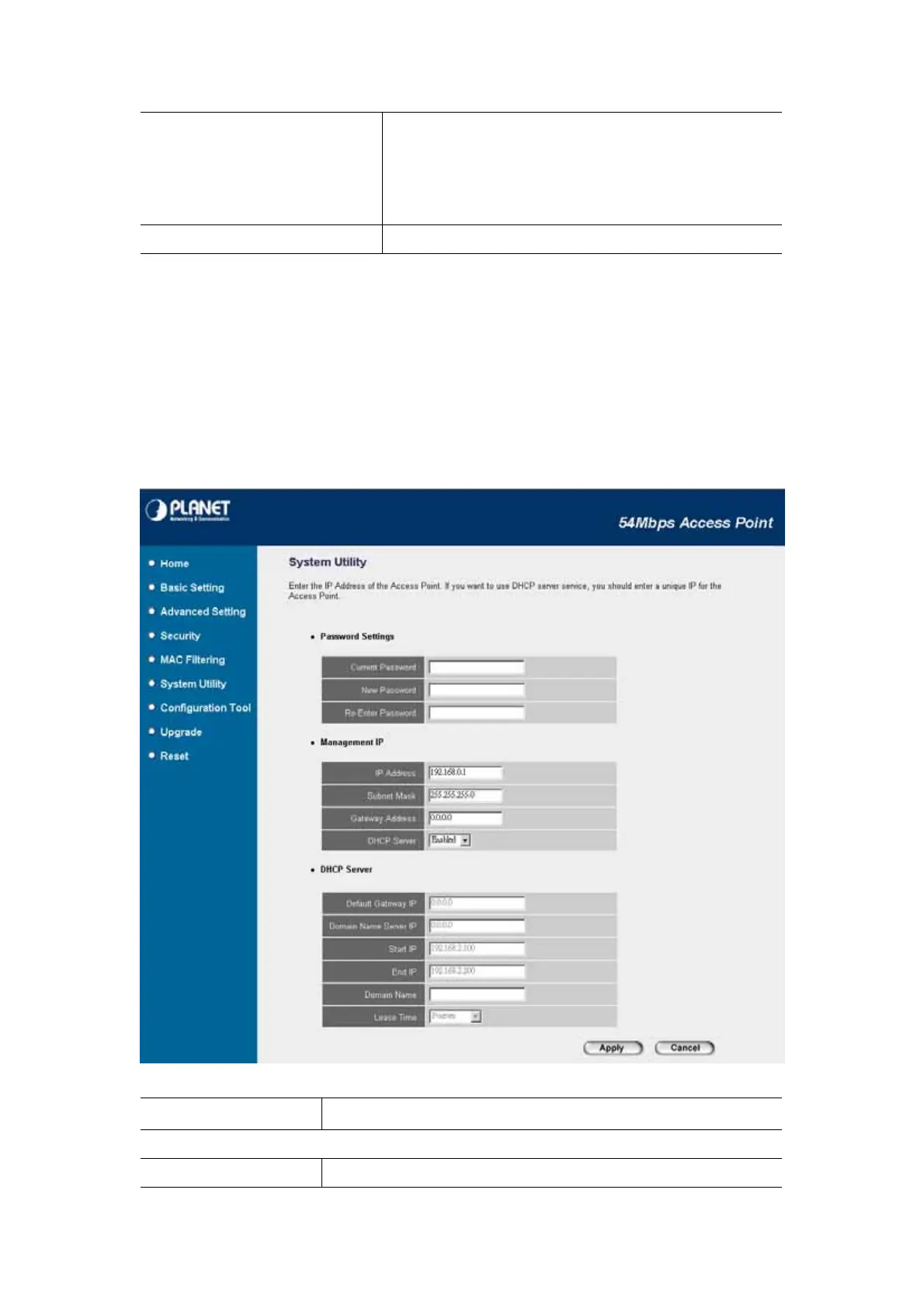
3.6 System Utility
In this page, you can define the Access Point’s IP Address, Login Password and enable the
DHCP Server feature.
Parameter Description
Password Settings
Current Password Enter the current password (up to 15-digit alphanumeric string) of the
31















 To Next Page