2.2 Hardware Installation
Before you proceed with the installation, it is necessary that you have enough
information about WAP-8000.
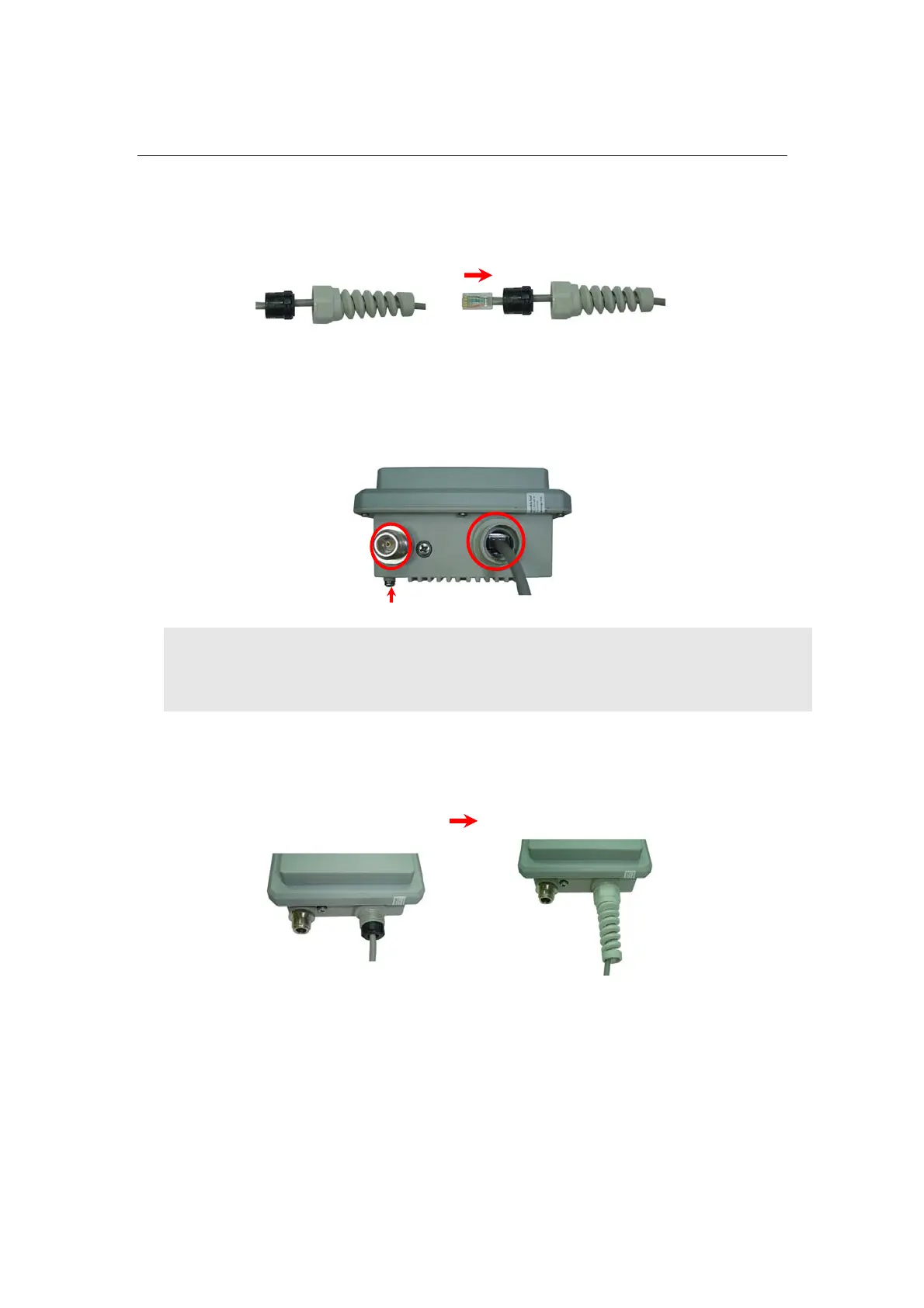
1. Plug in the waterproof connector on RJ-45 cable.
Step1 Step2
2. Connect RJ-45 cable with waterproof connector to the LAN port of
WAP-8000 and another way connect to the “PoE” port of PoE Injector.
Connect antenna to N-type antenna connector.
Connect antenna
Note: Strongly suggest using SFTP cable, for better protection of the data
wire. 25-meter SFTP cable also available by order, the part no is
CB-STP-25. Please contact with local dealer for more information
3. Lock waterproof connector into outside circle of the LAN port.
Step2
Step1
1












 To Next Page