10
6. Entering into the Web Management
Default IP Address: 192.168.1.253 (The default IP address will be
192.168.1.253 if there is no DHCP server in the local network.)
Default Username: admin
Default Password: admin
Default SSID (2.4GHz): PLANET_2.4G
Default SSID (5GHz): PLANET_5G
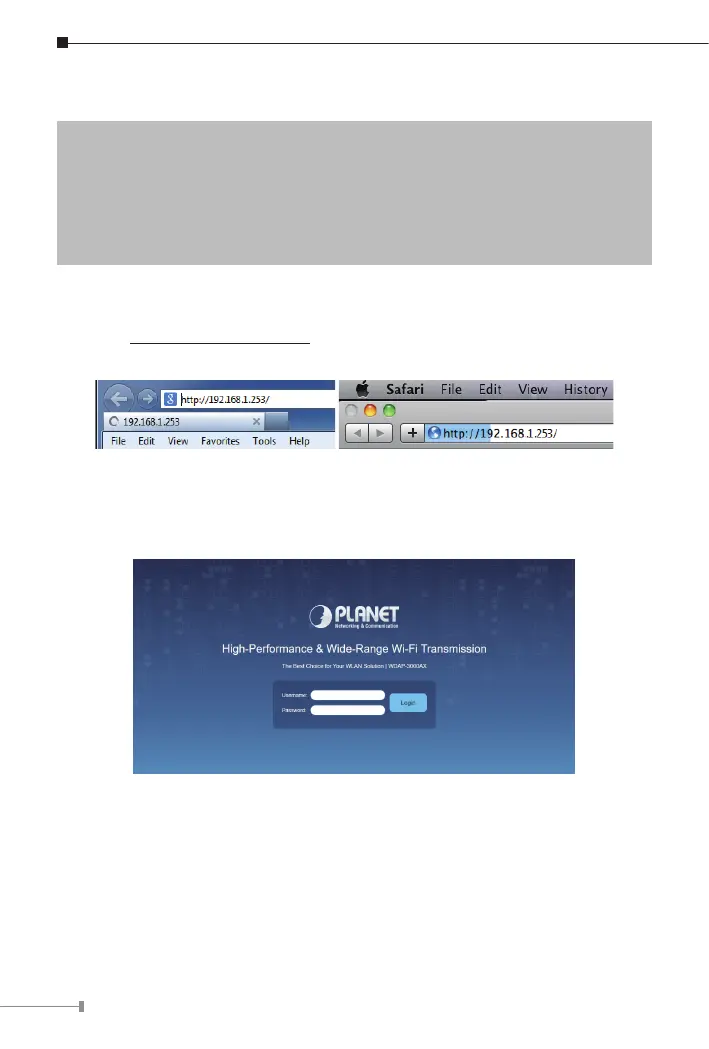
Step 1: The Web management allows you to access and manage the wireless
AP easily. Launch the Web browser and enter the default IP address
http://192.168.1.253.
Step 2: When the login window popsup, please enter password. The default
username and password are “admin”. Then click the Login button
to continue.
For security reasons, it is recommended to change the password at the rst
login and memorize it.
Step 3: After you enter into the Web User Interface, please follow up the
wizard to set your wireless AP.



 To Next Page
 Loading...











