7
USING YOUR HEADSET
ANSWERING/ENDING/MAKING CALLS
For best performance, position your mobile phone on the same side of
your body as the headset.
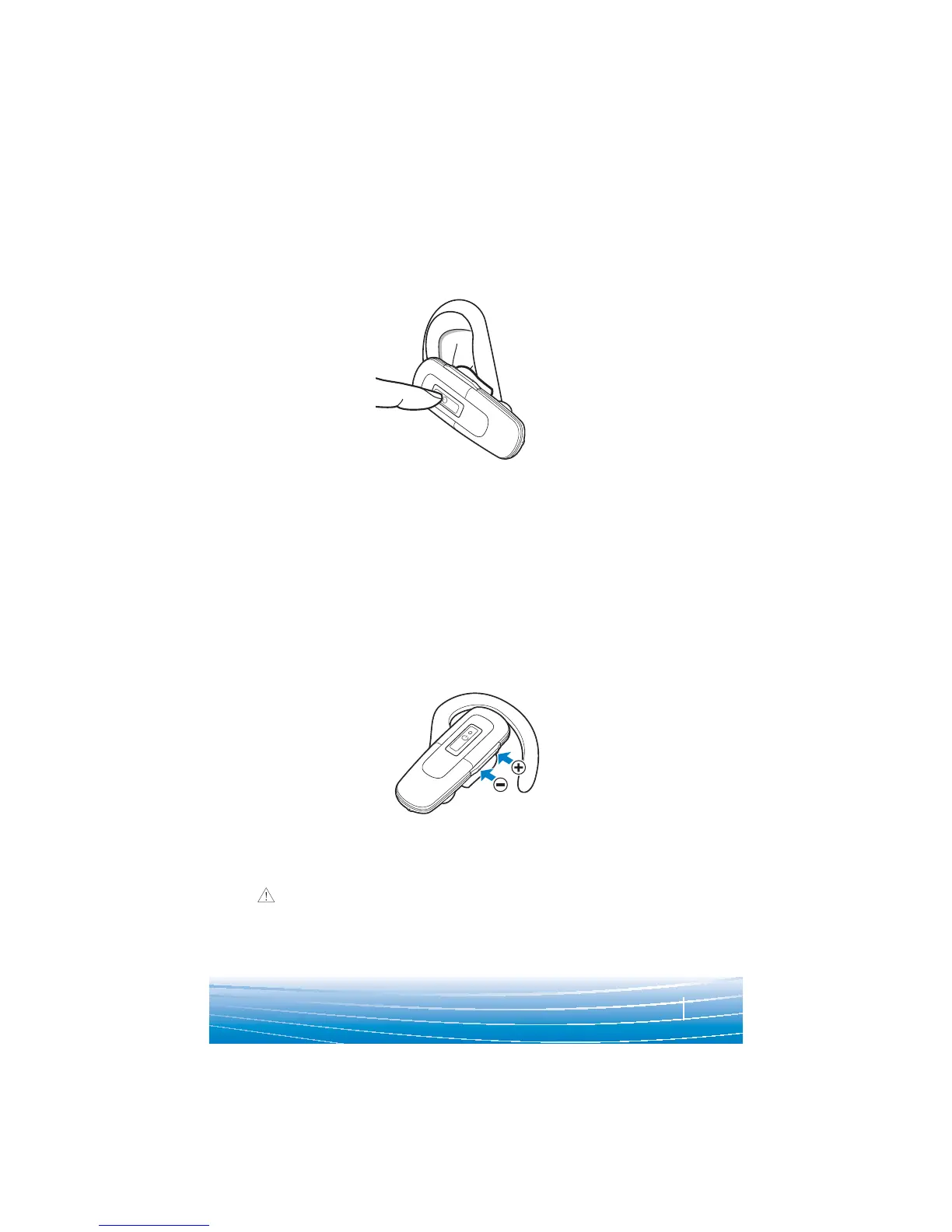
To answer or end a call, briefly press the call control button.
To make a call, enter number on your phone, press send, and the call
is automatically transferred to headset; no need to press call control
button.
NOTE: When answering a call, wait until you hear a ring from the
headset itself (not the ring from your phone), before pressing the call
control button.
ADJUSTING THE VOLUME
Briefly push up or down on the volume button for incremental volume
steps. You will hear two tones (high tone followed by low tone) at the
volume limit.
WARNING Do not use headphones/headsets at high volumes for
an extended period of time. Doing so can cause hearing loss. Always
listen at moderate levels. See
www.plantronics.com/healthandsafety
for more information on headsets and hearing.





 To Next Page