:04
:02
x1
x2
x3
x1
Siri,
Google
Now
:02
:04
:02
RL
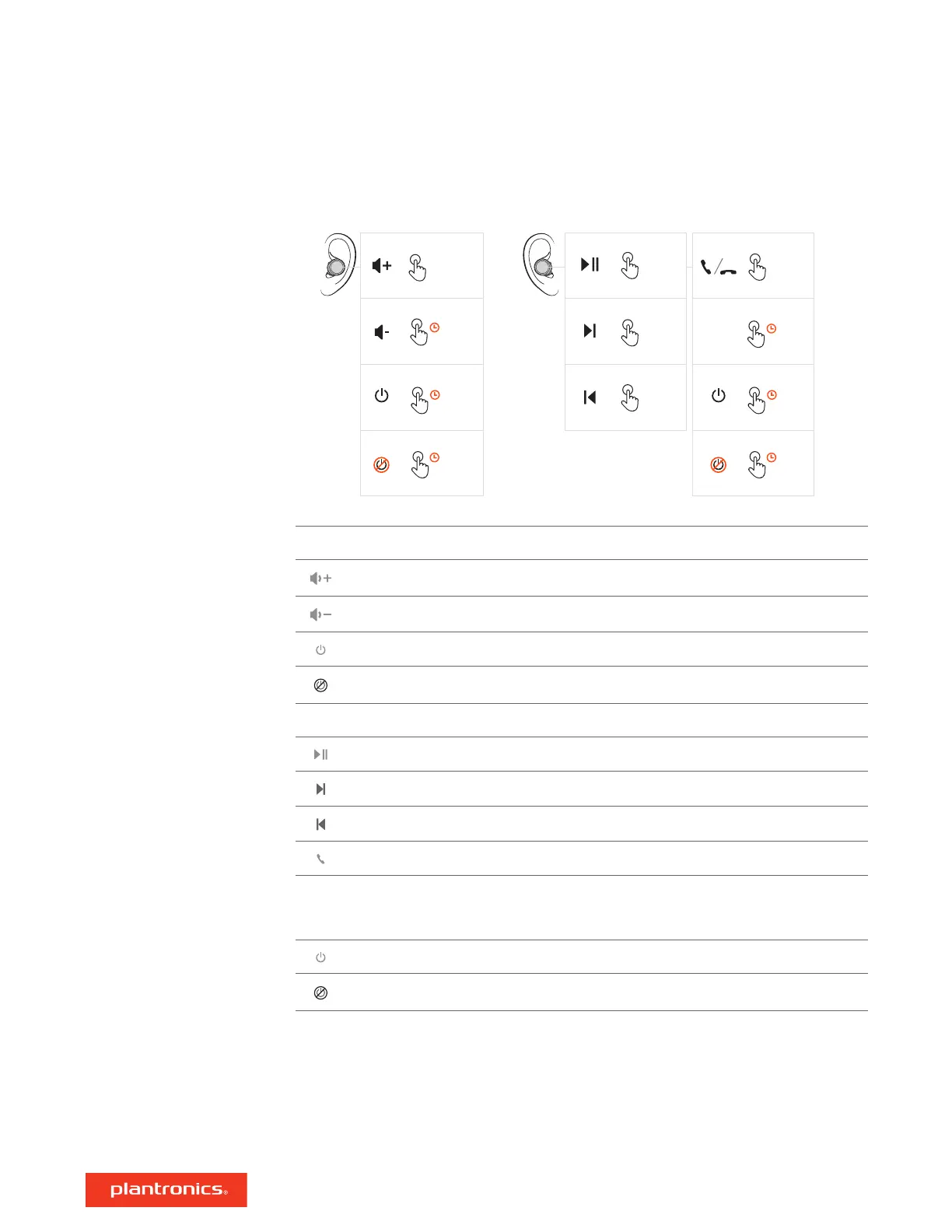
Left Secondary earbud
Volume up Tap to increase levels (touch sensor)
Volume down Tap and hold to decrease levels (touch sensor)
Power on Click and hold 2 seconds
Power off Click and hold 4 seconds
Right Primary earbud
Play/pause * Click 1 time
Next track * Click 2 times
Previous track * Click 3 times
Call answer/end Click 1 time
Siri/
Google
Now
Click and hold 2 seconds
Power on Click and hold 2 seconds
Power off Click and hold 4 seconds
NOTE *Functionality varies by application. May not function with web-based apps.
Controls overview
3








 To Next Page