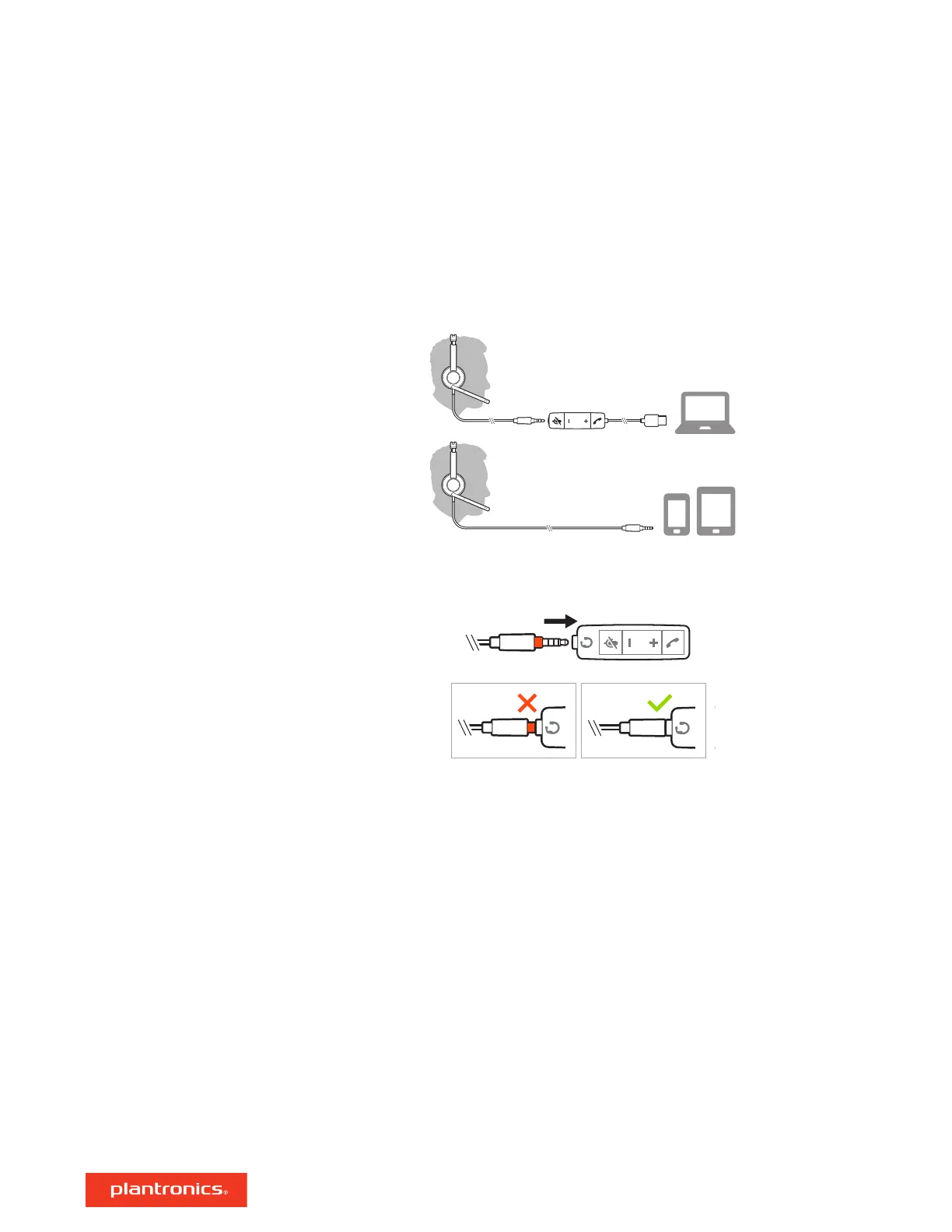
Power on your headset by connecting to your computer or mobile device.
You can connect your headset in 2 ways:
1 Via USB-A/USB-C connector
NOTE Headset call control functionality may vary in mobile devices.
2 Via 3.5 mm connector*
NOTE Headset call control functionality is not available.
* 3.5 mm connector available on Blackwire 3215/3225 only.
IMPORTANT Some softphones require the installation of Plantronics Hub for Windows/Mac to
enable headset call control (answer/end and mute) functionality.
Download Plantronics Hub for Windows/Mac by visiting plantronics.com/software.
Manage your headset settings on your computer with Plantronics Hub:
• Call control for softphones
• Update firmware
• Turn features on/off
• View user guide
Setup
Load software
4






 To Next Page