1
Load Plantronics Spokes software by visiting www.plantronics.com/software and click on
"Download".
2
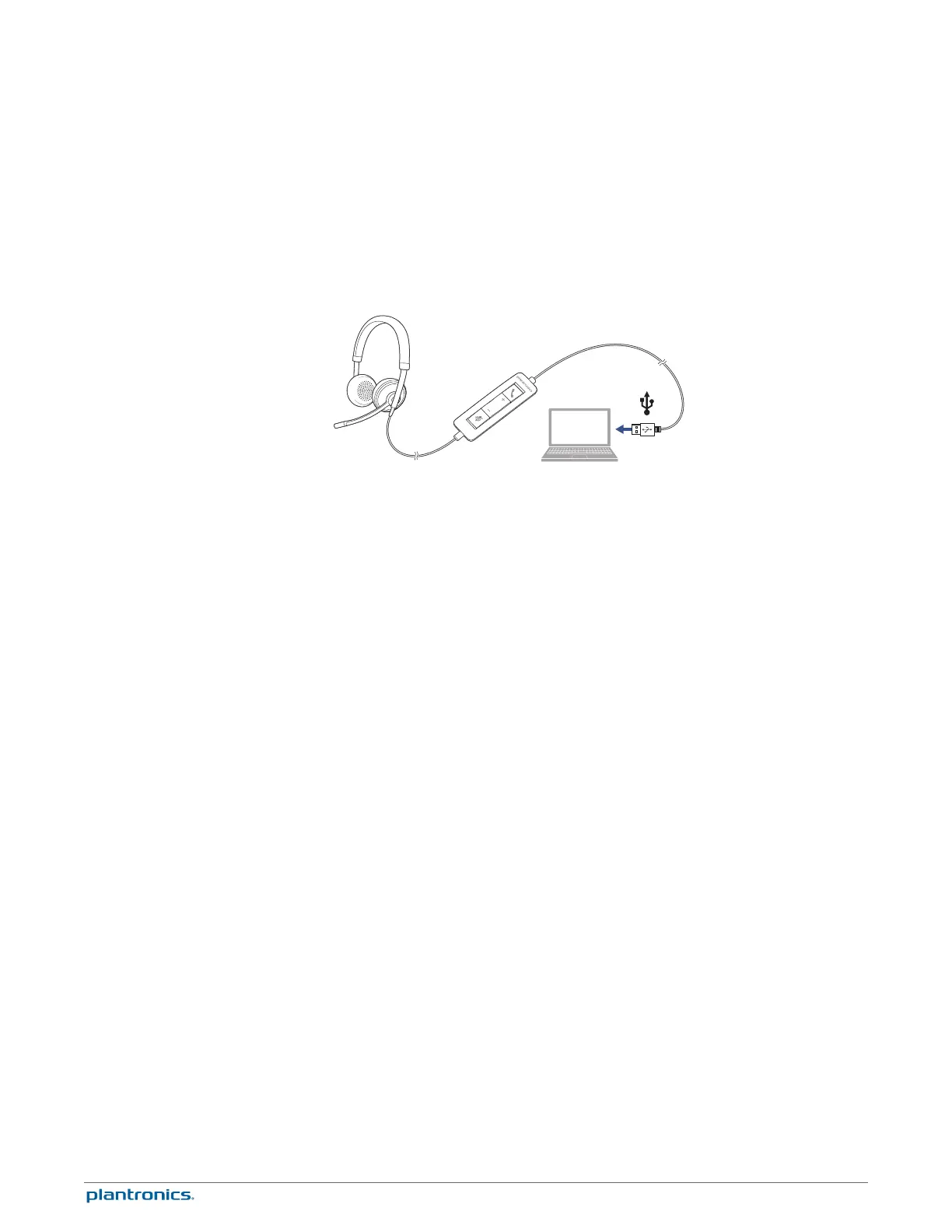
Connect the headset to the USB port of the computer. The headset will automatically power on.
3
Check your audio settings. Confirm the speaker and microphone settings for your PC softphone
are set to Plantronics C510/C520.
•
PC audio setup for Windows 7 and Windows 8
Go to Control Panel -> Sound -> Playback tab, and set the Plantronics C510/C520 device as the
Default Communications Device.
•
PC audio setup for Windows XP
Go to Control Panel -> Sound and Audio Devices, and in the Audio tab set the Plantronics
C510/C520 device for the Sound Playback.
4
Place a call using your softphone software.
1
To place a call
Dial number using your softphone software application.
2
To answer a call
• Put on headset to answer call with Smart Sensor technology or,
• If already wearing headset, press the Answer/End button
3
To end a call
Short press the Answer/End button.
Daily use
Connect PC and call
Incoming/Outgoing calls
7







 To Next Page