10
This section describes how to charge your C565 headset.
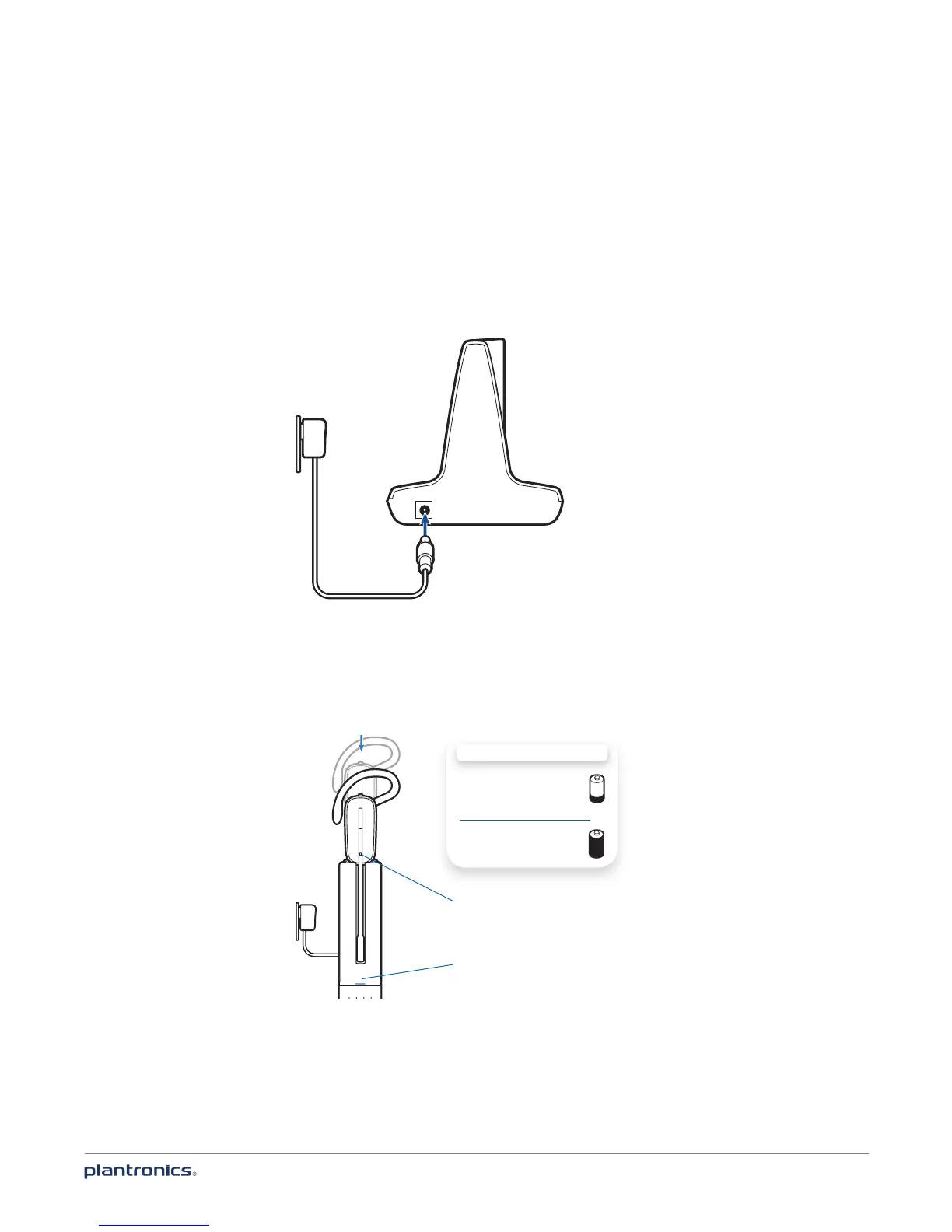
Connect the power
Plug one end of the power supply into the power jack on the back of the charger base and the
other end into a working power outlet. The power indicator light will be solid white.
Charge the headset
1 Gently push the headset into the charging cradle. The charging indicator light on the headset
will flash white to indicate that the headset battery is charging and will turn solid white when
fully charged.
2 Charge for at least 20 minutes prior to first use. A full charge takes 3 hours.
CHARGING TIME
20 min ...............................
Minimum charge
before first use
3 hours ..............................
Full charge
NOTE This product has a replaceable battery. Only use the battery type supplied by Plantronics.
Charging indicator light
Power indicator light
Charge your headset








 To Next Page