UK D DK E F I N NL P SF S
8
UK
• Charge the headset battery as described in this User Guide.
Do not charge with any other AC power adapter or charger.
• Do not incinerate, disassemble, bend, crush or short-circuit the battery.
• Dispose of spent battery promptly and safely in accordance with local regulations.
Keep battery away from children.
• Exercise care when handling the battery, AC power adapter, the base and the
headset. Do not short the metal contacts (on the plastic casing) with electrically
conducting materials such as rings, bracelets, keys etc.
• If liquid from the battery comes in contact with the eyes, skin or any other part of the
body, immediately flush with fresh water and seek medical advice.
• For battery replacement please refer to the diagrams in Fig.5 on page 4.
Plantronics B.V. hereby declares that this C65 DECT Wireless Headset System is
in compliance with the essential requirements and other relevant provisions of
Directive 1999/5/EC.
A copy of the Declaration of Conformity to the essential requirements
of 1999/5/EC maybe found at www.plantronics.com/documentation.
The C65 complies with the EU recommendations on human exposure
to electromagnetic fields.
1. GETTING STARTED
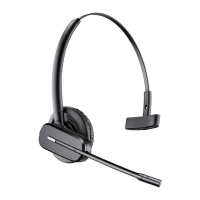
To use your Plantronics C65 DECT Headset System, please follow these simple steps:
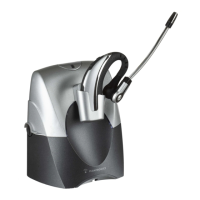
1. Install your C65 desk-charger.
2. Charge your headset battery.
3. Register your headset to your DECT telephone.
4. Choose you headset wearing style.
INSTALLING THE DESK CHARGER
To install the desk-charger simply connect to the AC Power Adapter as shown in Fig. 2
on page 1. Then attach the stand by inserting the Stand Pegs into the locating holes
on the underside of the Desk Charger Module.
This will create the finished desk charger assembly (refer to Fig.3, page 1).
USAGE INSTRUCTIONS
UK
7
DIAGRAM KEY
HEADSET
1
Microphone
2 Speaker
3 Talk Button
4 Volume/Mute Control
5 On-line Indicator
6 Charge Contacts
7 Battery Door
DESK CHARGER
8
AC Power Adapter
9 AC Power Adapter Port
10 Headset Docking Cradle
11 Charge Contacts
12 Charge Indicator
13 Power Indicator
14 Stand
15 Stand Pegs
16 Desk Charger Module
IMPORTANT SAFETY INFORMATION
Please read the following instructions before use:
General:
• Operating temperature +4˚C to +49˚C.
• Storage temperature +4˚C to +49˚C.
• The product is suitable for indoor use only.
• To reduce the risk of electric shock, explosion or fire:
• Use only the AC power adapter supplied.
• Ensure that the voltage rating (e.g. 230V 50Hz) corresponds to the local mains
supply you intend to use.
• Use only the correct battery type – part number – 64327-01.
• Do not disassemble the product.
• Keep all products, cords and cables away from operating machinery.
• Avoid contact with liquids.
Battery Safety:
• Please observe these precautions to ensure continued safety. Misuse or mistreatment
may result in fire, explosion or the release of corrosive chemicals.
• Battery storage temperature +4˚C to +49˚C.
• Battery operating temperature +4˚C to +49˚C.









 To Next Page