12
Check Configuration and Make a Test Call
1 If your desk phone has a volume control set it to mid-range.
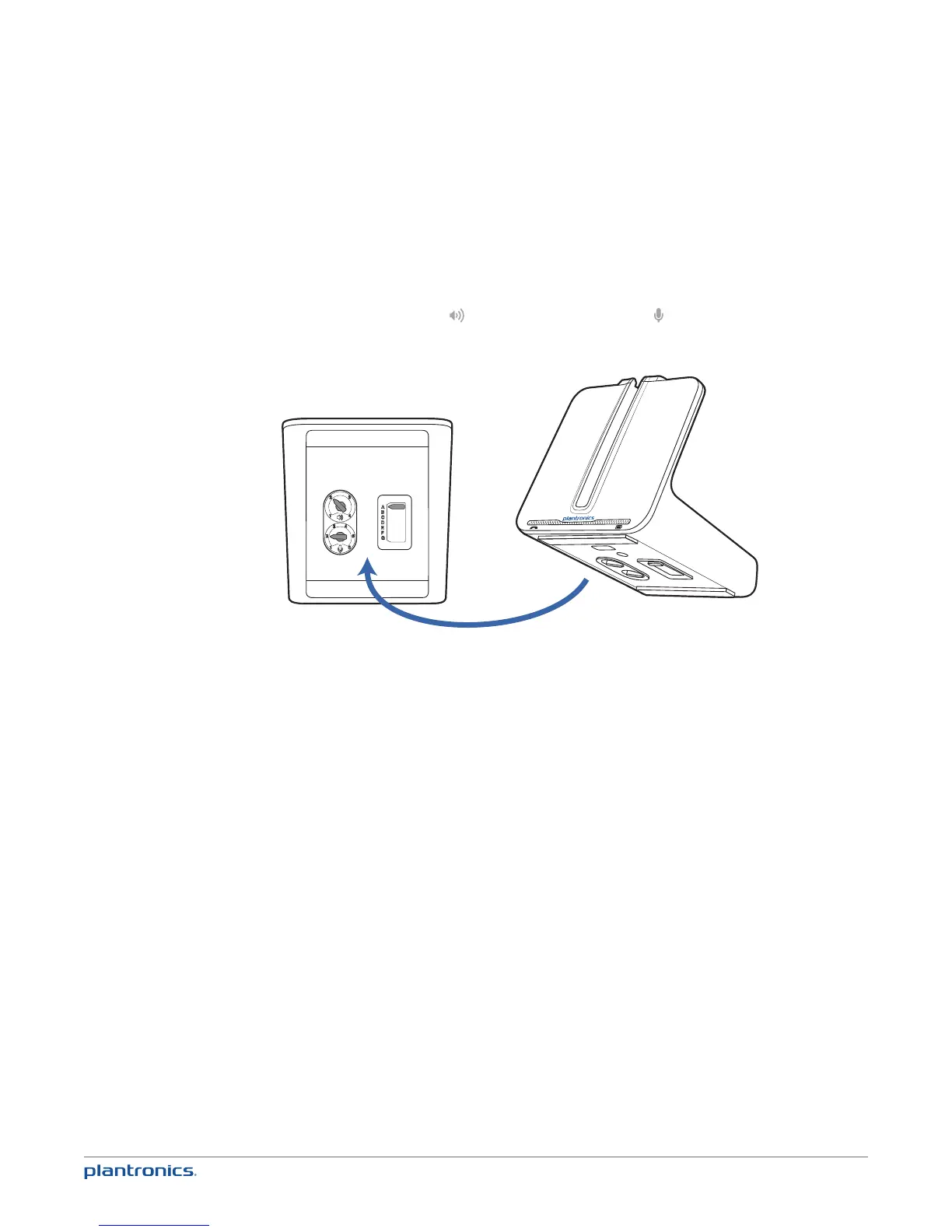
2 Look at the bottom panel of your base and make sure the default settings are correct.
Listening volume dial ( ) = 2 and Speaking volume dial ( ) = 2
Configuration switch = A
Desk phone volume = mid-range
3 Remove the handset from desk phone cradle.
4 While wearing your headset, press the call control button on the headset.
5 If you do not hear a dial tone, adjust the configuration switch (A-G) until you do.
NOTE For most phones, the factory default settings will sound the best.
6 Dial a test call from the desk phone. If needed, fine tune the volume with the headset volume
controls. You can also adjust the desk phone speaking and listening volumes on the bottom of
the base.










 To Next Page