13
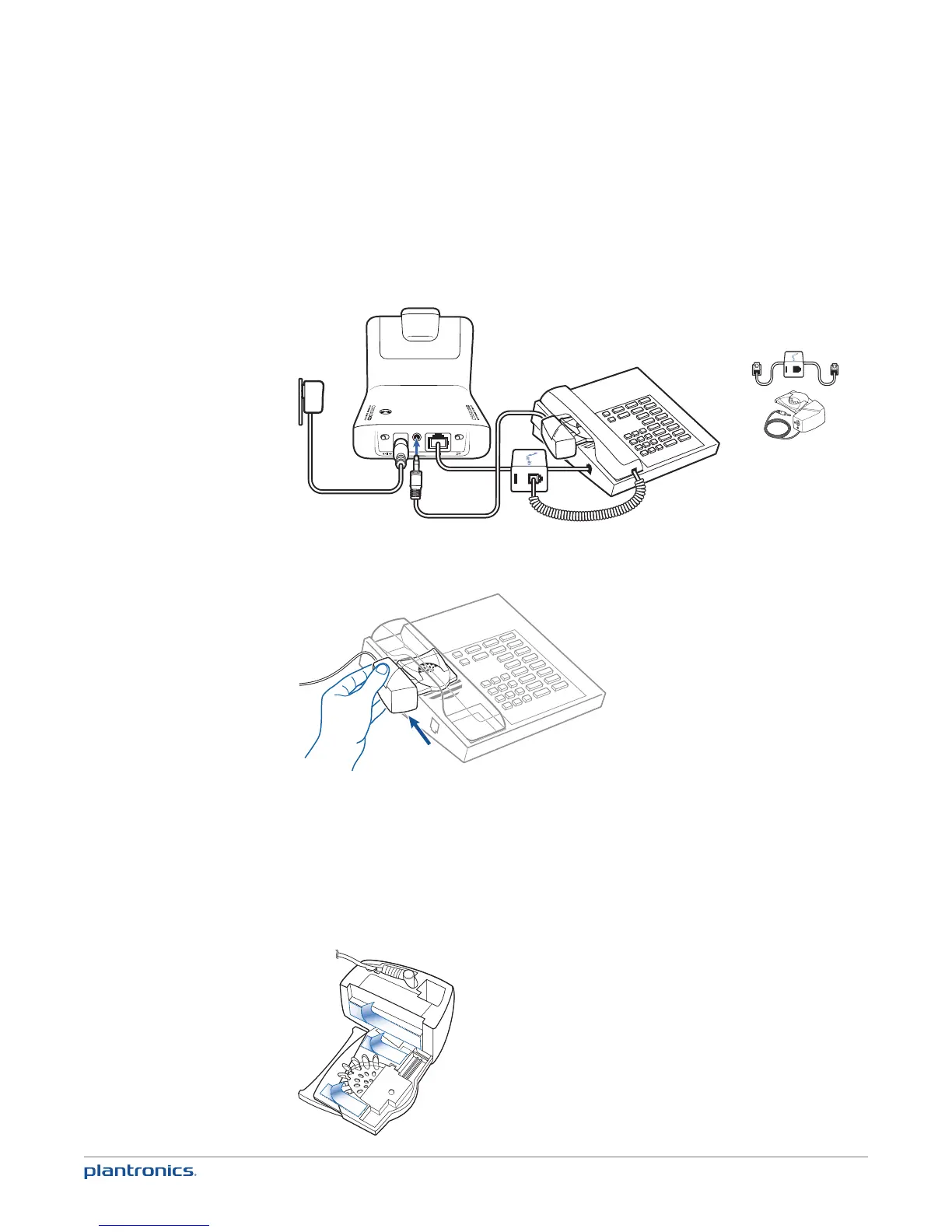
Desk Phone plus HL10 Lifter (sold separately)
NOTE First follow the steps above for Desk Phone (Standard).
1 Firmly press the handset lifter power cord into the handset lifter jack.
USE
2 While wearing your headset, slide the handset lifter arm under the handset until the lifter base
touches the side of the phone.
3 Slide the lifter up to where it nearly touches the handset earpiece.
4 Press the call control button on your headset to activate the lifter.
5 If you hear a dial tone the lifter is set correctly and needs no adjustment.
6 Remove the protective strips from the 3 mounting tapes on the underside of the lifter.
7 Gently place the lifter on the desk phone in the pre-determined position.
8 Press firmly to adhere.










 To Next Page