EasyManua.ls Logo

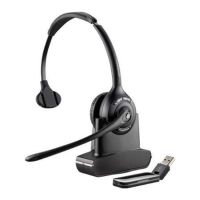
Plantronics Savi 410 - User Manual

Plantronics Savi 410
20 pages
Print Icon
To Next Page IconTo Next Page
Loading...
Savi 410/Savi 420
(W410-M/W420-M)
Wireless headset system
User guide

Other manuals for Plantronics Savi 410

Question and Answer IconNeed help?

Do you have a question about the Plantronics Savi 410 and is the answer not in the manual?

Summary

System Features

Savi USB Adapter Features

Highlights the indicator light and subscription button on the USB adapter.

Savi WH300;350 Headset Features

Details the volume button, indicator light, call control, and mute buttons on the headset.

Headset Setup

Adjust the Headband

Guide on how to adjust the headband for a comfortable and secure fit.

Adjust the Mouthpiece

Instructions on positioning the microphone for optimal voice capture.

System Setup

Connecting the Power Supply

Steps to connect the base power supply to the charger and outlet.

Docking and Charging the Headset

Guidance on placing the headset in the cradle and charging it.

Connecting the USB Adapter to your PC

Instructions for inserting the USB adapter into the PC's USB port.

Loading Software

Steps to download and install the Plantronics Hub software.

Using Your Headset System

Powering Up the Headset

Explains that the headset powers on automatically when charged and connected.

Placing, Answering and Ending Calls with Desk Phone

Instructions for managing calls on desk phones with or without a lifter.

Making Calls with Your Headset and PC

Making Calls with Your Headset and PC

Guide on placing and answering calls with and without Plantronics software.

Conferencing Up to Three Guest Headsets

Procedure to subscribe guest headsets for conference calls.

Update Firmware and Software

Troubleshooting and Common Questions

Summary

System Features

Savi USB Adapter Features

Highlights the indicator light and subscription button on the USB adapter.

Savi WH300;350 Headset Features

Details the volume button, indicator light, call control, and mute buttons on the headset.

Headset Setup

Adjust the Headband

Guide on how to adjust the headband for a comfortable and secure fit.

Adjust the Mouthpiece

Instructions on positioning the microphone for optimal voice capture.

System Setup

Connecting the Power Supply

Steps to connect the base power supply to the charger and outlet.

Docking and Charging the Headset

Guidance on placing the headset in the cradle and charging it.

Connecting the USB Adapter to your PC

Instructions for inserting the USB adapter into the PC's USB port.

Loading Software

Steps to download and install the Plantronics Hub software.

Using Your Headset System

Powering Up the Headset

Explains that the headset powers on automatically when charged and connected.

Placing, Answering and Ending Calls with Desk Phone

Instructions for managing calls on desk phones with or without a lifter.

Making Calls with Your Headset and PC

Making Calls with Your Headset and PC

Guide on placing and answering calls with and without Plantronics software.

Conferencing Up to Three Guest Headsets

Procedure to subscribe guest headsets for conference calls.

Update Firmware and Software

Troubleshooting and Common Questions

Plantronics Savi 410 Specifications

General IconGeneral
BrandPlantronics
ModelSavi 410
CategoryHeadsets
LanguageEnglish

Related product manuals