Plantronics Savi User Guide 16
Hub Settings Options
Feature Settings Default
General (software) Maintain Headset
to PC Radio Link
Active Only During Call/
Always Active
Active Only During
Call
Software Log
Level Detail
Low/Med/High/Verbose Low
Metrics Collection
to Help Improve
Hub
Off/On On
General (Savi 400
Series)
Auto Answer Off/On Off
Audio Sensing Off/On Off
Second Inbound
Call
Ring Continuously/Ring
Once/Ignore
Ring Continuously
Maintain Headset to PC Link
This feature forces the radio link to the PC to stay active even after the call has ended. This
can eliminate the need to re-establish the radio link when switching between PC audio
applications.
Software Log Level Detail
Adjust the level of detail captured in log files.
Metrics Collection to Help Improve Hub
When selected, this will allow Plantronics to collect data on feature usage pattern. This
information will only be used by Plantronics to improve the quality of our future software and
hardware products.
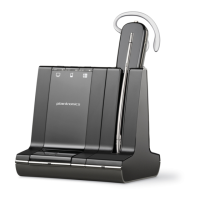
Auto Answer
When enabled, this feature will configure your headset to automatically answer a call when it
is removed from the charge cradle.
Audio Sensing
Audio Sensing is a special feature supported by Plantronics wireless devices that can detect
an audio signal at the USB port and automatically establish the radio link between the base
and the wireless headset without the user having to press the call control button. When the
Configure Lync Dial Tone parameter is set to On, every time the user presses the call control
button, the Lync dial tone will be heard (assuming the user wants to make a softphone call).
However, the user may have pressed the call control button to listen to PC music, etc., and
does not want to hear the dial tone. In this case, if the user sets the Audio Sensing parameter
to On, the radio link will be established automatically when any PC audio is detected at the
USB port, thus eliminating the need for the user to press the call control button.




 To Next Page