Plantronics Savi User Guide 9
USB Adapter Indicator Light
USB Adapter Status USB Indicator Light
Headset subscribed, no activity Solid green
Headset in talk mode Flashes green
Headset muted Flashes red
Incoming call Flashes red and yellow
Headset not subscribed Solid red
USB adapter subscription Flashes green and red
USB adapter conference subscription Flashes green and yellow
On conference call with one or more guest headsets subscribed Flashes yellow
Connecting the USB Adapter to your PC
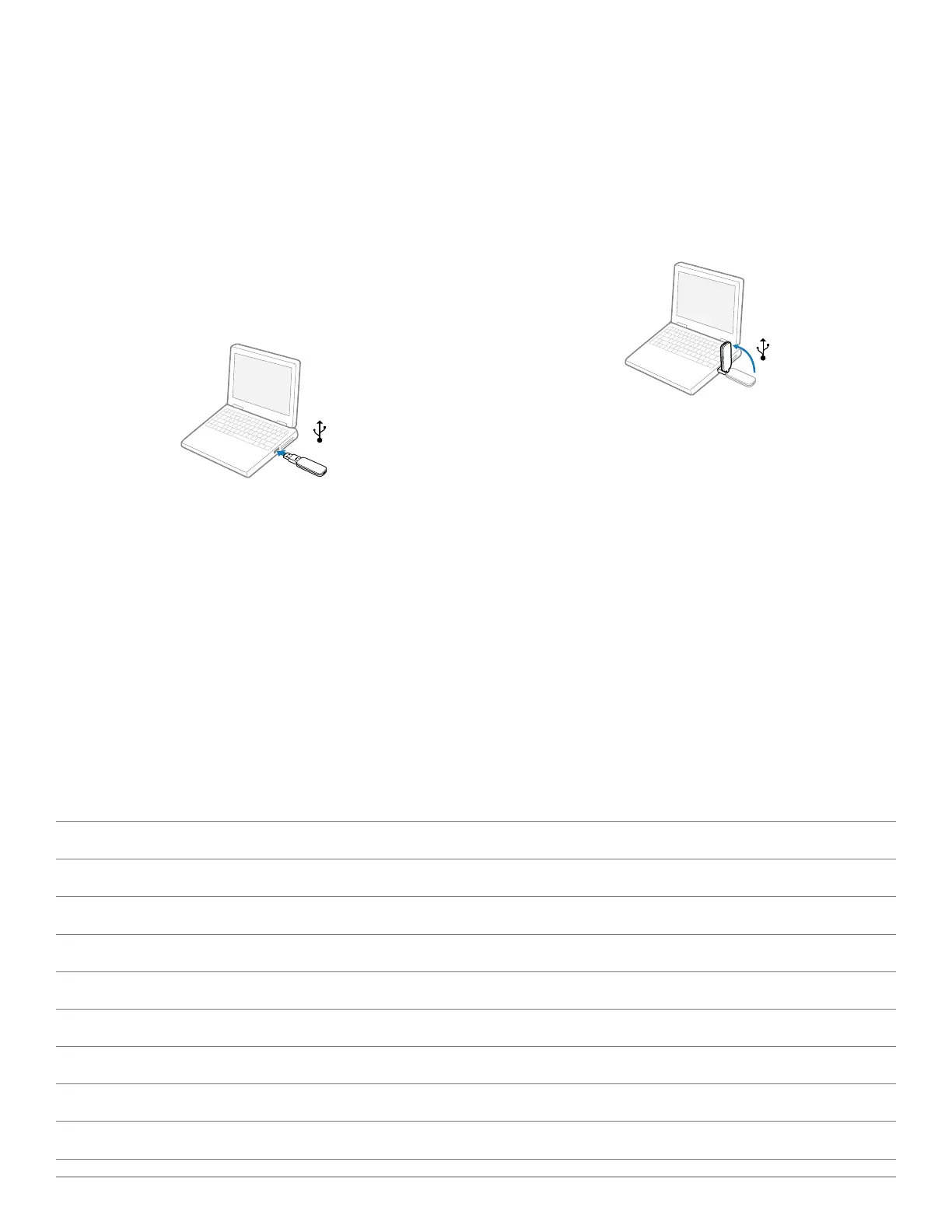
1 Insert the USB adapter into USB Port on PC. The indicator
light on the USB adapter will be solid red to indicate the
USB adapter is powered on and will turn solid green when it
connects to the headset.
NOTE The headset may have to be charged before the
USB adapter can find it.
2 USB adapter can be folded as shown.
Loading software
1 Load Plantronics software by visiting
plantronics.com/software and click on the download
button.




 To Next Page