EasyManua.ls Logo

Plantronics Savi WT100/T - User Manual

Plantronics Savi WT100/T
16 pages
Print Icon
To Next Page IconTo Next Page
Loading...
Savi
Talk WT100/T
Professional wireless headset system
(WT1/T base + WH100/T headset)
with optional HL10 lifter
User Guide
Question and Answer IconNeed help?

Do you have a question about the Plantronics Savi WT100/T and is the answer not in the manual?

Summary

Package contents and features

Base

Overview of the base unit, its components, and features, including ports and indicators.

Savi WH100;T headset

Details on the Savi WH100/T headset, including its design, features, and wearing options.

HL10 lifter and features (optional)

Information about the optional HL10 lifter, its functions, and associated additional parts.

Base set-up

Attaching charging cradle to base

Instructions for connecting the headset charging cradle securely to the base unit.

Connecting base to desk phone

Step-by-step guide for connecting the headset base to the desk phone line.

Connecting power supply to base

Procedure for plugging in the power adapter to the base and a wall outlet.

Positioning base

Recommended placement and minimum separation distances for the base unit.

Headset set-up

Fitting headset

Guidance on wearing the headset, including ear loop and headband adjustments for comfort.

Docking and charging the headset

Instructions for placing the headset in the cradle and charging it for initial use.

Configuration and test call

Checking configuration

Procedure to verify headset and base configuration for optimal phone connection.

Making a test call

Steps to conduct a test call, adjusting volumes and confirming functionality.

Lifter set-up (optional)

Installing lifter

Detailed steps for installing the HL10 handset lifter onto the desk phone.

If you do not hear a dial tone

Troubleshooting steps to resolve issues when no dial tone is detected with the lifter.

Additional parts (if required)

Information on using optional parts like the extender arm and stabilisers for the lifter.

Using your Savi Talk professional wireless headset system

Powering headset on;off

Instructions on how to turn the headset on, off, and conserve power.

Placing, answering and ending calls with desk phone

Procedures for managing phone calls using the headset and desk phone controls.

Muting a call

How to activate and deactivate the call mute function using headset controls.

Base indicator lights

Explanation of the status lights and their meanings on the headset base unit.

Headset indicator lights and tones

Guide to understanding the indicator lights and audio cues on the headset itself.

Subscription

Steps to establish a subscription connection between the headset and the base unit.

Mute warning

Information on the audible warning provided when the mute function is activated.

Troubleshooting and common questions

I cant hear a dial tone at the headset.

Solutions for common issues where no dial tone is audible through the headset.

I hear static.

Steps to diagnose and resolve static or interference problems affecting audio quality.

The sound is distorted or I hear an echo in the headset.

Guidance on fixing distorted audio or echo feedback experienced in the headset.

People I talk to can hear a buzz in the background.

Advice for eliminating unwanted background buzz perceived by the person on the call.

Talk time performance is significantly degraded even after a full recharge.

Troubleshooting reduced talk time performance after a complete battery recharge.

The handset lifter is installed, but does not lift the handset.

Steps to resolve issues where the automatic handset lifter fails to operate.

The call is dropped. (Subscription light on base is off)

Guidance on resolving dropped calls caused by loss of subscription to the base.

Summary

Package contents and features

Base

Overview of the base unit, its components, and features, including ports and indicators.

Savi WH100;T headset

Details on the Savi WH100/T headset, including its design, features, and wearing options.

HL10 lifter and features (optional)

Information about the optional HL10 lifter, its functions, and associated additional parts.

Base set-up

Attaching charging cradle to base

Instructions for connecting the headset charging cradle securely to the base unit.

Connecting base to desk phone

Step-by-step guide for connecting the headset base to the desk phone line.

Connecting power supply to base

Procedure for plugging in the power adapter to the base and a wall outlet.

Positioning base

Recommended placement and minimum separation distances for the base unit.

Headset set-up

Fitting headset

Guidance on wearing the headset, including ear loop and headband adjustments for comfort.

Docking and charging the headset

Instructions for placing the headset in the cradle and charging it for initial use.

Configuration and test call

Checking configuration

Procedure to verify headset and base configuration for optimal phone connection.

Making a test call

Steps to conduct a test call, adjusting volumes and confirming functionality.

Lifter set-up (optional)

Installing lifter

Detailed steps for installing the HL10 handset lifter onto the desk phone.

If you do not hear a dial tone

Troubleshooting steps to resolve issues when no dial tone is detected with the lifter.

Additional parts (if required)

Information on using optional parts like the extender arm and stabilisers for the lifter.

Using your Savi Talk professional wireless headset system

Powering headset on;off

Instructions on how to turn the headset on, off, and conserve power.

Placing, answering and ending calls with desk phone

Procedures for managing phone calls using the headset and desk phone controls.

Muting a call

How to activate and deactivate the call mute function using headset controls.

Base indicator lights

Explanation of the status lights and their meanings on the headset base unit.

Headset indicator lights and tones

Guide to understanding the indicator lights and audio cues on the headset itself.

Subscription

Steps to establish a subscription connection between the headset and the base unit.

Mute warning

Information on the audible warning provided when the mute function is activated.

Troubleshooting and common questions

I cant hear a dial tone at the headset.

Solutions for common issues where no dial tone is audible through the headset.

I hear static.

Steps to diagnose and resolve static or interference problems affecting audio quality.

The sound is distorted or I hear an echo in the headset.

Guidance on fixing distorted audio or echo feedback experienced in the headset.

People I talk to can hear a buzz in the background.

Advice for eliminating unwanted background buzz perceived by the person on the call.

Talk time performance is significantly degraded even after a full recharge.

Troubleshooting reduced talk time performance after a complete battery recharge.

The handset lifter is installed, but does not lift the handset.

Steps to resolve issues where the automatic handset lifter fails to operate.

The call is dropped. (Subscription light on base is off)

Guidance on resolving dropped calls caused by loss of subscription to the base.

Overview

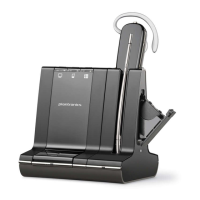
The Savi™ Talk WT100/T is a professional wireless headset system designed for use with desk phones, offering hands-free communication and enhanced mobility in an office environment. The system comprises a WT1/T base unit and a WH100/T headset, with an optional HL10 lifter for added convenience.

Function Description

The core function of the Savi Talk WT100/T system is to provide wireless communication with a desk phone. The WT1/T base unit acts as the central hub, connecting to the desk phone and the power supply. It manages the wireless link to the WH100/T headset, enabling users to answer, end, and manage calls remotely. The WH100/T headset is a lightweight, comfortable device that allows users to speak and listen wirelessly. It features a microphone for speaking, an ear loop or headband for wearing, and a call control button for managing calls and adjusting volume. The optional HL10 lifter automates the process of lifting and returning the desk phone handset, allowing for single-button call control directly from the headset, even for phones without a dedicated headset port or electronic hookswitch.

Usage Features

Base Unit (WT1/T):

  • Connectivity: The base connects to the desk phone via a telephone interface cable and to a power outlet via a power supply. It also has a dedicated jack for the optional HL10 lifter.
  • Controls: The base features a master speaking volume control and a master listening volume control, allowing users to adjust audio levels for both outgoing and incoming calls. A configuration switch helps optimize the dial tone for different desk phone models.
  • Indicators: Indicator lights on the base provide visual feedback on the system's status, including power, talk mode, headset mute, and subscription status.
  • Positioning: For optimal performance and to minimize interference, the base should be positioned at least 15 cm from the desk phone and 30 cm from a computer.

Headset (WH100/T):

  • Wearing Styles: The headset comes with a pre-installed ear loop and an optional headband, allowing users to choose their preferred wearing style. It can be worn on either the left or right ear, with the microphone rotated towards the mouth for clear communication.
  • Call Control Button: This multi-function button on the headset allows users to:
    • Answer and end calls with a short press.
    • Adjust listening volume by pushing up or down (without pressing in).
    • Mute and unmute the microphone by pressing and holding for two seconds.
    • Power the headset on/off by pressing and holding for six seconds.
    • Check battery level by pressing inwards and holding in the volume down position for two seconds.
    • Toggle the blue flashing indicator light on/off by pressing inwards and holding in the volume up position for two seconds.
  • Indicator Light: A light on the headset indicates charging status (solid red), battery level (flashing red), ready status (slow blue flash), incoming call (flashing purple), and active call (fast blue flash).
  • Wireless Range: The headset provides freedom of movement, allowing users to walk away from their desk phone while on a call. An out-of-range warning indicates when audio quality degrades, and calls are suspended if the user remains out of range, re-establishing when back in range.

Optional HL10 Lifter:

  • Automated Handset Control: The HL10 lifter automatically lifts and returns the desk phone handset, enabling remote call answer/end functionality directly from the headset's call control button.
  • Adjustability: It features a height switch to ensure proper lifting for various phone models and an extender arm for additional stability if needed. Stabilizers can be shifted to gently grip the phone.
  • Ringer Microphone (optional): For phones where the speaker is not directly under the handset, an optional ringer microphone can be attached to the lifter and placed over the phone speaker to detect incoming calls.

Call Management:

  • Placing/Answering/Ending Calls (with HL10 or electronic hookswitch): A short press of the headset's call control button initiates, answers, or ends a call.
  • Placing/Answering/Ending Calls (without HL10 or electronic hookswitch): Users must short press the headset's call control button, then manually remove/return the handset from/to the cradle. If the phone has a headset button, it must also be pressed after the headset's call control button.
  • Muting: Pressing and holding the headset volume down button for two seconds mutes the microphone, indicated by a low/high tone pair and a flashing blue talk indicator light on the base. Repeating the action unmutes the microphone.

Maintenance Features

Charging:

  • Headset Charging: The WH100/T headset charges by gently pushing it into the charging cradle on the base. The headset's indicator light will be solid red during charging.
  • Charging Time: A minimum of 20 minutes of charge is required before first use, with a full charge taking approximately 3 hours.

Battery Management:

  • Low Battery Warning: A repeating high/low tone pair every 10 seconds indicates a low headset battery, prompting the user to recharge immediately.
  • Checking Battery Level: The headset's indicator light flashes red a certain number of times to indicate the remaining battery charge (one flash for low, two for medium, three for high).

Subscription:

  • Automatic Subscription: The headset and base unit are supplied pre-subscribed to each other.
  • Re-subscription: If a replacement headset is used or if the headset loses subscription, it can be re-subscribed to the base. This involves fully charging the headset, powering it off, placing it in subscription mode (indicator light flashes red and blue), and then placing the base in subscription mode (subscription light flashes red and blue). The subscription is successful when the base's subscription light turns solid blue.

Troubleshooting:

The user guide provides a comprehensive troubleshooting section for common issues such as:

  • No dial tone at the headset.
  • Static during calls.
  • Distorted sound or echo.
  • Background buzz heard by others.
  • Degraded talk time performance.
  • HL10 lifter not lifting the handset.
  • Dropped calls due to lost headset subscription.

These features ensure a reliable and user-friendly experience, allowing for efficient communication and extended mobility within the workspace.

Plantronics Savi WT100/T Specifications

General IconGeneral
Noise CancellationYes
Charging Time3 hours
TypeWireless
ConnectivityDECT
Wireless TechnologyDECT
MicrophoneYes
CompatibilityDesk phone

Related product manuals