09
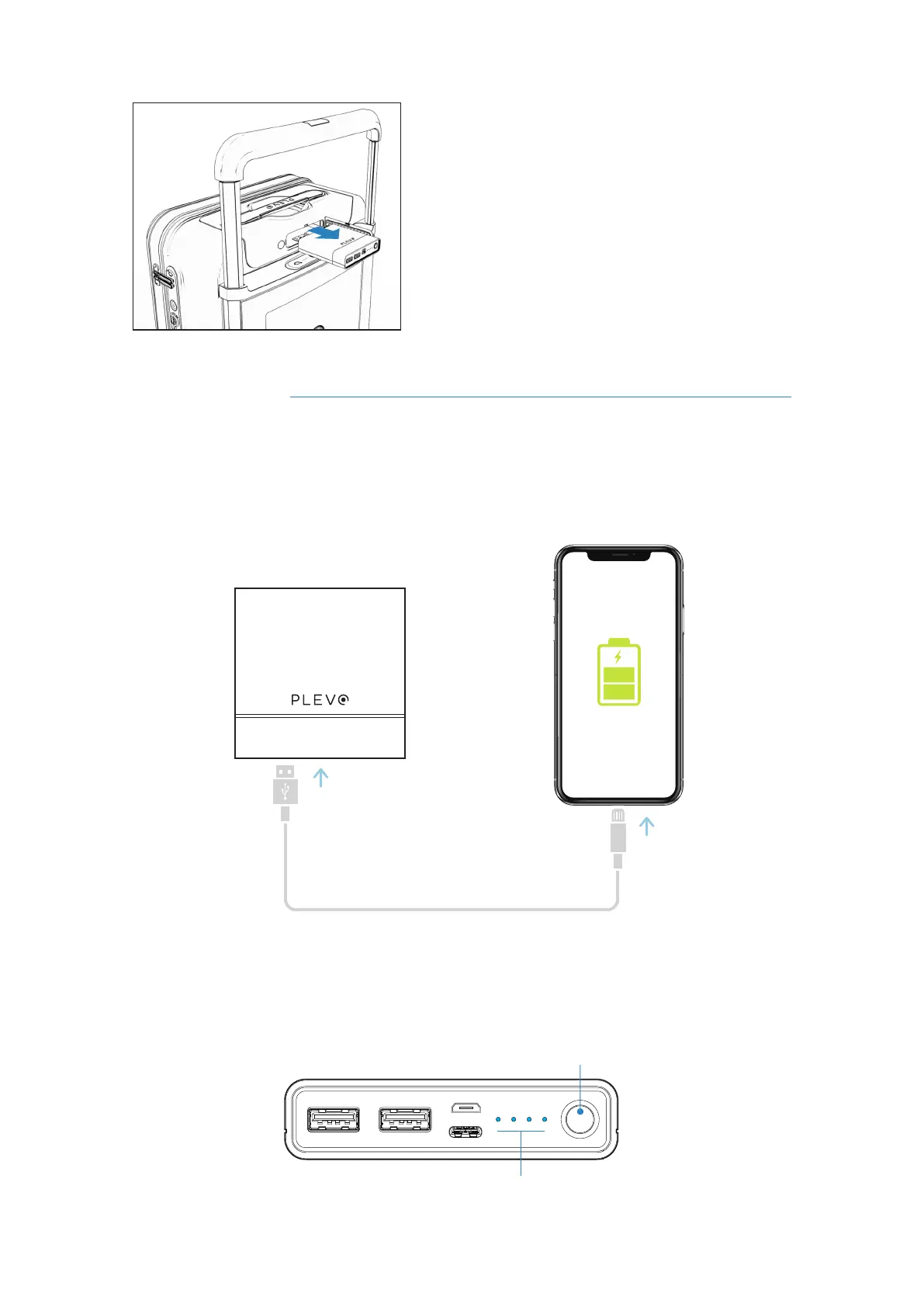
Remove the battery horizontally backwards,
without exerting upward or lateral pressure.
3
Loading devices
To charge a mobile device with the battery of the suitcase it is necessary to connect a
USB type cable to one of the available ports (USB or USB 3.0). The battery can provide
power when installing in the suitcase or outside it.
To display the charge level, press the button and the lights will turn on automatically
indicating the battery status. The maximum load level is represented by 4 lights lit CYAN
color.
Charging lights
Power button
RUNNER User's manual



 To Next Page