08
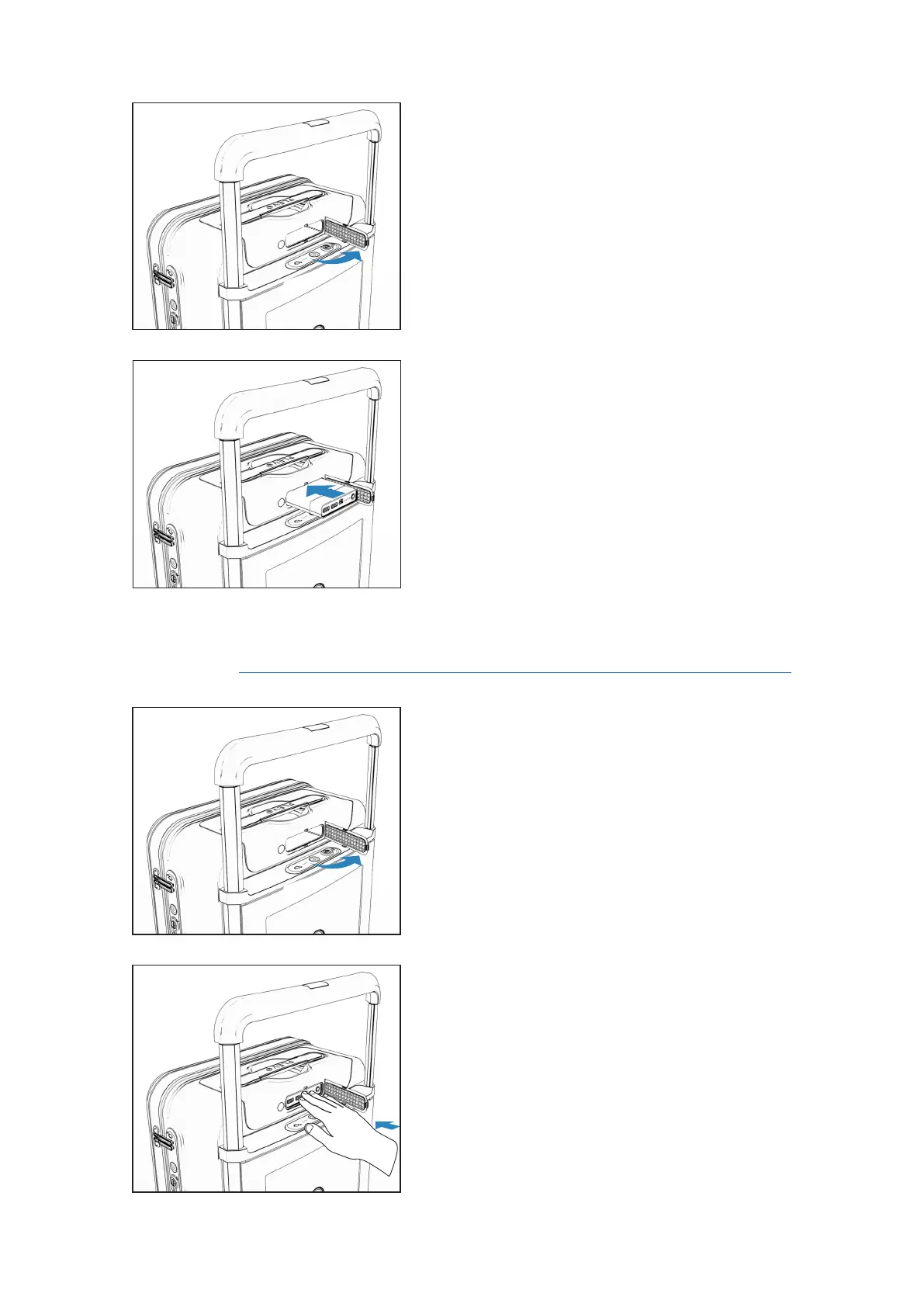
Open the rubber cover to the right in order to
access the internal compartment of the board.
Open the rubber cover to the right in order to
access the battery.
Press slightly forward until the ejection
mechanism is released.
Place the battery horizontally (with the PLEVO
logo facing up) and press until it locks the
mechanism and is anchored.
Extraction
2
2
3
1
RUNNER User's manual



 To Next Page